
Latest On AidenPromotions
=============================
Sponsored Advertisement

November 4, 2026
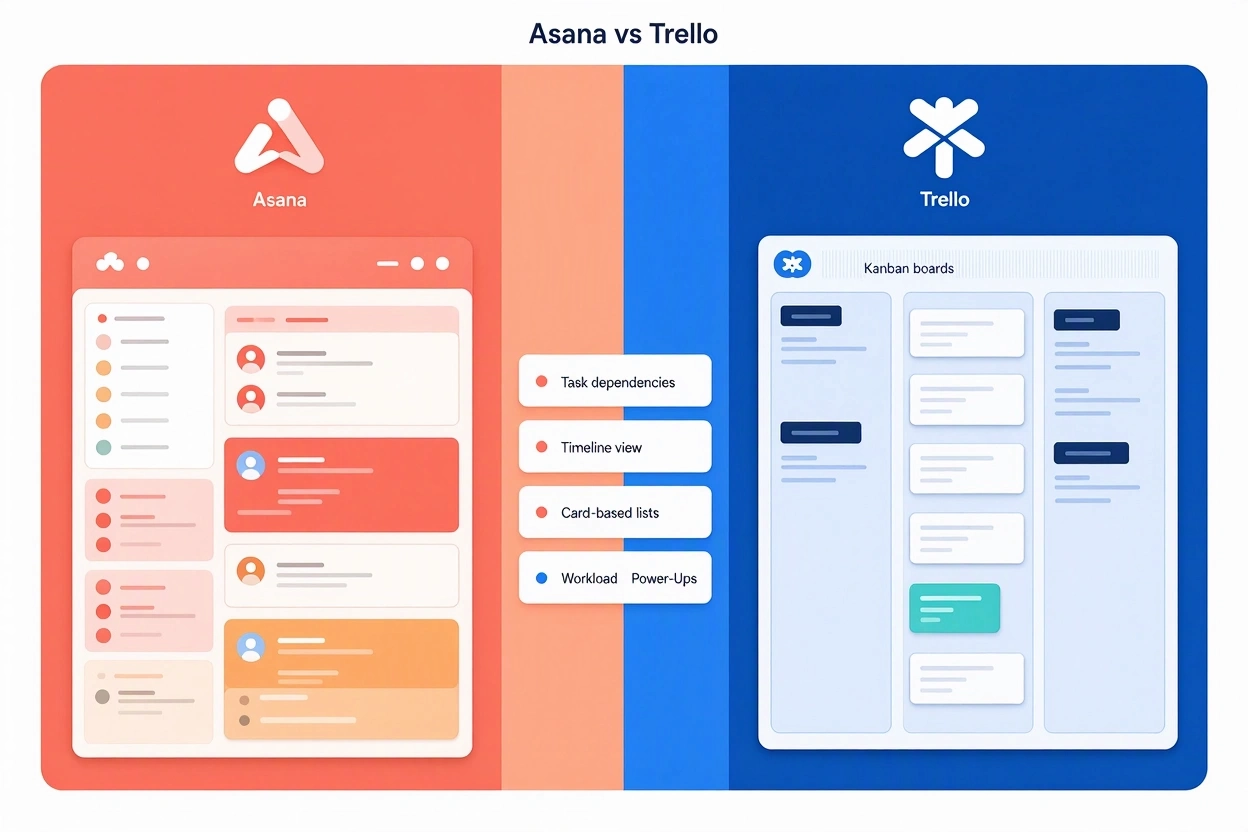
Asana and Trello are both collaborative work-management platforms, but they occupy different ends of the complexity spectrum. Trello is best for lightweight, visual task tracking, while Asana is better suited to structured, cross-functional project and portfolio management.
How Asana Works
Asana organizes work in a hierarchy: Goals → Portfolios → Projects → Tasks → Subtasks. A task is the basic unit of work and typically has an owner, due date, collaborators, description, attachments, comments, and custom fields.
Teams create a project for an initiative—such as a product launch, marketing campaign, or editorial calendar—then break it into sections, tasks, milestones, and dependencies. The same project can be viewed as a list, Kanban board, calendar, timeline, or Gantt chart without rebuilding the underlying data.
Asana’s automation feature, Rules, handles repetitive work such as assigning tasks, changing statuses, updating custom fields, and sending reminders. More advanced capabilities include portfolios for tracking related projects, workload views for capacity planning, forms for standardized work intake, and dashboards for reporting.
Its pricing begins with a free Personal plan for up to two users; Starter is $10.99 per user per month billed annually, and Advanced is $24.99 per user per month billed annually. Enterprise and Enterprise+ plans are custom-priced.
How Trello Works
Trello is built around a simple Kanban model: boards contain lists, and lists contain cards. A board represents a project, workflow, or shared workspace; a card represents a task, idea, request, or item moving through a process.
A card’s front shows quick details such as its title, labels, members, and due date, while its back can hold descriptions, checklists, attachments, comments, and activity history. Users move cards from one list to another—for example, from “To Do” to “In Progress” to “Done”—to show progress visually.
Trello’s automation tool, Butler, can automatically move cards, assign members, set due dates, archive items, and trigger actions based on board activity. It also offers Timeline, Table, Calendar, Dashboard, Map, and Workspace views, though some of these are limited to paid plans.
Trello’s free plan supports up to 10 collaborators per Workspace. Standard costs $5 per user per month billed annually, Premium is $10 per user per month billed annually, and Enterprise is $17.50 per user per month billed annually for organizations with 50 or more seats.
Similarities
| Area | Asana and Trello |
|---|---|
| Core purpose | Both help teams organize work, assign responsibility, set deadlines, and track completion. |
| Collaboration | Both support comments, mentions, attachments, due dates, assignees, and shared workspaces. |
| Kanban support | Both offer board views for visualizing work as it moves through stages. |
| Automation | Asana uses Rules; Trello uses Butler. Both reduce repetitive administrative work. |
| Integrations | Both connect with common business tools such as Slack, Google Drive, Gmail, Microsoft Teams, and calendar applications. |
| Flexible use cases | Both can be adapted for marketing, product work, IT requests, client projects, onboarding, and internal operations. |
| Freemium pricing | Both offer a free tier, with more advanced views, automation, reporting, and administration available in paid plans. |
The key distinction is that Trello treats the board as the primary organizing model, whereas Asana treats the task-and-project structure as primary and offers boards as one of several views.
How Businesses Use Them
Asana in organizations
Asana is commonly used where work spans multiple teams, dependencies matter, and leadership needs visibility. Marketing teams can plan campaigns on a timeline; product teams can manage roadmaps; operations teams can use forms and approvals; and executives can monitor portfolios and goals.
Its multi-homing feature allows one task to appear in multiple projects while remaining a single source of truth, which is useful for cross-departmental work. Portfolios then aggregate related projects, while dashboards and reports help managers identify overdue work, bottlenecks, and project health.
Asana is particularly valuable for organizations that need process discipline: task dependencies, Gantt-style planning, workload balancing, standardized intake forms, and company-wide reporting.
Trello in organizations
Trello is often used as a visual operating system for smaller teams or simpler workflows. Businesses use it for content pipelines, sales pipelines, client-service queues, IT request tracking, onboarding checklists, meeting agendas, and resource hubs.
For example, a sales team can create columns such as “New Lead,” “Contacted,” “Proposal Sent,” and “Closed,” with each prospect represented as a card. Labels can show priority, checklists can track next steps, and Butler can automatically assign follow-up tasks or move cards when a stage changes.
Trello Enterprise adds centralized administration, permissions, SAML SSO through Atlassian Guard, security controls, and support for larger organizations.
Positive Feedback
Trello
Users consistently praise Trello for being easy to learn, visual, and fast to adopt. G2 reviewers frequently highlight its intuitive drag-and-drop interface, clear task organization, flexibility, and strong collaboration features.
Capterra reviewers also emphasize its real-time collaboration, centralized communication, file sharing, checklists, labels, due dates, and Butler automation. Many say teams can become productive within minutes and without formal training.
Trello’s major strengths are:
- Very low onboarding effort and minimal training requirements.
- Clear visual progress tracking through boards, lists, and cards.
- Strong value for small and mid-sized teams.
- Flexible boards that can model many workflows, from content production to CRM and IT requests.
- Useful automation through Butler.
Asana
Asana receives strong feedback for its clean interface, task accountability, workflow capabilities, and project visibility. G2 users frequently praise its task management, collaboration, workflow features, and ability to keep work organized.
Users also value its multiple project views, integration with Google Calendar, deadline reminders, automations, and ability to connect everyday work to broader goals.
Asana’s major strengths are:
- Strong structure for complex, multi-team projects.
- Timeline, Gantt, dependencies, milestones, and workload planning.
- Portfolios and dashboards for management-level visibility.
- Rules that automate recurring workflow steps.
- Better fit than Trello for scaling cross-functional operations.
Negative Feedback
Trello
The most common criticism of Trello is that its simplicity becomes a limitation as projects grow. G2 users frequently mention limited features, weak native reporting, limited customization, and difficulty visualizing dependencies between tasks.
Capterra reviewers report that large boards can become cluttered, that reporting often requires third-party tools or paid Power-Ups, and that the platform is less suitable for complex projects requiring resource management or native Gantt charts.
Common Trello complaints include:
- Limited native reporting and analytics.
- Weak support for complex task dependencies.
- Boards can become messy as card volume increases.
- Advanced views and automation may require paid plans.
- Some users find notifications inconsistent or overwhelming.
Asana
Asana’s main criticism is that its depth can create a steeper learning curve. G2 reviewers commonly cite difficulty with rules, project organization, search, navigation, and setup for complex workspaces.
Users also report notification overload, especially when participating in multiple projects, and frustration that advanced reporting, automation, portfolios, and workload features are restricted to higher-priced tiers.
Common Asana complaints include:
- Steeper learning curve than Trello.
- Excessive notifications if settings are not customized.
- Important reporting and automation features locked behind premium plans.
- Can feel overwhelming in large or poorly structured projects.
- Some users find task and subtask movement less intuitive than expected.
Overall Review
| Criterion | Asana | Trello |
|---|---|---|
| Best for | Cross-functional teams, structured projects, portfolios, and process-driven work. | Small teams, simple workflows, visual task tracking, and quick adoption. |
| Ease of use | Good, but more setup and learning required. | Excellent; boards are intuitive and require little training. |
| Project planning | Strong: dependencies, timelines, Gantt charts, milestones, workload. | Basic to moderate: Timeline and Calendar exist, but depth is limited. |
| Reporting | Strong dashboards, portfolios, and project reporting. | Basic native reporting; advanced insight often needs paid views or integrations. |
| Automation | Rules for task assignment, status changes, reminders, and workflow handoffs. | Butler for card moves, assignments, due dates, and board maintenance. |
| Scalability | Better for larger organizations and complex programs. | Better for small teams; can become cluttered at scale. |
| Starting price | Free Personal plan; Starter at $10.99 per user/month annually. | Free for up to 10 collaborators; Standard at $5 per user/month annually. |
| Main drawback | Complexity, notifications, and premium-feature paywalls. | Limited depth for complex projects and reporting. |
Verdict
Choose Trello if your team wants a fast, inexpensive, visual tool for straightforward task management, content workflows, client pipelines, or lightweight project coordination. It is especially strong for teams that value simplicity and can keep boards well organized.
Choose Asana if your organization needs a more complete work-management system with dependencies, timelines, portfolios, workload planning, reporting, and cross-team coordination. It costs more and takes more effort to configure, but it is substantially better equipped for complex business operations.
In short: Trello wins on simplicity and adoption speed; Asana wins on structure, visibility, and scalability. For a small team managing uncomplicated work, Trello is usually the more practical choice. For a growing organization coordinating multiple departments and dependent workstreams, Asana is the stronger long-term platform.
Google Analytics for Business: Importance, Common Mistakes, and Best Practices

Google Analytics is a free web and app analytics platform that helps businesses understand how people find, use, and convert on their digital properties. Its current version, Google Analytics 4 (GA4), uses event-based tracking to measure user interactions across websites and mobile apps, giving organizations a more unified view of the customer journey.
For a business, Google Analytics is not simply a traffic counter. Used properly, it becomes a decision-making system: it shows which marketing channels bring valuable visitors, which pages help or hinder conversion, where users abandon a purchase, and how campaigns contribute to revenue.
What Google Analytics Does
Google Analytics collects and organizes data about user behavior. In GA4, nearly every interaction is recorded as an event—for example, a page view, video play, form submission, add-to-cart action, or purchase. Events can include additional details called parameters, such as the page viewed, product category, transaction value, or traffic source.
GA4 can measure both websites and apps, which makes it particularly useful for businesses whose customers move between channels. It also offers privacy controls, behavioral and conversion modeling, predictive insights, and integrations with advertising platforms such as Google Ads.
Core capabilities
- Traffic analysis: Identify where visitors come from, including organic search, paid ads, social media, email, referrals, and direct visits.
- Audience insights: Understand user locations, devices, browsers, new versus returning visitors, and broad engagement patterns.
- Behavior analysis: See which pages, products, videos, or features attract attention and where users drop off.
- Conversion tracking: Measure meaningful actions such as leads, sign-ups, purchases, downloads, bookings, or calls.
- Marketing measurement: Connect GA4 with Google Ads to see what users do after clicking an ad and evaluate return on ad spend.
- Custom analysis: Use reports, segments, and Explorations to answer business-specific questions beyond standard dashboards.
Why It Matters for Businesses
Google Analytics matters because it replaces guesswork with evidence. Instead of assuming that a campaign is working because it receives clicks or likes, a business can examine whether those visits lead to qualified leads, sales, repeat customers, or other valuable outcomes.
Better marketing decisions
GA4 shows how people discovered a site and how they explored it afterward. This helps businesses identify high-performing channels, improve weak landing pages, and invest budget in campaigns that produce measurable results rather than vanity metrics.
For example, an online store may discover that social media drives many visits but few purchases, while email drives fewer visits but a much higher purchase rate. That insight can justify shifting budget, creative, or promotional strategy.
Improved customer experience
Analytics can reveal friction in the customer journey. If many users add products to their cart but abandon the checkout page, the business can investigate issues such as unexpected shipping costs, slow loading, complicated forms, or limited payment options.
GA4’s cross-platform measurement is especially valuable here because it helps businesses understand customer behavior across websites and apps rather than treating each channel as an isolated silo.support.google+1
More efficient advertising
When linked with Google Ads, GA4 can show post-click behavior and conversion outcomes. Businesses can use this information to improve targeting, landing pages, bidding strategy, and overall return on ad spend.
Smarter product and content decisions
For publishers, SaaS companies, and app developers, GA4 can show which content keeps users engaged, which features are used most, and where onboarding or retention breaks down. This supports evidence-based decisions about product development, content strategy, and user experience.
How Businesses Use It Wrongly
Google Analytics is powerful, but poor setup or interpretation can produce misleading conclusions. The most common problem is not that the tool lacks data—it is that businesses collect the wrong data, misread it, or fail to connect it to decisions.
1. Tracking everything without a measurement plan
Some organizations enable every available event and collect large volumes of data without defining business questions. This creates cluttered reports, inconsistent event names, and dashboards nobody uses.
A better approach is to begin with objectives: increase qualified leads, raise online sales, reduce support tickets, improve retention, or grow newsletter subscriptions. Then define the events and metrics needed to measure progress.
2. Treating traffic as success
High traffic can look impressive, but it does not automatically mean business growth. Ten thousand visits with no purchases may be less valuable than one thousand highly relevant visits that generate sales.
Businesses should focus on outcomes such as conversion rate, revenue, cost per acquisition, customer lifetime value, and return on ad spend—not just sessions or page views.
3. Misunderstanding GA4’s event-based model
GA4 is event-based rather than session-based, so trying to use it exactly like the older Universal Analytics platform can lead to confusion. Terms and metrics do not always map one-to-one; for example, “conversions” in GA4 and Google Ads may be reported differently, and engaged sessions are not identical to all sessions.
4. Ignoring attribution
Marketing channels often work together. A customer may first find a brand through social media, later search for it on Google, and finally convert after an email promotion. Reading acquisition reports without understanding attribution can cause a business to overcredit the final channel and undervalue channels that introduced the customer earlier.
5. Poor event and tagging setup
Duplicate tracking, inconsistent event names, missing parameters, and tagging the same action in multiple ways can distort reports. Common errors include loading GA4 more than once, mixing hardcoded tags with Google Tag Manager, and using unclear event names.
Custom parameters also need to be registered as custom dimensions or metrics before they can be used effectively in reports.
6. Failing to mark key business events
GA4 records many events automatically, but it does not inherently know which actions matter most to a particular business. If a company fails to mark events such as generate_lead, purchase, sign_up, or book_appointment as key events, its reporting may emphasize activity rather than results.
7. Leaving default data-retention settings unchanged
GA4’s default event-data retention period is two months, with an option to extend it to 14 months. If a business leaves the default setting unchanged, it may lose the ability to conduct longer-term custom analysis, including year-over-year comparisons in Explorations.searchenginejournal+1
8. Ignoring privacy, consent, and internal traffic
Businesses that collect personal or behavioral data must handle it responsibly. GA4 provides controls for data collection, retention, and deletion, but those controls need to be reviewed and configured.
Another frequent issue is failing to exclude internal traffic from employees, developers, or agencies. This can inflate sessions and distort conversion rates.
The Right Way to Use Google Analytics
The correct approach is to treat Google Analytics as a measurement framework tied directly to business goals. That means planning what to measure, implementing it cleanly, validating the data, and using it to make repeatable decisions.
Start with business objectives
Before installing tags or building reports, define the outcomes that matter. Examples include:
- Increase online sales.
- Generate more qualified leads.
- Improve customer retention.
- Reduce cart abandonment.
- Increase demo bookings.
- Grow newsletter subscriptions.
- Improve engagement with key content.
Every tracking decision should support one or more of these objectives.
Build a measurement plan
A measurement plan should document:
- The business goal.
- The user action that indicates progress.
- The GA4 event name.
- Important parameters, such as value, currency, product category, or form type.
- The team responsible for maintaining the setup.
- How the data will be reported and acted upon.
For example, an e-commerce business might track view_item, add_to_cart, begin_checkout, and purchase, including value and currency parameters where relevant.
Use a consistent event structure
Use clear, consistent event names and avoid duplicating the same action under different names. Standard GA4 recommended events should be used where appropriate, while custom events should be reserved for actions unique to the business.
Google recommends avoiding artificial methods that inflate sessions, such as repeatedly pinging Analytics to prevent timeouts, because this distorts user-behavior data.
Validate tracking before relying on it
Every new tag, event, or configuration change should be tested. GA4’s DebugView can help confirm whether events are firing correctly before a business builds reports or makes decisions based on incomplete data.
Mark meaningful conversions
Identify the few actions that genuinely represent business value and mark them as key events. A newsletter signup may be a key event for a publisher, while a completed purchase is the primary key event for an online store. Less important interactions should not automatically be treated as conversions.
Use segments and Explorations for deeper questions
Standard reports are useful for monitoring trends, but deeper questions often require custom analysis. GA4’s Explorations allow users to create segments, compare audiences, examine paths, and investigate specific user behaviors.services.google+1
Examples include:
- Compare converting versus non-converting visitors.
- Analyze the path from first visit to purchase.
- Examine behavior of mobile versus desktop users.
- Identify which content leads to lead submissions.
- Compare performance across marketing channels.
Review attribution and channel performance carefully
Businesses should understand whether they are looking at user acquisition, which credits the first channel that brought a user, or traffic acquisition, which credits the channel of a particular session. Both are useful, but they answer different questions.
For advertising analysis, examine assisted conversions and attribution paths rather than judging a channel only by last-click results.
Protect user privacy
Businesses should configure data-retention settings deliberately, respect applicable consent requirements, and avoid collecting unnecessary personal information. GA4 includes data controls for retention, deletion, and regional collection settings, and businesses remain responsible for the data they collect.
A practical privacy approach includes:
- Use a consent management platform where required.
- Configure Google Consent Mode appropriately.
- Review data-retention settings.
- Avoid sending personally identifiable information to Analytics.
- Limit access to Analytics data to trained team members.
- Document data-collection practices.
Create a regular reporting routine
Analytics creates value only when insights lead to action. A simple routine might include:
- Weekly: Review traffic, campaigns, key events, and major anomalies.
- Monthly: Evaluate channel performance, landing pages, conversion funnels, and content effectiveness.
- Quarterly: Reassess goals, event tracking, attribution settings, dashboards, and privacy controls.
A Practical GA4 Setup Checklist
- Define business goals and key performance indicators.
- Install GA4 through one consistent method, preferably Google Tag Manager.
- Configure a web data stream and enable relevant enhanced measurement features.
- Exclude internal and developer traffic.
- Set an appropriate data-retention period.
- Create a measurement plan with events and parameters.
- Implement and test events using DebugView.
- Mark high-value actions as key events.
- Link Google Ads and other relevant tools where appropriate.
- Build dashboards and Explorations tied to decisions.
- Review privacy, consent, and access controls.
- Schedule regular reporting and optimization reviews.services.
Common Metrics Worth Monitoring
| Business question | Useful GA4 metric or report |
|---|---|
| Are we attracting the right visitors? | Users, sessions, engaged sessions, traffic source |
| Is our content engaging? | Engagement rate, average engagement time, scroll depth |
| Are marketing campaigns producing results? | Key events, conversions, revenue, cost data |
| Where do users abandon the journey? | Funnel exploration, checkout behavior, form events |
| Which channels drive value? | User acquisition, traffic acquisition, attribution reports |
| Are ads profitable? | ROAS, cost per conversion, conversion value |
| Are we retaining customers? | Returning users, repeat purchases, audience behavior |
Final Thoughts
Google Analytics is most valuable when it is treated as a business-intelligence tool rather than a traffic report. Businesses that define clear goals, implement clean event tracking, respect privacy requirements, and regularly translate insights into action can use GA4 to improve marketing efficiency, customer experience, and revenue performance.
The right mindset is simple: measure what matters, validate the data, interpret it in context, and use it to make better decisions—not merely to fill dashboards.
Leave a Reply
You must be logged in to post a comment.
November 2, 2026
Digital Marketing Learning Roadmap: From Beginner to Expert

Digital marketing combines creativity, data, and technology to help brands reach and engage people online. This roadmap gives you a practical, step-by-step path: learn the fundamentals, practice through projects, specialize in a high-demand area, and build a portfolio that demonstrates measurable results. Digital marketing spans channels such as search engines, websites, social media, email, and online advertising.
How to Use This Roadmap
Treat this as a flexible guide rather than a rigid schedule. Start with the foundations, complete small projects as you learn, then choose a specialization that matches your interests and career goals. Revisit earlier sections as your skills develop, and use the portfolio guidance to turn practice work into evidence employers can evaluate.
Build the Foundations
Before running campaigns or using advanced tools, learn the vocabulary and logic behind digital marketing. Core concepts include the customer journey, content strategy, SEO, paid versus organic traffic, conversion, analytics, and key performance indicators (KPIs).
Focus on these fundamentals:
- Marketing channels: Search, social media, email, websites, display advertising, and mobile.
- Customer journey: How people discover a brand, evaluate options, and decide to buy or subscribe.
- Content strategy: Creating useful, relevant content that attracts and retains a defined audience.
- SEO: Improving the quality and quantity of organic search traffic to a website.
- Paid advertising: Buying visibility through channels such as search ads and social ads; pay-per-click (PPC) is a common model in which advertisers pay when someone clicks an ad.
- Conversion: Getting a visitor to complete a desired action, such as purchasing, signing up, or submitting a form.
- Analytics and KPIs: Measuring traffic, engagement, conversions, and campaign performance to guide decisions.
Learn Core Workflows
Digital marketing work follows repeatable processes. Practice each workflow early so you can connect strategy to execution.
| Workflow | What it involves | Practice activity |
|---|---|---|
| Campaign planning | Define goals, audience, channels, message, budget, and timeline | Write a one-page campaign brief for a product you like |
| Content creation | Develop copy, visuals, video, or email content | Draft a social post and a short blog introduction |
| SEO optimization | Research keywords and improve on-page content | Identify keywords for a blog topic and suggest page improvements |
| Performance tracking | Review metrics and identify trends | Examine a sample analytics dashboard and summarize two insights |
| Ad management | Set up, monitor, and optimize paid campaigns | Explore Google Ads or Meta Ads Manager and draft a sample campaign |
Practice With Tools
Hands-on practice matters more than passive reading. Use demo accounts, sandboxes, and free trials to explore platforms without risking real budgets.
Useful first tools include:
- Google Analytics: Track website traffic, user behavior, and campaign performance.
- Google Ads: Plan and measure paid search campaigns.
- Meta Ads Manager: Create and optimize campaigns for Facebook and Instagram.
- SEMrush or Ahrefs: Conduct keyword research, SEO audits, and competitor analysis.
- Mailchimp: Build, send, and analyze email campaigns.
- Canva: Create visuals for social posts, ads, and emails.
- Hootsuite or Buffer: Schedule and manage social media content.
- WordPress or Wix: Build landing pages and simple websites.
- Trello or Asana: Organize campaign tasks and collaborate with others.
First Practice Session
In your first 60–90 minutes, try to:
- Create a free account on a marketing simulator, email platform, or website builder.
- Explore the dashboard and locate the main reporting features.
- Draft a sample social post, email, or ad.
- Research keywords for a topic you enjoy.
- Review a sample analytics report.
- Identify two metrics that could indicate whether a campaign is working.
Build Skills Through Projects
Projects turn knowledge into experience. Start with small, well-defined assignments, then increase complexity as you become comfortable.
| Project | Skills practiced | Suggested time |
|---|---|---|
| Create a one-month social media calendar for a small business | Audience research, content planning, scheduling, brand voice | 2–3 hours |
| Draft a simple Google Ads campaign | Keyword research, ad copy, budgeting, performance tracking | 3–4 hours |
| Analyze one month of website traffic | Analytics setup, metric interpretation, reporting | 2–3 hours |
| Design an email campaign with segmentation and A/B testing | Email copy, segmentation, testing, campaign analysis | 3–5 hours |
| Improve a landing page for conversions | UX, copywriting, conversion tracking, testing | 4–6 hours |
For every project, document the challenge, your approach, the tools you used, the decisions you made, and the results or expected outcomes. Even simulated projects can demonstrate strategic thinking, technical ability, and familiarity with marketing workflows.
Choose a Specialization
After building broad foundations, develop deeper expertise in one or two areas. This makes your portfolio more focused and helps you target relevant roles.
SEO Strategy
SEO focuses on increasing organic visibility in search results through keyword research, content optimization, technical improvements, and link-building. Strong evidence of skill includes SEO audits, keyword maps, optimized pages, and before-and-after search performance data.
Social Media and Content Marketing
This specialization covers content planning, platform strategy, community engagement, and campaign execution. Build proof through social calendars, creative assets, engagement reports, and multi-platform campaign examples.
Paid Advertising and Performance Marketing
Performance marketers plan, launch, and optimize paid campaigns across search, social, and display channels. Learn to track cost-per-click, cost-per-acquisition, return on ad spend, and conversion performance.
Email Marketing and Automation
Email marketers build subscriber lists, segment audiences, write campaigns, and create automated customer journeys. Useful portfolio pieces include drip campaigns, segmentation strategies, A/B tests, and open and click-through rate reports.
Analytics and Conversion Optimization
This path emphasizes measuring performance, interpreting user behavior, and improving conversion rates. Practice funnel analysis, A/B testing, dashboard creation, and data-driven recommendations. Conversion rate optimization focuses on increasing the percentage of users who complete a desired action.
Learn Effectively
Consistent practice is more valuable than occasional long study sessions. Digital marketing also rewards curiosity, feedback, and familiarity with emerging tools.
- Spend 20–30 minutes daily reading reputable industry newsletters or blogs.
- Practice one tool feature or platform update each day.
- Create or publish sample content weekly.
- Review campaign metrics at least twice a week.
- Reflect weekly on what worked, what did not, and what you would change.
- Join professional communities on LinkedIn, Reddit, or local marketing groups.
- Volunteer to support a nonprofit, student organization, or small business.
- Use AI tools to brainstorm, draft, or analyze—but edit outputs carefully and verify insights before acting on them.
Build a Portfolio
Your portfolio should show how you think, not just what you can create. Organize it by skill area—such as SEO, paid media, social media, email, and analytics—and make it easy for a recruiter to navigate.
Include:
- Campaign summaries with goals, audience, strategy, and results.
- Screenshots or links to dashboards, ads, emails, landing pages, and social content.
- Before-and-after metrics where available.
- Short reflections on challenges, decisions, and lessons learned.
- Visual assets such as graphics, ad creative, or infographics.
- Clear dates and version history to show progression.
A personal website, LinkedIn profile, or well-organized shared folder can make your work accessible to employers and collaborators.
Prepare for the Job Market
Employers commonly look for practical tool experience, content creation ability, analytical thinking, and evidence that a candidate can improve campaign performance. Common roles include digital marketing specialist, social media coordinator, content marketer, email marketing associate, paid ads specialist, SEO assistant, and e-commerce associate.
Prepare for interviews by being able to explain:
- Why you chose a particular channel or audience.
- How you developed campaign messaging.
- Which metrics you tracked and why.
- What you would test or improve next.
- How you responded to feedback or underperforming results.
Resume Bullet Examples
- Developed and managed multi-platform campaigns using Google Ads and Meta Ads Manager, tracking engagement and conversion metrics.
- Created weekly Google Analytics reports to identify traffic trends and recommend strategy adjustments.
- Designed social media and email content aligned with brand voice and audience needs.
- Conducted keyword research and on-page SEO improvements using SEMrush.
- Planned content campaigns using the AIDA framework: Attention, Interest, Desire, and Action.
Frequently Asked Questions
Do I need a degree to start?
No. A degree can help, but many entry-level digital marketing roles prioritize demonstrated skills, tool familiarity, and a portfolio of practical work.
How long does it take to learn digital marketing?
You can learn the fundamentals in a few weeks, but becoming job-ready usually takes several months of consistent study, practice projects, and portfolio development.
Which specialization should I choose first?
Choose based on your strengths: SEO and analytics suit detail-oriented learners; social media and content suit creative communicators; paid advertising suits people who enjoy testing, budgets, and performance data.
Can AI replace digital marketers?
AI can accelerate research, drafting, design, and analysis, but marketers still need strategic judgment, audience understanding, brand consistency, ethical oversight, and the ability to interpret results.
Digital marketing rewards learners who combine creativity with measurement. Build your foundation, practice publicly, specialize deliberately, and keep a portfolio that shows both your process and your impact.
Leave a Reply
You must be logged in to post a comment.

A Backlinko article argues that SEO success still begins with fundamentals—clear content, sound technical performance, and credible links—but now extends to visibility in AI-generated answers. It recommends an 11-step process that moves from basic on-page optimization toward content quality, authority, and AI discoverability.
What the site recommends
Backlinko frames SEO best practices as the tactics that help search engines locate, interpret, and rank content. The guide emphasizes starting with foundational work before adding more advanced strategies.
The article’s recommended steps are:
- Place the main keyword near the beginning of the content.
- Create unique titles, meta descriptions, and page content.
- Optimize title tags by front-loading one relevant keyword and making the title compelling.
- Improve user experience so visitors can easily find what they need.
- Increase loading speed, especially on mobile devices.
- Monitor performance, indexing, and Core Web Vitals in Google Search Console.
- Optimize images through descriptive filenames and alt text.
- Use internal links with clear anchor text and direct authority to pages that need it.
- Publish exceptional content using research, quotes, examples, images, and statistics.
- Build backlinks and earn brand mentions through useful, referenceable assets.
- Optimize for AI visibility by answering questions clearly, structuring content well, and building a recognizable brand presence across the web.
Why these steps matter
Clear relevance
Putting the primary keyword early tells both readers and search systems what the page covers without forcing them to scan the entire article. This reduces ambiguity and helps the page align with a specific search intent.
Originality and differentiation
Unique titles, descriptions, and body content prevent pages from competing with one another for the same meaning. For large sites, especially ecommerce stores, this also helps search engines decide which version of similar content should appear in results.
Strong titles and clicks
A well-written title tag communicates the page topic, while a compelling title can increase click-through rate. More qualified clicks can lead to greater engagement, which may reinforce the page’s usefulness over time.
Better user experience
A page that is easy to navigate, free of intrusive interruptions, and relevant to the visitor is more likely to retain attention. Backlinko notes that poor experiences can send users back to search results, while useful experiences make sharing and linking more likely.
Technical performance
Fast-loading pages reduce friction for mobile users and support a better overall experience. The article specifically recommends measuring performance first, then improving image compression, theme weight, lazy loading, and content delivery.
Measurable improvement
Google Search Console gives administrators direct insight into impressions, clicks, rankings, indexing problems, and Core Web Vitals. Without this feedback loop, it is difficult to know whether SEO changes are producing results.
Image discoverability
Descriptive filenames and alt text give search engines additional context about visual content. They also improve accessibility for users who rely on screen readers, making them valuable beyond rankings alone.
Stronger site structure
Internal links help visitors discover related information and help search engines understand how pages relate to one another. Linking from established pages to newer or less-visible pages can also distribute authority across the site.
Content that earns attention
Original research, practical examples, credible quotes, visuals, and data make content more useful and more likely to be cited. This is important because generic material is increasingly easy to produce, while genuinely distinctive expertise remains harder to replicate.
Authority beyond links
Backlinks still signal credibility, but unlinked brand mentions and co-citations can also influence how often a brand appears in AI answers. Creating tools, original studies, guides, and data-driven resources gives other sites a reason to reference the brand.
Visibility in AI search
AI systems often extract specific passages rather than relying on an entire page. Clear answers, logical headings, concise sections, and authoritative brand mentions increase the chance that a site’s information will be selected for an AI-generated response.
What administrators should do in 2027
Treat SEO as search-everywhere optimization
Web administrators should stop viewing SEO as ranking alone in the traditional blue links. In 2027, they should also measure whether their brand and content appear in AI Overviews, chat-based assistants, and other answer engines.
Build answer-first content
Each important page should answer the user’s central question near the top, then provide supporting detail. Administrators should use descriptive headings, short paragraphs, tables where useful, and self-contained sections so both people and AI systems can extract the relevant answer.
Prioritize demonstrated expertise
Sites should publish content grounded in firsthand experience, verified data, named experts, case studies, and original research. This helps distinguish a brand from mass-produced content and gives publishers, journalists, and AI systems a reason to cite it.
Maintain technical health continuously
Administrators should schedule regular audits for crawlability, indexing, broken links, redirects, mobile usability, image optimization, and Core Web Vitals. Technical problems should be treated as business problems because pages that cannot be crawled or indexed cannot compete for visibility.
Use Search Console as a decision tool
Rather than checking reports occasionally, teams should review query performance, indexing errors, and page experience trends on a regular cadence. They should use those findings to update declining pages, consolidate overlapping content, and improve pages with impressions but weak click-through rates.
Earn citations and mentions deliberately
In 2027, link building should be paired with brand-mention building. Administrators can create calculators, benchmarks, industry surveys, visual data, and definitive guides that journalists, creators, forums, newsletters, and industry publications naturally want to reference.
Refresh content with intent in mind
Updating a page should mean more than changing its publication date. Administrators should recheck search intent, remove outdated advice, add new evidence, improve structure, and ensure the page still answers the questions users are asking now.
Measure AI visibility separately
Teams should track branded mentions, citations, and referral traffic from AI-powered surfaces alongside conventional organic traffic. They should also test the questions customers actually ask and determine whether their site is being represented accurately in the answers.
The central lesson is that durable SEO in 2027 will depend on doing the fundamentals exceptionally well: useful content, fast and accessible pages, clear structure, credible authority, and measurable performance. Sites that combine those basics with AI-ready formatting and strong brand recognition will be best positioned to earn visibility across both traditional search and generative answers.
Leave a Reply
You must be logged in to post a comment.
October 31, 2026

Can a Nigerian Make Good Money from Filling Surveys Online?
The short answer is yes, you can make money, but "good money" is subjective. If you're looking for a full-time income, PaidViewpoint isn't it. However, if you want a reliable way to earn some extra dollars for data or small bills, it’s one of the better options available in Nigeria.
Here is the breakdown of how it works for Nigerians in 2026:
1. The Earning Potential (The Reality Check)
In Nigeria, your earnings will likely be modest. Most users report earning anywhere from $5 to $20 per month depending on their consistency and TraitScore.
- Low Barrier, Low Pay: Most surveys pay between $0.03 and $0.10 for quick Trait Surveys (which take about a minute).
- High-Value Surveys: As your TraitScore increases, you may get invited to Full Surveys that pay between $0.50 and $2.00.
2. The TraitScore Advantage
This is PaidViewpoint’s unique feature. Unlike other sites that disqualify you halfway through a survey (the screen-out), PaidViewpoint never kicks you out.
- They use a TraitScore (max 10,000) to measure how consistent and honest you are.
- The Goal: Get your TraitScore to 9,000+. Once you hit this level, you land in the top tier of users and receive more frequent, higher-paying survey invitations.
3. Cashing Out in Nigeria
The minimum payout threshold is $15 for your first withdrawal. For subsequent withdrawals, this can drop to $10 or $5 depending on your account standing.
- Payment Method: They primarily pay via PayPal. Since Nigerian PayPal accounts are generally send-only, you will need a verified business PayPal or a reliable way to receive funds (like a friend abroad or a service that helps Nigerians receive PayPal).
- Alternative: They sometimes offer gift cards, but for Nigerians, cash via PayPal is the most common route.
4. Pros and Cons for Nigerian Users
| Pros | Cons |
|---|---|
| No Disqualifications: You get paid for every survey you start. | Low Volume: You might only get 1 or 2 micro-surveys a day. |
| Quick: Surveys are usually under 2–5 minutes. | Threshold: Reaching the first $15 can take several weeks/months. |
| Legitimacy: They are world-renowned for actually paying out. | PayPal Issues: Withdrawing can be tricky due to Nigerian PayPal restrictions. |
How to Maximize Your Earnings
- Be Honest: They ask trap questions to see if you're lying. If caught, your TraitScore drops, and your earnings will dry up.
- Turn on Notifications: Surveys for the Nigerian market often have limited slots. If you don't click the email link quickly, the survey might close.
- Referrals: This is actually the fastest way to make good money. You can earn up to $25 per friend you invite (you get 20% of every survey they complete).
Verdict: It is a great side-hustle for your side-hustle. Use it while waiting in traffic or on your lunch break, but don't expect it to pay the rent.
Would you like suggestions for other survey sites that might have higher frequency for the Nigerian market?
I Would like suggestions for other survey sites that might have higher frequency for the Nigerian market?
- Query successful
If you are looking for higher survey frequency and faster payouts in Nigeria, you need to look beyond traditional survey-only sites. In 2026, the best platforms for Nigerians are Get Paid To (GPT) sites and micro-task platforms that combine surveys with other small jobs.
Here are the top recommendations for the Nigerian market:
1. Prime Opinion (Best for Pure Surveys)
This is currently one of the highest-rated survey platforms in Nigeria. Unlike many others, it has a dedicated Nigerian section.
- Why it's better: It often has over 100 surveys available at any given time for Nigerian users.
- Earnings: You can earn up to $5 per survey, though the average is closer to $0.50 – $1.00.
- Payout: Minimum cashout is $5. They pay via PayPal, but they also offer various gift cards that are easier to trade for Naira.
2. GoJelly (Best for Naira Payouts)
If you are tired of the PayPal struggle in Nigeria, GoJelly is a game-changer. It is a micro-task and survey platform built specifically for the Nigerian market.
- Why it's better: You get paid directly to your Nigerian Bank Account (GTBank, Opay, Kuda, etc.).
- Tasks: It includes surveys, social media follows, and app reviews for Nigerian businesses.
- Earnings: Tasks pay between ₦50 and ₦2,000. Casual users can make ₦1,500 – ₦5,000 per day if they are active.
3. ySense (The Most Reliable)
Formerly ClixSense, this is an old-school, highly reliable platform that has been paying Nigerians for over a decade.
- Why it's better: It aggregates surveys from multiple providers (like CPX Research and BitLabs), meaning if one provider has no surveys, another might.
- Daily Check-list: If you complete your daily checklist, you get a 16% bonus on your total earnings for that day.
- Payout: $10 minimum via PayPal or Payoneer.
4. Freecash (Highest Earning Potential)
Freecash is widely considered the king of GPT sites in 2026 because of its high pay rates and variety.
- Why it's better: High frequency. If you run out of surveys, you can earn by testing mobile games or apps.
- Earnings: Some Offerwalls on Freecash pay significantly more than standard survey sites (up to $20+ for reaching a certain level in a game).
- Payout: Low $5 minimum. Most importantly, they offer Litecoin (LTC) and other crypto withdrawals, which is often the fastest way for Nigerians to get their money into a local exchange like Binance or Bybit.
Comparison at a Glance
| Platform | Payment Method | Frequency | Ease of Withdrawal (Nigeria) |
|---|---|---|---|
| Prime Opinion | PayPal, Gift Cards | High | Medium |
| GoJelly | Direct Bank Transfer | High | Easiest |
| ySense | PayPal, Payoneer | Medium | Medium |
| Freecash | Crypto, PayPal | Very High | Easy (via Crypto) |
Pro-Tip for Nigerians
To get the most surveys, never use a VPN. Survey sites have highly advanced Proxy Detectors. If they catch you using a VPN to look like you're in the US, they will shadow-ban your account, and you’ll never reach the withdrawal threshold.
Do you have a preference for being paid in Naira directly, or would you rather earn in Dollars/Crypto to hedge against inflation?
Leave a Reply
You must be logged in to post a comment.
Long-Tail Keyword Research: The 2026 Playbook for Ranking Faster, Converting Higher, and Dominating Niche Search


How to Find Low-Competition, High-Intent Keywords That Actually Rank in 2026
Introduction: Why Long-Tail Keywords Matter More Than Ever
SEO has entered an era where simply targeting the biggest keyword in a niche is no longer enough.
A website can spend months trying to rank for a broad term such as “SEO,” “supplements,” “WordPress,” “laptops,” or “YouTube SEO” and still struggle to generate meaningful traffic.
Meanwhile, a much smaller website can build consistent traffic by targeting hundreds of highly specific searches that larger competitors overlook.
That is the opportunity presented by long-tail keyword research.
A long-tail keyword is typically a specific search phrase that reveals more information about what the searcher wants. Instead of targeting “cPanel,” for example, a technical website might target “how to fix cPanel 503 error after PHP 8.3 update.”
The second query is much more specific.
That specificity matters because modern search is increasingly conversational and intent-driven. Google says users in its AI search experiences are asking longer and more specific questions, while emphasizing that publishers should focus on unique, valuable content that satisfies users rather than trying to create content specifically for an AI system.
This creates an important opportunity for smaller websites, affiliate publishers, bloggers, businesses, and YouTube creators.
Instead of competing for every broad keyword, you can identify the specific problems your audience is trying to solve, create content that directly addresses those problems, and build topical depth around them.
Long-tail research can also uncover valuable commercial opportunities.
Someone searching for “laptop” could be casually researching computers.
Someone searching for “best lightweight laptop for video editing under $800” has already revealed a much more specific need.
That difference is the foundation of long-tail SEO.
What Exactly Is a Long-Tail Keyword?
A long-tail keyword is a relatively specific search query that usually contains several words and expresses a narrower search intent than a broad head term.
For example:
| Broad Keyword | Long-Tail Keyword |
|---|---|
| SEO | how to do SEO for a new WordPress website |
| WordPress | how to fix WordPress 404 error after migration |
| supplements | best supplements for low testosterone after 50 |
| prayer meeting | how to lead a family prayer meeting at home |
| laptops | best lightweight laptop for video editing under $800 |
| cPanel | how to fix cPanel PHP 8.3 error |
| YouTube SEO | how to find low competition YouTube keywords |
| affiliate marketing | best affiliate programs for beginner bloggers |
There is no universal word-count rule that determines whether a query is long-tail.
A three-word query can be highly specific, while a five-word query can still be relatively broad.
The more useful distinction is intent and specificity.
Long-Tail Does Not Mean Low Value
One of the biggest misconceptions about long-tail keywords is that they are valuable only because they have low competition.
That is only part of the story.
The real advantage is that long-tail queries often provide more information about the user's problem.
Consider these searches:
“testosterone”
versus:
“best supplements for low testosterone after 50”
The first query tells you very little about the searcher's exact objective.
The second tells you:
- The subject
- The problem
- The audience
- The age group
- The likely commercial interest
That information can help you produce much more relevant content.
Long-Tail Keywords Are Not Just for Blogs
Long-tail research is useful across multiple formats.
It can inform:
- Blog articles
- Product pages
- Affiliate landing pages
- YouTube videos
- FAQs
- Tutorials
- Comparison articles
- Social content
- Email campaigns
- Documentation
- Local service pages
For YouTube specifically, keywords remain useful for understanding what viewers are searching for. YouTube says its search system considers relevance, engagement, and quality, with relevance influenced by how well elements such as the title, tags, description, and video content match a viewer's search query.
However, creators should not overestimate tags. YouTube explicitly states that titles, thumbnails, and descriptions are more important discovery metadata, while tags generally play a minimal role except in situations such as commonly misspelled terms.
The 5-Step Long-Tail Keyword Research Workflow
A successful long-tail strategy doesn't require buying every SEO tool available.
You can begin with free search data, audience research, autocomplete suggestions, competitor analysis, Google Search Console, YouTube research, and then use paid tools when you need additional volume, difficulty, or SERP data.
The following five-step process gives you a repeatable system.
Step 1: Generate Seed Keywords From Problems, Not Products
The first mistake many marketers make is starting with products.
Suppose you're promoting a probiotic product.
Your instinct might be to research:
“probiotics.”
That's logical from a product perspective, but it isn't necessarily the best starting point.
Instead, think about the problems people experience.
Potential seed topics include:
- digestive bloating
- stomach discomfort
- gut health
- irregular digestion
- digestive health after 50
- probiotics for men
- probiotics for women
- foods for gut health
These seeds can produce much more specific queries.
The same approach works in technical SEO.
Instead of beginning with:
“cPanel”
start with problems:
- website error
- PHP error
- 503 error
- WordPress downtime
- PHP version problem
- resource limit
- server error
You can then turn those problems into highly specific searches.
Create 5–10 Seed Topics
For each niche, create approximately five to ten broad seed concepts.
For a technology website, your seeds might include:
- WordPress errors
- cPanel
- PHP
- website speed
- hosting
- SEO
- website security
- backups
For a YouTube channel, they could be:
- YouTube SEO
- YouTube thumbnails
- YouTube titles
- YouTube monetization
- YouTube Shorts
- channel growth
- keyword research
- audience retention
These are not your final keywords.
They are starting points.
Step 2: Expand Your Ideas With Free, High-Signal Sources
Once you have your seed keywords, expand them aggressively.
Your objective is to discover how real people phrase their questions.
Google Autocomplete
Start typing your seed keyword into Google.
For example:
“how to fix WordPress…”
Google may suggest variations involving:
- 404 errors
- login problems
- white screen
- database connection
- redirects
- plugin conflicts
You can also experiment with letters.
For example:
best WordPress plugin a...
best WordPress plugin b...
WordPress SEO for a...
WordPress SEO for b...
This can uncover variations you would not necessarily think of yourself.
People Also Ask
Google's People Also Ask results can be particularly useful for question-based content.
Suppose your seed is:
“YouTube SEO.”
Potential questions might include:
- How does YouTube SEO work?
- How do I rank YouTube videos?
- What keywords should I use on YouTube?
- How do I find low-competition YouTube keywords?
- Do YouTube tags still matter?
- How do I optimize a YouTube title?
Instead of copying these questions blindly, examine their intent.
Several may belong in one comprehensive guide.
Others may justify separate supporting articles.
Related Searches
At the bottom of Google's results, related searches can reveal additional variations.
These suggestions are useful because they show related ways users phrase their information needs.
Record them in your keyword spreadsheet.
Google Search Console
If you already have a website receiving organic impressions, your own search data may be more valuable than generic keyword databases.
Google Search Console's Performance report allows you to see queries that showed your site in Google Search and analyze clicks, impressions, CTR, pages, and other dimensions.
Look for queries where:
- Your page already receives impressions
- Average position is somewhere around the first or second page
- CTR is relatively low
- The query is highly relevant
- Your existing article only partially addresses the query
These are potential optimization opportunities.
Google specifically recommends examining queries with high impressions and low CTR when looking for opportunities to improve titles, descriptions, or content alignment.
Your Existing Search Data Can Reveal Hidden Long-Tails
Imagine you published an article called:
How to Fix WordPress Login Problems
You might discover through Search Console that the page is receiving impressions for:
- WordPress login 404 error
- WordPress login redirect problem
- wp-admin redirects to 404
- WordPress wp-login.php not working
- WordPress admin login error
You now have real evidence of what Google associates with your page.
That is more actionable than blindly guessing keywords.
Step 3: Scale and Filter Your Keyword List
After gathering ideas manually, you can use keyword research tools to expand the list and evaluate metrics.
Popular options include:
| Tool | Best Use | Suitable For |
|---|---|---|
| KeywordTool.io | Autocomplete expansion | SEO, YouTube, Amazon and other platforms |
| Ubersuggest | Keyword expansion and difficulty analysis | Beginners and small websites |
| KWFinder | Long-tail discovery and SERP analysis | Bloggers and SEO professionals |
| vidIQ | YouTube keyword research | YouTube creators |
| TubeBuddy | YouTube optimization | Channel managers |
| LowFruits | Finding weak SERPs | Smaller websites |
| Keyword Chef | Long-tail opportunity discovery | Niche publishers |
Pricing and features change frequently, so verify current plans directly with each provider before making a purchasing decision.
More importantly, do not treat a keyword difficulty score as a guarantee of ranking.
Third-party keyword metrics are estimates.
The actual search results matter more.
What Keyword Difficulty Should You Target?
There is no universal rule saying that every successful keyword must have a KD below 30.
However, difficulty can be used as a screening mechanism.
For a relatively new website, you might begin by investigating keywords with:
KD below 20
For a more established site:
KD below 30
can provide a broader opportunity set.
But don't reject a keyword solely because its score is higher.
The search results themselves can tell you much more.
Look at the SERP
Search the keyword manually.
Examine the first page.
Ask:
- Are the ranking pages comprehensive?
- Are they clearly written for the query?
- Are there outdated results?
- Are forums ranking?
- Are Reddit or Quora discussions ranking?
- Are small websites present?
- Are the results poorly matched to the intent?
- Are there pages that barely answer the question?
- Are there weak affiliate sites?
- Are there irrelevant results?
If the search results are dominated by extremely authoritative websites with comprehensive content, ranking may be difficult.
If several weak or poorly matched pages appear, there may be an opening.
Don't Ignore Low-Volume Keywords
One of the worst mistakes is automatically deleting every keyword that shows only 50–500 monthly searches.
A keyword with 100 searches can be more valuable than one with 10,000 searches if the smaller query has strong purchase intent.
For example:
“laptops”
may have enormous search volume.
But:
“best laptop for WordPress development under $700”
could attract fewer searches while delivering a much more relevant audience.
The question isn't:
“How many people search this?”
The better question is:
“How valuable is someone who searches this?”
Step 4: Map Keywords to Search Intent and Content Type
Keyword research becomes much more powerful when you connect every keyword to the right content format.
There are four broad intent categories worth considering.
| Intent | Typical Words | Best Content Format | Example |
|---|---|---|---|
| Informational | how, what, why, guide | Blog/tutorial/video | how to fix PHP 503 error in cPanel |
| Commercial | best, review, comparison, top | Review/roundup/video | best SEO tools for small websites |
| Transactional | buy, discount, coupon, price | Product/landing page | buy WordPress hosting for small business |
| Navigational | brand + feature | FAQ/tutorial/demo | how to use TubeBuddy keyword explorer |
Informational Keywords
These users want an answer.
Examples:
- how to fix a 503 error
- what is topical authority
- how does YouTube SEO work
- why is WordPress slow
The best format is often an educational article or tutorial video.
Commercial Keywords
These users are researching a possible purchase.
Examples:
- best keyword research tools
- vidIQ vs TubeBuddy
- best WordPress hosting
- best laptop for SEO
These queries are excellent opportunities for affiliate content when the publisher provides genuine comparisons and useful information.
Transactional Keywords
These searches indicate stronger purchase intent.
Examples:
- buy SEO software
- TubeBuddy discount
- WordPress hosting coupon
- cPanel hosting price
Landing pages, product pages, comparison pages, and affiliate pages can be appropriate.
Navigational Keywords
These usually involve a specific brand, product, or feature.
Examples:
- TubeBuddy bulk processor
- WordPress login
- cPanel PHP selector
- Google Search Console sitemap
These can be addressed through tutorials, documentation, FAQs, or troubleshooting guides.
Step 5: Cluster Keywords to Prevent Cannibalization
Keyword clustering is one of the most important parts of modern keyword research.
Suppose you discover these keywords:
- long-tail keyword research
- long-tail keyword strategy
- how to find long-tail keywords
- long-tail keyword research guide
- best way to find long-tail keywords
- long-tail SEO strategy
Should you create six articles?
Probably not.
The queries may share substantially similar intent.
Instead, create one authoritative resource such as:
Long-Tail Keyword Research: Complete Guide
Then address related concepts within the same page.
However, clustering isn't simply about grouping words that look similar.
The crucial question is:
Would the same searcher be satisfied by the same page?
If yes, consider combining them.
If the intent is substantially different, create separate pages.
Example of a Content Cluster
Primary topic:
Long-tail keyword research for YouTube
Supporting topics:
- how to find low-competition YouTube keywords
- best free YouTube keyword tools
- YouTube keyword research for new channels
- YouTube SEO checklist
- how to use YouTube autocomplete
- how to find buyer-intent keywords for YouTube
The main guide can link to these supporting resources.
This approach builds topical depth while reducing unnecessary competition between your own pages.
Advanced Long-Tail Keyword Tactics for 2026
1. Optimize for Specific Questions
Search is becoming increasingly conversational.
People don't always search using short keyword fragments.
They ask complete questions.
Examples include:
- How do I fix WordPress after changing PHP versions?
- What is the best keyword research tool for a small YouTube channel?
- How can I get more traffic from Google without backlinks?
- What laptop should I buy for WordPress development?
This doesn't mean every page needs to target an exact question.
Instead, make sure your content clearly addresses the underlying problem.
Google's current guidance for AI search emphasizes unique, useful, people-first content and says the same fundamental principles apply across traditional and AI-powered search experiences.
2. Build Around Entities and Topics
Don't force the same keyword into every paragraph.
If you're writing about:
cPanel PHP 8.3 troubleshooting
naturally cover related concepts such as:
- PHP version
- PHP handler
- .htaccess
- server configuration
- PHP errors
- WordPress compatibility
- error logs
- resource limits
- hosting environment
This gives your article depth.
3. Use Local Long-Tail Keywords
Local businesses can combine a service with a location.
Examples:
- WordPress developer in Lagos
- SEO consultant in Lagos
- website designer in Nigeria
- affordable web hosting in Nigeria
- digital marketing agency in Lagos
The more specific the combination, the narrower the audience may become—but the relevance can increase significantly.
4. Use Audience Modifiers
You can also add audience characteristics where they genuinely change the intent.
Examples:
- SEO tools for beginners
- YouTube SEO for small channels
- laptops for WordPress developers
- website hosting for Nigerian businesses
- digestive health tips for men over 50
These modifiers can uncover highly specific audiences.
Long-Tail Keyword Research for YouTube
YouTube deserves special treatment because search behavior on the platform differs from traditional Google Search.
Start with YouTube's own search suggestions.
Type:
“how to fix WordPress…”
and examine what YouTube suggests.
Then try:
- questions
- comparisons
- tutorials
- reviews
- specific problems
- product names
- years
- audience modifiers
For example:
“how to find…”
might lead to:
- how to find YouTube keywords
- how to find low competition keywords
- how to find trending keywords
- how to find keywords for a new channel
These can become video concepts.
Don't Stuff YouTube Tags
Keyword research does not mean adding dozens of unrelated tags.
YouTube says tags play a minimal discovery role in most cases, while titles, thumbnails, and descriptions are more important metadata.
Your primary long-tail concept should therefore be reflected naturally in the:
- Video topic
- Title
- Opening description
- Spoken content where appropriate
- Thumbnail concept
YouTube also recommends identifying one or two main words that describe the video and featuring them prominently in the title and description.
Example
Instead of:
YouTube SEO Tips
try a more specific concept:
How to Find Low-Competition YouTube Keywords in 2026
The second title tells the viewer exactly what problem the video solves.
Long-Tail Keywords for Affiliate Marketing
Affiliate marketers can gain a major advantage from intent-based keyword research.
Broad keywords often attract users who are still researching.
Long-tail commercial keywords can indicate that the user is closer to a buying decision.
Consider:
“keyword research”
versus:
“best keyword research tool for a new affiliate website.”
The second query gives you considerably more information.
You could create an article comparing several tools, explaining:
- Features
- Pricing
- Ease of use
- Keyword limits
- SERP analysis
- Difficulty metrics
- Best use cases
- Advantages
- Disadvantages
The objective should not be to promote the product at all costs.
Your goal should be to help the reader make an informed decision.
That approach can also make the content more useful and more defensible in an increasingly competitive search environment.
A Practical Example: From Seed to Long-Tail Cluster
Let's take the seed keyword:
“WordPress errors.”
Don't immediately write an article called “WordPress Errors.”
Expand the subject.
You might discover:
- WordPress 404 error
- WordPress 503 error
- WordPress database connection error
- WordPress white screen
- WordPress login error
- wp-admin not working
- WordPress redirect loop
- WordPress PHP error
- WordPress plugin conflict
- WordPress critical error
Now make the queries more specific.
For example:
WordPress 503 error
could become:
- how to fix WordPress 503 error
- WordPress 503 error after plugin update
- WordPress 503 error due to resource limit
- WordPress 503 error PHP
- how to fix 503 service unavailable WordPress
You now have a content cluster.
The pillar might be:
Complete Guide to Fixing WordPress Errors
Supporting articles could include:
- How to Fix WordPress 503 Errors
- How to Fix WordPress 404 Errors
- How to Fix the WordPress Database Connection Error
- How to Fix the WordPress White Screen
- How to Fix WordPress Login Problems
- How to Fix WordPress Redirect Loops
This is far more strategically useful than publishing random WordPress articles.
Common Long-Tail Keyword Mistakes to Avoid
Mistake 1: Targeting Only High-Volume Keywords
High search volume does not automatically mean high value.
A keyword with 100 highly targeted searches can outperform a keyword with 10,000 broad searches.
Mistake 2: Creating One Article for Every Keyword
This can create dozens of thin pages targeting the same intent.
Cluster related queries and consolidate where appropriate.
Mistake 3: Trusting Keyword Difficulty Blindly
Keyword difficulty is an estimate.
Always inspect the actual SERP.
Mistake 4: Ignoring Search Intent
A keyword can have excellent volume and low difficulty but still be a poor target if your content format doesn't match what users expect.
Mistake 5: Keyword Stuffing
Repeating a phrase unnaturally doesn't make content authoritative.
Write for the reader first.
Use the language that naturally explains the subject.
Mistake 6: Ignoring Existing Rankings
Before creating a new page, inspect your existing Search Console data.
You may already have a page appearing for the keyword.
Creating another URL could split relevance instead of improving it.
Mistake 7: Ignoring YouTube Search Behavior
If you're optimizing videos, don't simply copy your Google SEO strategy.
Research what viewers search for on YouTube and analyze the videos appearing for those queries.
How to Track Long-Tail Keyword Performance
Keyword research doesn't end when you publish.
The real learning begins afterward.
Google Search Console
Search Console can show:
- Queries
- Impressions
- Clicks
- CTR
- Average position
- Pages
- Countries
- Devices
The Queries report is particularly valuable because it reveals the actual searches for which your pages appeared.
Look for pages that are receiving impressions for unexpected long-tail searches.
Those queries can become:
- New sections
- New articles
- FAQs
- Supporting pages
- Video topics
Look for Position 8–20 Opportunities
Pages appearing around the bottom of page one or on page two can sometimes be excellent optimization candidates.
For example, suppose an article is already receiving impressions for:
“how to fix WordPress wp-admin 404 error.”
Instead of publishing a completely new article, first ask whether the existing article should be expanded and better aligned with that query.
Google recommends examining query and page performance and focusing on trends in impressions and clicks rather than treating average position as the only measure of success.
Be Aware of Search Console Data Limits
Search Console doesn't necessarily show every query.
Google notes that anonymized queries may be omitted and that tables can have row limits, meaning some rare or long-tail queries may not appear individually even though they contribute to totals.
This is important.
If you see 10,000 impressions but only a fraction of the queries in your exported table, that doesn't necessarily mean the missing searches don't exist.
YouTube Studio
For YouTube, monitor:
- YouTube Search traffic
- Impressions
- Click-through rate
- Average view duration
- Audience retention
- Traffic sources
- Search terms where available
The goal isn't simply to rank.
A video needs to attract the click and satisfy the viewer after the click.
That is why keyword research and content quality must work together.
A 30-Minute Long-Tail Keyword Research Workflow
You don't need an entire day to begin.
Try this process.
Minutes 0–5: Choose Your Seed
Pick one broad subject.
Example:
YouTube SEO
Minutes 5–10: Generate Suggestions
Use:
- Google Autocomplete
- YouTube Autocomplete
- PAA
- Related searches
Aim for at least 20–30 ideas.
Minutes 10–15: Expand
Use a keyword tool to generate additional variations.
Look for:
- Questions
- Problems
- Comparisons
- “Best” queries
- Audience modifiers
- Location modifiers
- Product-specific searches
Minutes 15–20: Filter
Remove keywords that:
- Have completely irrelevant intent
- Are duplicates
- Are too broad
- Are unlikely to match your content
- Have no realistic business value
Minutes 20–25: Check the SERPs
Search your best candidates manually.
Identify weak or poorly matched results.
Minutes 25–30: Cluster
Group similar queries.
Choose:
- One primary keyword
- Several secondary variations
- Supporting questions
Then assign them to a content format.
Long-Tail Keyword Templates You Can Use
The following formulas can help you generate ideas quickly.
Problem-Based
How to [solve problem] without [common obstacle]
Example:
How to fix WordPress 503 errors without reinstalling WordPress
Audience-Based
Best [product/service] for [specific audience]
Example:
Best SEO tools for beginner affiliate marketers
Location-Based
[Service] in [location]
Example:
WordPress developer in Lagos for small businesses
Comparison-Based
[Product A] vs [Product B] for [specific use case]
Example:
TubeBuddy vs vidIQ for new YouTube channels
Error-Based
[Platform] + [error] + fix
Example:
cPanel PHP 8.3 503 error fix
Demographic-Based
[Topic] tips for [audience]
Example:
YouTube SEO tips for small channels
Year-Based
Best [product/topic] in [year]
Example:
Best free long-tail keyword tools in 2026
Be careful with year modifiers. Only use them when the information is genuinely updated and maintained.
How to Turn One Keyword Into 10 Pieces of Content
One long-tail research session can generate an entire content campaign.
Suppose your main topic is:
How to find low-competition YouTube keywords
You could produce:
- A comprehensive blog article
- A YouTube tutorial
- A YouTube Short
- A keyword research checklist
- A tool comparison
- A case study
- A beginner's guide
- An FAQ article
- A social media post
- An email newsletter
This is especially powerful when you're building authority around a niche.
Instead of continuously searching for unrelated topics, you develop multiple formats around a subject you already understand.
The Long-Tail Keyword Research Checklist
Before publishing a page or video, ask:
- Is the keyword specific enough?
- Does it represent a real search intent?
- Does the topic fit my website or channel?
- Have I checked Google results?
- Have I checked YouTube results if relevant?
- Is the competition realistically beatable?
- Does my content provide something better or different?
- Is there an existing page targeting the same intent?
- Have I clustered related queries?
- Is the primary keyword naturally reflected in the title?
- Are secondary questions addressed?
- Are relevant internal links included?
- Can the content satisfy the searcher without unnecessary filler?
- Do I have a plan for measuring performance?
Conclusion: Long-Tail Keywords Are Your Competitive Advantage
The biggest advantage of long-tail keyword research isn't simply finding keywords with low competition.
It is learning to understand what your audience actually wants.
Broad keywords tell you what subject people are interested in.
Long-tail keywords often tell you what they want to accomplish.
That distinction can transform your SEO strategy.
Instead of writing about “WordPress,” you can create content around the specific problems WordPress users experience.
Instead of targeting “YouTube,” you can answer questions about finding keywords, improving titles, growing new channels, creating thumbnails, and increasing search visibility.
Instead of targeting “affiliate marketing,” you can address specific questions about affiliate programs, product comparisons, conversion-focused content, and niche opportunities.
The strategy is simple:
Start with a problem.
Expand it into search queries.
Evaluate the real SERPs.
Group related queries by intent.
Create the right content for each cluster.
Track what users actually search for after publication.
Then refine your strategy using real performance data.
Google's own guidance increasingly emphasizes useful, original, people-first content rather than content manufactured solely to satisfy search-engine systems.
That makes long-tail research more than a keyword tactic.
It becomes a way to understand your audience.
And in 2026, the websites and channels that understand their audiences best are often the ones best positioned to compete—not by trying to rank for everything, but by becoming exceptionally useful for the searches that matter.
Pick one seed keyword today. Spend 30 minutes expanding it. Find the most relevant low-competition opportunities. Cluster them. Publish your strongest answer. Then let real search data tell you where to go next.
Leave a Reply
You must be logged in to post a comment.
Top 10 Quotes About AI from United States Leaders and What They Mean for Us

As artificial intelligence rapidly transforms society, leaders across the United States government have voiced distinct perspectives on its potential and its perils. From sweeping executive orders to sharp warnings about economic stability and national security, these insights illustrate how the nation's leadership views the AI revolution.
Here are 10 notable quotes about AI from United States political leaders and an analysis of what they mean for the public.
1. Joe Biden (President)
"We are in the lead and we must stay in the lead. We must not offshore artificial intelligence as we once did with computer chips and other critical technologies."
- What it means for us: The presidency views AI supremacy as a crucial matter of domestic infrastructure and national security. This translates into heavy government backing for domestic technology development, which will influence job creation and economic growth. The emphasis is on building and retaining technical infrastructure within U.S. borders to avoid a reliance on foreign supply chains.
2. Donald Trump (President)
"United States leadership in Artificial Intelligence (AI) will promote United States national and economic security and dominance across many domains... To win, United States AI companies must be free to innovate without cumbersome regulation."
- What it means for us: This perspective emphasizes a deregulation-driven approach to tech acceleration. For everyday citizens and developers, it signifies rapid innovation, lower barriers to starting AI-driven businesses, and an emphasis on market growth. However, it also means that the responsibility for ensuring safety, privacy, and bias mitigation shifts largely from the government to private entities and individual consumers. The White House
3. Bernie Sanders (U.S. Senator, Vermont)
"Is the goal of the AI revolution simply to make the very rich even richer and more powerful, or will this revolutionary technology be utilized to benefit all of humanity?"
- What it means for us: This quote highlights the growing concern over wealth disparity and corporate monopoly in the tech sector. For workers, it underscores a major risk: if the financial benefits of AI automation stay concentrated within a small circle of tech oligarchs, it could exacerbate income inequality and displace large segments of the workforce without an adequate safety net. Senator Bernie Sanders
4. Chuck Schumer (U.S. Senate Majority Leader)
"AI is unlike anything we’ve ever dealt with before. It’s not like a highway bill or a standard tech issue... It is changing the world so fast that if Congress doesn't act quickly, we will lose control of the narrative."
- What it means for us: This underscores the policy challenges lawmakers face regarding the pace of tech advancement. Because AI evolves much faster than the standard legislative process, citizens may find themselves navigating an unregulated landscape where issues like deepfakes, copyright infringement, and algorithmic discrimination lack immediate legal recourse.
5. Kamala Harris (Vice President)
"When a senior citizen is kicked off their healthcare plan because of a faulty AI algorithm, or a human being is falsely arrested because of biased facial recognition, that is an existential threat to their lives."
- What it means for us: While global leaders often focus on catastrophic sci-fi risks, this view directs attention to immediate "civil rights" harms. For the public, it means AI is already making choices that affect everyday life—from credit scores and job applications to healthcare access. It highlights the need for public vigilance regarding automated systems.
6. Mitt Romney (U.S. Senator, Utah)
"The danger of AI isn't just that it gets smart; it's that bad actors can use it to create bioweapons, disrupt power grids, or cripple our financial systems. We need guardrails that protect our critical infrastructure."
- What it means for us: This focus on biosecurity and cyberwarfare highlights how AI expands the capabilities of bad actors. For ordinary citizens, this translates to heightened security protocols online, more rigorous authentication for digital identity, and the reality that future geopolitical conflicts will heavily involve invisible, AI-powered cyber tactics.
7. Ted Cruz (U.S. Senator, Texas)
"The greatest threat from AI regulation is that it becomes a tool for censorship, where entrenched tech monopolies use government rules to crush competition and control what information Americans are allowed to see."
- What it means for us: This perspective warns against the over-regulation of speech and technology. For consumers, it signals a conflict over information transparency. If a small number of entities control the "truthful outputs" of major AI systems, it directly impacts the balance of free speech, the objectivity of search results, and public access to diverse viewpoints. The White House
8. Alexandria Ocasio-Cortez (U.S. Representative, New York)
"Algorithms aren't neutral. They are trained on human data, which means they inherit human biases, racism, and historical prejudices. If we automate our systems without auditing them, we just automate discrimination."
- What it means for us: This reminds users that AI is not an objective arbiter of truth. When applying for loans, looking for housing, or seeking employment through automated portals, citizens are subject to data patterns pulled from the past. It emphasizes the need for algorithmic transparency so individuals can contest decisions made by a machine.
9. Ro Khanna (U.S. Representative, California)
"We must democratize AI. If this technology is only built in Silicon Valley and Boston, we leave behind the heartland of America. We need tech jobs and AI literacy in every zip code."
- What it means for us: This perspective addresses the geographic divide in the digital economy. For the broader public, it implies that education and career paths must adapt. To prevent economic stagnation outside tech hubs, local governments must prioritize AI literacy, technical training, and distributed workforce opportunities.
10. Mark Warner (U.S. Senator, Virginia)
"The potential for AI to supercharge disinformation ahead of elections is terrifying. If voters cannot distinguish between a real video of a candidate and an AI-generated deepfake, the very foundation of democracy is at risk."
- What it means for us: This presents an immediate challenge for the public: the breakdown of digital trust. As AI-generated content becomes indistinguishable from reality, the burden of verification increasingly falls on individual news consumers. It requires a more skeptical approach to online media and a reliance on trusted, multi-verified information sources.
Key Takeaways for the Public
Senator Bernie Sanders
Looking at these perspectives collectively, United States leaders view AI through three distinct lenses:
- The Nationalist Race: A bipartisan agreement that the U.S. must lead globally to secure economic dominance and prevent foreign adversaries from dictating the rules of tech deployment. YouTube
- The Innovation vs. Regulation Dilemma: A sharp division over how to manage the technology—with some pushing for minimal regulation to spur growth and others demanding strict guardrails to protect jobs, civil rights, and safety. The White House
- The Human Impact: Recognition that AI is shifting from an abstract computing tool into an active participant in everyday human systems, altering the workplace, information streams, and legal rights. Senator Bernie Sanders
To learn more about the evolving strategies surrounding national tech policy, you can watch this report detailing the White House AI Strategy and Leadership Goals. This video covers recent executive statements urging the continuous advancement and domestic scaling of artificial intelligence to maintain the country's economic and technological lead.
Leave a Reply
You must be logged in to post a comment.
Introduction
SEO has changed dramatically. A website no longer needs to publish hundreds of disconnected articles and hope that a few of them rank. Modern search engines increasingly look for evidence that a website has depth, relevance, context, and expertise around the subjects it covers.
This is where topical authority becomes one of the most powerful strategies for growing organic search visibility.
Topical authority is the perceived expertise a website demonstrates by comprehensively covering a particular subject and the relationships between its subtopics. Instead of publishing an isolated article targeting “best running shoes,” for example, an authoritative fitness website might cover running shoes for beginners, trail running shoes, running shoe cushioning, pronation, shoe sizing, injury prevention, marathon footwear, shoe maintenance, and dozens of closely related questions.
The result is a website that gives search engines a much clearer understanding of what the domain is about and why its content deserves visibility.
Importantly, high domain authority or a high Domain Rating (DR) does not automatically make a website the best result for every query. A powerful domain can still struggle to rank for a highly specialized topic if it lacks relevant content depth. Conversely, a smaller website with strong topical coverage can compete successfully when it demonstrates concentrated expertise in a specific subject.
Google and other search engines can evaluate relationships between entities, concepts, queries, pages, and topics. That means your SEO strategy should not simply be:
“Find a keyword, write an article, publish it, and move on.”
Instead, think:
“What does someone need to know about this subject, and how can my website become the most useful resource covering it?”
A topical authority map provides the framework for doing exactly that.
The following 90-day strategy takes you from identifying your core subject to building a structured network of pillar pages and supporting articles, strengthening internal links, improving existing content, and creating a website that communicates clear expertise.
Step 1: Mapping the Core Entity & Pillar Topics
The first stage is understanding exactly what your website should be known for.
Before researching hundreds of keywords, identify your core entity or central subject. This is the main concept around which your website's content ecosystem will be built.
For example, suppose your website focuses on digital marketing.
“Digital marketing” is the core entity.
However, publishing random articles about Facebook advertising, email marketing, SEO, TikTok, websites, and affiliate marketing does not automatically create topical authority. You need to organize those subjects into logical relationships.
Identify Your Core Entity
Start by answering three questions:
- What is the primary subject of the website?
- What audience are you trying to serve?
- What major questions does that audience have about the subject?
Your core entity should be broad enough to support substantial content but focused enough that the website does not become a collection of unrelated topics.
For example:
Core entity: SEO
Potential subtopics include:
- Keyword research
- Technical SEO
- On-page SEO
- Link building
- Local SEO
- Content strategy
- E-commerce SEO
- SEO analytics
These become your primary content pillars.
Break the Master Topic Into 5–8 Primary Sub-Pillars
A practical topical map normally begins with approximately five to eight major sub-pillars.
Think of these as the major branches extending from your central topic.
For a website focused on SEO, the structure might look like this:
Core Entity: SEO
→ Keyword Research
→ On-Page SEO
→ Technical SEO
→ Content SEO
→ Link Building
→ Local SEO
→ E-commerce SEO
→ SEO Analytics
Each pillar can then be broken into smaller topics.
For example:
Technical SEO
- XML sitemaps
- Robots.txt
- Canonical URLs
- Crawlability
- Indexation
- Core Web Vitals
- Site architecture
- Structured data
- JavaScript SEO
- Mobile SEO
This creates a hierarchy rather than a random collection of keywords.
Think in Topics, Not Just Keywords
One of the biggest mistakes in SEO is treating every keyword as a separate content opportunity.
Search engines increasingly understand semantic relationships between queries.
Consider these keywords:
- how to improve website speed
- improve WordPress speed
- website loading speed
- reduce page load time
- improve Core Web Vitals
- make WordPress faster
Depending on search intent and context, many of these queries may be addressed within the same comprehensive resource rather than six thin articles.
Your goal is therefore to identify topics and entities first, then keywords within those topics.
Build a Topical Hierarchy
A useful structure is:
Core Entity
↓
Pillar
↓
Subtopic
↓
Specific Question
↓
Long-tail Query
For example:
SEO
→ Technical SEO
→ Website Speed
→ Core Web Vitals
→ How to improve Largest Contentful Paint
This hierarchy makes it easier to decide what deserves its own page and what should be covered within an existing article.
Determine the Search Intent Behind Each Pillar
Each pillar should also have a clear search-intent profile.
Common search intents include:
- Informational
- Commercial investigation
- Transactional
- Navigational
For example, someone searching “what is technical SEO?” has an informational intent.
Someone searching “best technical SEO tools” may have commercial investigation intent.
Someone searching “buy SEO audit software” has transactional intent.
A strong topical map should address the entire journey rather than targeting only one type of query.
Step 2: Uncovering Long-Tail Cluster Keywords
Once your pillars are defined, the next step is discovering the questions and variations surrounding each topic.
This is where long-tail keyword research becomes extremely valuable.
Long-tail queries often have lower individual search volumes than broad keywords, but they can reveal extremely specific user needs and provide the foundation for comprehensive topical coverage.
Use People Also Ask Questions
Google's People Also Ask (PAA) results are useful sources of question-based topic ideas.
Suppose your pillar topic is “WordPress SEO.”
PAA-style questions may include:
- How do I improve SEO on WordPress?
- Is WordPress good for SEO?
- What is the best SEO plugin for WordPress?
- How do I make my WordPress site faster?
- How do I submit a WordPress sitemap?
- How do I fix indexing problems in WordPress?
These questions can reveal subtopics that your competitors may have overlooked.
However, do not automatically create one article for every question.
Instead, determine whether each question represents:
- A standalone search intent
- A subsection of a larger article
- A supporting article
- A variation of an existing topic
This prevents unnecessary content duplication.
Analyze Related Searches
Google's related searches can reveal additional language people use when searching for the same subject.
For example, a broad query around “content marketing” could produce related concepts involving:
- content strategy
- content calendar
- content creation
- content distribution
- content marketing tools
- B2B content marketing
- content marketing examples
These variations can help expand your topical map.
Research Long-Tail Query Variations
Long-tail queries are especially useful because they expose specific problems.
Instead of targeting only:
“SEO”
you might discover:
- SEO for small businesses
- SEO for new websites
- SEO without backlinks
- SEO for WordPress websites
- SEO content strategy for beginners
- how long SEO takes to work
- how to recover from a Google ranking drop
Each query provides information about what users actually want to know.
Group Keywords by Search Intent
Do not organize your keyword list solely according to search volume.
Organize it according to intent and topical relationships.
For example:
Pillar: Keyword Research
Cluster:
- keyword research basics
- keyword research tools
- keyword search volume
- keyword difficulty
- long-tail keywords
- competitor keyword research
- commercial keywords
- informational keywords
- keyword clustering
- keyword mapping
You can then determine which keywords belong on the pillar page and which deserve supporting articles.
Build Content Clusters
A content cluster is a group of related pages that collectively demonstrate depth around a particular subject.
For example:
Pillar: Complete Guide to Keyword Research
Supporting articles:
- How to Find Long-Tail Keywords
- How to Do Competitor Keyword Research
- Keyword Difficulty Explained
- How to Find Commercial Keywords
- How to Use Search Intent in Keyword Research
- Best Keyword Research Tools
- How to Cluster Keywords
- How to Map Keywords to Website Pages
Now the website does not simply have one page about keyword research.
It has an interconnected knowledge ecosystem.
Avoid Creating Pages Just to Target Keywords
A topical authority strategy should never become an excuse for publishing dozens of nearly identical pages.
If three keywords have essentially the same intent, one strong page may be more appropriate than three weak pages.
For example:
- best SEO tools
- top SEO tools
- SEO tools list
may represent substantially overlapping intent.
Creating three separate articles could create unnecessary competition between your own pages.
The objective is not to maximize the number of URLs.
The objective is to maximize useful topical coverage.
Step 3: Architecting the Hub-and-Spoke Link Model
After mapping your topics and keywords, you need to connect the content.
This is where the hub-and-spoke model becomes extremely powerful.
The basic structure is:
Pillar Page (Hub)
↕
Supporting Article
↕
Supporting Article
↕
Supporting Article
The pillar page provides broad coverage, while supporting pages address narrower subjects in greater depth.
Pillar Page ↔ Supporting Cluster Articles
Suppose your website has a pillar page called:
The Complete Guide to Technical SEO
Supporting articles could include:
- What Is Crawlability?
- How to Fix Indexation Problems
- XML Sitemap Guide
- Robots.txt Guide
- Canonical URLs Explained
- Core Web Vitals Guide
- Structured Data Guide
The pillar should link to relevant supporting articles.
The supporting articles should also link back to the pillar when appropriate.
This creates a clear relationship between the pages.
Use Contextual Internal Links
Internal links should be placed where they genuinely help the reader.
For example:
Website owners experiencing indexing problems should first check whether search engines can properly crawl and process their pages. Learn more in our guide to fixing website indexing issues.
The link is useful because it naturally expands on the subject being discussed.
Avoid inserting links merely because you have a page you want to promote.
Use Descriptive Anchor Text
Your anchor text should give readers and search engines a reasonable indication of what they will find after clicking.
Weak:
Click here
Better:
Learn how to fix WordPress indexing problems
But avoid mechanically using exactly the same keyword-rich anchor text every time.
Natural variation can include:
- WordPress indexing problems
- fixing indexing issues
- our indexing troubleshooting guide
- how to resolve indexing errors
The anchor should make sense within the sentence.
Link According to Context
Not every page in a cluster needs to link to every other page.
Imagine a technical SEO cluster containing 30 articles.
Creating 30 links on every page would produce a confusing and unnatural architecture.
Instead, establish meaningful relationships.
For example:
Core Web Vitals
could naturally link to:
- Website speed optimization
- Image optimization
- JavaScript optimization
- Mobile SEO
Meanwhile, an article about XML sitemaps might link to:
- Crawlability
- Indexation
- Robots.txt
- Site architecture
This creates a network based on topical relationships.
Avoid Cannibalization
Keyword cannibalization occurs when multiple pages on your website compete for essentially the same search intent.
For example, publishing:
- What Is Keyword Research?
- Keyword Research Guide
- Complete Keyword Research Guide
- How to Do Keyword Research
- Keyword Research Tutorial
could create substantial overlap.
Before creating a new article, ask:
“Does this deserve its own page, or should I improve an existing page?”
If the search intent is substantially the same, consolidate the content.
If the intent is meaningfully different, create a separate page and establish a clear relationship between the two.
Create a Logical Site Architecture
Your URL and navigation structure should also reflect your topical organization where practical.
A simplified architecture might be:
SEO
→ Keyword Research
→ On-Page SEO
→ Technical SEO
→ Link Building
Under Technical SEO:
→ Crawlability
→ Indexation
→ Sitemaps
→ Canonicals
→ Structured Data
This creates a logical information architecture for users and search engines.
Step 4: Content Production & Execution Timeline
A topical authority strategy becomes powerful when the research is converted into consistent publishing and optimization.
The following 90-day timeline provides a practical framework.
Days 1–30: Publish Pillar Assets + Initial 10 Cluster Posts
The first month should focus on building the foundation.
Do not immediately attempt to publish everything.
Start with your most important pillars.
Week 1: Research and Mapping
During the first week:
- Identify your core entity.
- Define five to eight primary pillars.
- Research competitors.
- Collect keyword variations.
- Identify PAA questions.
- Review related searches.
- Group keywords according to intent.
- Identify content gaps.
- Map existing content.
Create a spreadsheet containing:
| Pillar | Cluster Topic | Primary Query | Search Intent | Existing URL | New Content? |
|---|---|---|---|---|---|
| Technical SEO | Crawlability | What is crawlability? | Informational | No | Yes |
| Technical SEO | Indexation | How to fix indexing | Informational | Yes | Improve |
| Keyword Research | Long-tail keywords | How to find long-tail keywords | Informational | No | Yes |
This document becomes your editorial roadmap.
Week 2: Create the Pillar Content
Start producing comprehensive pillar pages.
A pillar page should answer the major questions someone has about the topic while pointing readers toward deeper resources.
Do not inflate word count simply to make an article longer.
A 4,000-word article that repeats the same ideas is not necessarily better than a focused 2,500-word resource.
Focus on:
- Comprehensive coverage
- Accuracy
- Original insights
- Examples
- Clear formatting
- Useful visuals where appropriate
- Logical internal links
- Strong search-intent alignment
Weeks 3–4: Publish the First Cluster Articles
Publish approximately 10 strong supporting articles during this period if your resources allow it.
For example:
Pillar: Technical SEO
Cluster articles:
- How Search Engine Crawling Works
- How to Fix Indexing Problems
- XML Sitemap Best Practices
- Robots.txt Guide
- Canonical URLs Explained
- Core Web Vitals Guide
- Structured Data Explained
- JavaScript SEO Basics
- Mobile SEO Best Practices
- Website Architecture for SEO
Connect these pages to the appropriate pillar.
The objective is to establish the first recognizable topical neighborhood around your core subject.
Days 31–60: Complete Cluster Posts & Establish Internal Links
The second month is about expanding and strengthening your topical network.
By this point, you should have enough data to identify gaps in your original map.
Complete Your Clusters
Continue publishing supporting articles around the highest-priority pillars.
For example, if you started with technical SEO, move to keyword research, content SEO, local SEO, or another major pillar.
Do not spread your resources across dozens of unrelated subjects.
Depth matters.
If you want Google to associate your website strongly with a topic, concentrated coverage is generally more useful than scattered publishing.
Build Internal Links as You Publish
Do not wait until day 60 to create internal links.
Every new article should be reviewed for relevant connections to existing content.
For each new article, ask:
- Which pillar does this belong to?
- Which supporting articles are relevant?
- Which older articles should link to this new page?
- Which pages should this article link back to?
- Is the anchor text natural?
- Does the link help the reader?
This gradually transforms your website into an interconnected topical network.
Revisit Existing Content
Your existing content may already contain valuable information that is poorly organized.
Audit older pages for:
- Missing internal links
- Outdated information
- Weak introductions
- Poor search-intent alignment
- Missing subtopics
- Duplicate content
- Weak titles
- Missing supporting resources
- Thin sections
- Broken links
Instead of publishing another article targeting the same subject, consider upgrading the existing page.
This can be more efficient than continuously adding new URLs.
Days 61–90: Monitor Indexation, Refine SERP Snippets & Build Supporting Links
The final 30 days should focus on optimization and consolidation.
At this stage, your website should have a clearer topical structure.
Now you can begin evaluating what is happening in search.
Monitor Indexation
Not every published URL will necessarily be indexed immediately.
Monitor important pages for:
- Indexation status
- Crawl problems
- Duplicate URLs
- Canonical issues
- Sitemap problems
- Mobile usability
- Search performance
If important pages are not being indexed, investigate the technical reasons rather than simply publishing more content.
Improve SERP Titles
Your original title may not always produce the strongest search result.
Review pages that receive impressions but relatively few clicks.
Consider whether the title accurately communicates:
- The topic
- The benefit
- The intended audience
- The freshness of the information
For example, instead of:
SEO Guide
consider:
Technical SEO Guide: 15 Steps to Improve Crawling and Indexing
The second title communicates substantially more information.
Improve Meta Descriptions
Meta descriptions are not simply places to stuff keywords.
Use them to explain what the searcher will gain by visiting the page.
A useful description can:
- Clearly summarize the content
- Match search intent
- Highlight the benefit
- Encourage a click
However, remember that search engines may generate their own snippets depending on the query.
Analyze Pages With Impressions but Low Click-Through Rates
These pages may already have search visibility but need better presentation.
Review:
- Title
- Meta description
- Search intent
- Content introduction
- Featured information
- Structured content
- Competing search results
Do not automatically change a page simply because its CTR is low. Search position, query type, SERP features, and audience intent all influence clicks.
Strengthen Supporting Links
By day 60–90, you should have a clearer understanding of which pages are important.
Strengthen internal links toward:
- High-value pillar pages
- Pages with strong ranking potential
- Pages receiving impressions but needing additional context
- Important commercial pages
- Newly published content
External links can also be useful when they are genuinely earned and relevant.
Instead of chasing backlinks from random high-DR websites, prioritize relevance, editorial quality, trust, and genuine value.
The 90-Day Topical Authority Blueprint
The entire strategy can be summarized as follows:
| Period | Primary Objective | Key Activities |
|---|---|---|
| Days 1–7 | Research | Define entity, pillars, keywords and search intent |
| Days 8–14 | Foundation | Create pillar content and site architecture |
| Days 15–30 | Initial clusters | Publish first 10 supporting articles |
| Days 31–45 | Expansion | Build additional cluster content |
| Days 46–60 | Connectivity | Strengthen internal linking and update older pages |
| Days 61–75 | Measurement | Monitor indexation, impressions and rankings |
| Days 76–90 | Optimization | Improve snippets, content gaps and internal links |
How to Measure Topical Authority Progress
Topical authority is not represented by one universal metric.
Instead, evaluate a combination of signals.
1. Keyword Coverage
Are you appearing for an increasing number of relevant queries?
Do not focus exclusively on high-volume keywords.
Ranking for dozens or hundreds of relevant long-tail queries can indicate that your website is gaining broader topical visibility.
2. Impressions
Increasing impressions in search results can indicate that Google is showing your pages for more queries.
This can happen before significant traffic growth occurs.
3. Rankings Across Related Queries
Look beyond your primary keyword.
If an article targeting “technical SEO” begins appearing for related queries involving crawling, indexing, sitemaps, canonical URLs, and site architecture, your content may be developing broader semantic relevance.
4. Organic Traffic
Traffic is an important outcome, but it should not be the only measurement.
A website can gain topical visibility before traffic increases substantially.
5. Internal Link Health
Check whether your most important pages are connected to relevant supporting content.
A page buried several clicks deep with no meaningful internal links may receive less attention than an equally valuable page integrated into a strong content cluster.
6. Content Quality
Finally, measure what cannot always be captured in an SEO dashboard:
Does the content genuinely answer the user's question better than competing resources?
Topical authority is ultimately about becoming useful enough that users and search engines recognize your website as a strong resource for the subject.
Common Mistakes That Destroy a Topical Authority Strategy
Publishing Unrelated Content
A website that publishes an article about SEO today, celebrity news tomorrow, cryptocurrency the next day, and home appliances afterward may struggle to communicate a coherent topical identity.
If your business genuinely covers multiple categories, create clearly defined topical sections and build meaningful depth within each one.
Chasing Only High-Volume Keywords
High-volume keywords are attractive, but they are often highly competitive.
Long-tail queries can help establish relevance and capture users with more specific needs.
Creating Thin Cluster Articles
Do not publish 500 words of generic information simply because a keyword appears in a keyword-research spreadsheet.
Every article should have a purpose.
Overusing Exact-Match Anchor Text
Internal links should sound natural.
Using the same exact keyword as anchor text dozens of times can make your linking structure look artificial.
Ignoring Existing Content
A topical authority strategy is not just a publishing strategy.
Content pruning, consolidation, updating, and internal-link optimization can be just as important as publishing new articles.
Focusing Too Much on Domain Rating
A high DR can be useful, but it should not become the entire SEO strategy.
A website with a lower third-party authority score can still build strong visibility by developing excellent topical relevance, useful content, solid technical SEO, and a logical information architecture.
Final Thoughts
Building topical authority in 90 days does not mean guaranteeing first-page rankings within 90 days. SEO performance depends on competition, website history, content quality, technical health, links, search demand, industry characteristics, and many other factors.
What a 90-day topical authority campaign can accomplish is much more fundamental: it can transform a website from a collection of disconnected pages into a structured knowledge resource.
Start with one clearly defined core entity.
Break it into five to eight meaningful pillars.
Research the questions and long-tail variations surrounding each pillar.
Group those queries into logical clusters.
Create authoritative pillar pages.
Build supporting articles that answer narrower questions.
Connect everything through contextual internal links.
Then use search data to identify gaps, improve existing pages, refine snippets, and strengthen the content network.
The key principle is simple:
Do not build a website around keywords. Build a website around knowledge.
Keywords are how users express their questions. Topical authority is built by demonstrating that your website understands the subject behind those questions.
If you consistently follow that principle, your 90-day SEO strategy becomes more than a publishing calendar. It becomes a systematic process for building a website that search engines can understand, users can navigate, and audiences can trust.
Leave a Reply
You must be logged in to post a comment.

Below, you'll get an expert's thoughts on how to rank websites, blogs forums, and other type of websites. Learn how to do it without doing any harm to your SEO expectations.
Programmatic SEO has become one of the most powerful ways to scale organic search traffic. Instead of manually creating every page on a website, programmatic SEO uses structured data, templates, automation, and search-intent research to create large numbers of useful pages targeting closely related keywords.
When implemented correctly, this approach can help a website build hundreds—or even thousands—of valuable landing pages. When implemented poorly, however, it can produce thin, repetitive content, indexing problems, keyword cannibalization, and pages that search engines consider unhelpful.
The difference between successful programmatic SEO and mass-produced SEO spam is value.
The objective should never be to create hundreds of pages simply because you can. The objective is to identify hundreds of legitimate search opportunities and create a useful page for each one.
What Is Programmatic SEO?
Programmatic SEO is an approach to search engine optimization in which pages are generated systematically from a combination of:
- A page template
- Structured data
- Keyword or query patterns
- Search intent
- Unique information
- Internal linking
- Automated or semi-automated publishing processes
For example, imagine a website that provides information about cities.
Instead of manually creating:
- Best hotels in Lagos
- Best hotels in Abuja
- Best hotels in Accra
- Best hotels in Nairobi
- Best hotels in Cape Town
the website could create a standardized template that pulls information from a database.
The resulting URLs might follow a structure such as:
/hotels/lagos/
/hotels/abuja/
/hotels/accra/
/hotels/nairobi/
/hotels/cape-town/
The template remains consistent, but the information displayed on each page changes according to the location.
This is the fundamental concept behind programmatic SEO.
Why Programmatic SEO Is So Powerful
Traditional SEO often involves creating individual articles and optimizing them around individual keywords.
That works, but it doesn't scale easily.
Suppose you discover 500 long-tail searches relevant to your business. Writing, researching, editing, optimizing, publishing, and maintaining 500 completely different articles could take months or years.
Programmatic SEO changes the economics.
A well-designed system allows you to create a reusable framework and populate it with genuinely useful data.
For example, a travel website could potentially create pages targeting combinations such as:
Destination + activity
- Things to do in Lagos
- Things to do in Abuja
- Things to do in Nairobi
Destination + accommodation
- Hotels in Lagos
- Hotels in Abuja
- Hotels in Nairobi
Destination + transportation
- Flights from Lagos to London
- Flights from Lagos to Dubai
- Flights from Abuja to Accra
Each page can satisfy a distinct search intent.
The scalability is what makes programmatic SEO attractive.
Programmatic SEO vs. Mass-Produced Content
One of the biggest misconceptions about programmatic SEO is that it means automatically publishing hundreds of AI-generated articles.
It doesn't.
There is an important distinction between programmatic publishing and automated content spam.
Programmatic SEO focuses on producing pages systematically from structured information.
For example:
Product + specification + comparison
could generate useful pages such as:
- iPhone 17 vs Galaxy S26
- iPhone 17 vs Pixel 11
- Galaxy S26 vs Pixel 11
provided that each comparison contains meaningful, accurate information.
A poor implementation might simply replace product names in the same paragraph:
Product A is a great phone. Product B is another great phone. Compare Product A and Product B.
That creates little value.
The template may be technically different for every URL, but the underlying content is essentially identical.
That is not good programmatic SEO.
The Core Principle: Search Intent Comes First
Before generating a single page, determine why people are searching.
Search volume alone is not enough.
Consider a hypothetical keyword pattern:
"best [product] for [use case]"
You might discover hundreds of possible combinations.
But not every combination deserves a page.
For example:
- Best laptops for video editing
- Best laptops for students
- Best laptops for programming
- Best laptops for graphic design
These represent meaningful use cases.
However, if your database generates:
- Best laptops for people who like blue laptops
- Best laptops for people who use laptops on Tuesdays
- Best laptops for people who prefer 14.2-inch screens
you may be creating pages that have little genuine search demand or user value.
The first question should therefore be:
Would a real user benefit from this page?
If the answer is no, don't create it.
Step 1: Find Scalable Keyword Patterns
The first practical step is identifying keyword structures that can produce multiple legitimate pages.
Look for patterns containing variables.
For example:
[service] in [city]
could produce:
- Web design in Lagos
- Web design in Abuja
- Web design in Port Harcourt
- Web design in Ibadan
Another example:
[product] alternatives
could produce:
- Canva alternatives
- Shopify alternatives
- WordPress alternatives
- Mailchimp alternatives
You might also identify:
[product] vs [competitor]
or:
[location] + [service]
or:
[destination] + [activity]
The important thing is finding a repeatable search-intent pattern, not simply a repeatable phrase.
Step 2: Build a Keyword Dataset
Once you identify a pattern, build a structured dataset.
A simple spreadsheet might contain:
| Keyword | Location | Category | Search Intent | Data Available | Page Needed? |
|---|---|---|---|---|---|
| Web design in Lagos | Lagos | Web Design | Commercial | Yes | Yes |
| Web design in Abuja | Abuja | Web Design | Commercial | Yes | Yes |
| Web design in Kano | Kano | Web Design | Commercial | Yes | Yes |
| Web design in X | X | Web Design | Unknown | No | No |
This step is extremely important.
Do not allow your CMS to automatically turn every possible combination into a published URL.
Instead, create a controlled dataset.
You want to know exactly why each page exists.
Step 3: Make Sure Every Page Has Enough Unique Value
This is arguably the most important part of programmatic SEO.
Every page should contain information that genuinely relates to the specific query.
Suppose you create:
/web-design/lagos/
and
/web-design/abuja/
Changing only the city name isn't enough.
The Lagos page could contain:
- Relevant local information
- Services available in Lagos
- Typical project considerations
- Local business context
- Frequently asked questions
- Relevant examples
- Pricing considerations where appropriate
- Service areas
- Local contact information
- Unique supporting data
The Abuja page should contain information relevant to Abuja.
The more valuable information you can attach to the individual entity, the stronger the page becomes.
Step 4: Create a Strong Page Template
Your template should provide structure without making every page feel robotic.
A typical programmatic landing page might contain:
Page title
Clearly communicate the primary search intent.
Introduction
Explain what the page covers and why it is relevant.
Core information
Display the most important entity-specific data.
Supporting information
Add useful facts, comparisons, specifications, statistics, or explanations.
Recommendations
Where appropriate, provide useful options based on the query.
Frequently Asked Questions
Answer questions genuinely associated with the topic.
Related pages
Use internal links to connect the page with relevant content.
Calls to action
If the page has commercial intent, provide an appropriate next step.
This creates a useful experience rather than a collection of keyword-targeted text blocks.
Step 5: Use Structured Data as the Foundation
Programmatic SEO works particularly well when information is organized into structured datasets.
For example, a database might contain:
Product Name
Category
Brand
Price
Rating
Specifications
Features
Availability
URL
Related Products
The page template then uses those fields to construct the page.
For a location website, the database could contain:
City
Country
Population
Coordinates
Attractions
Hotels
Restaurants
Transportation
Weather
Local Services
This allows the website to generate pages using actual information rather than generic filler.
Step 6: Add Human Editorial Oversight
Automation does not mean removing humans from the process.
A particularly effective approach is human-in-the-loop programmatic SEO.
The system can:
- Identify potential keywords.
- Generate candidate pages.
- Pull information from approved datasets.
- Assemble a draft.
- Run quality checks.
- Send pages for review.
- Publish approved pages.
- Monitor performance.
This gives you scalability while maintaining quality control.
For high-value pages, human editing can make a substantial difference.
Step 7: Don't Publish Everything Immediately
One of the biggest mistakes is generating 10,000 pages and publishing them all at once.
Instead, use controlled releases.
For example:
Phase 1
Publish 25–50 pages.
Phase 2
Monitor:
- Indexing
- Rankings
- Organic impressions
- Click-through rate
- Engagement
- Conversion
- Crawl behavior
Phase 3
Identify which page types perform well.
Phase 4
Improve the template.
Phase 5
Publish another batch.
This creates a feedback loop.
Rather than asking:
"How can I generate 10,000 pages?"
ask:
"How can I prove that the first 50 pages deserve to exist before scaling to 500?"
That mindset can dramatically improve results.
Avoid Creating Doorway Pages
A major danger in programmatic SEO is creating pages that exist primarily to capture search traffic while offering little independent value.
Imagine a website generating:
- Cheap flights Lagos
- Cheap flights Abuja
- Cheap flights Ibadan
- Cheap flights Kano
- Cheap flights Enugu
- Cheap flights Benin
If every page contains essentially the same information and provides no meaningful destination-specific functionality, the pages may offer little value.
A scalable website should instead provide useful differences between pages.
For example, each location page could provide:
- Relevant routes
- Available airlines
- Typical travel considerations
- Airport information
- Destination-specific guidance
- Useful comparisons
- Updated information
The page should stand on its own.
Avoid Keyword Cannibalization
Creating hundreds of pages can introduce another problem: pages competing against one another.
For example, a website might publish:
- Best WordPress hosting
- Best WordPress hosting services
- Best hosting for WordPress
- Top WordPress hosting companies
- Best WordPress hosts
- WordPress hosting comparison
If these pages target essentially the same intent, Google may struggle to determine which page should rank.
Before creating a new page, ask:
Does this query represent a genuinely different intent from an existing page?
If not, consider consolidating the topics.
Build a Strong Internal Linking System
Internal links are essential when managing hundreds or thousands of pages.
A programmatic website should have a logical hierarchy.
For example:
Technology
→ Smartphones
→ Samsung Phones
→ Samsung Galaxy S Series
→ Galaxy S26
A location website could use:
Nigeria
→ Lagos
→ Hotels in Lagos
→ Hotels in Ikeja
→ Hotels near Lagos Airport
This structure helps users navigate the website and helps search engines discover related content.
Useful automated internal-linking systems can connect:
- Parent pages
- Child pages
- Related entities
- Similar products
- Nearby locations
- Related categories
- Supporting articles
But avoid automatically linking every possible keyword to every page.
Internal linking should remain useful and contextually relevant.
Programmatic SEO and AI: A Powerful Combination
Artificial intelligence can make programmatic SEO significantly more efficient, but AI should generally be used as part of the workflow rather than treated as a substitute for useful information.
AI can help with:
- Keyword clustering
- Search-intent classification
- Content outlines
- Metadata
- FAQ generation
- Summarization
- Data normalization
- Internal-link suggestions
- Quality checks
- Content refreshes
However, simply asking an AI system to generate 1,000 pages based on the same prompt is unlikely to produce a strong long-term SEO strategy.
The better approach is:
Data + Search Intent + Templates + AI + Human Review + Quality Control
AI should help transform useful information into useful pages.
It shouldn't manufacture the appearance of usefulness.
How to Prevent Thin Programmatic Pages
Before publishing a page, establish minimum quality requirements.
For example, your system might check whether the page contains:
- A unique primary purpose
- Sufficient entity-specific information
- Useful supporting information
- Relevant internal links
- A meaningful title
- A useful meta description
- Correct canonicalization
- Appropriate structured data
- No placeholder text
- No duplicate sections
- No broken links
If a page fails the quality check, it should remain unpublished.
This can be implemented as a publishing gate.
Use a "Noindex Until Ready" Workflow Carefully
Large websites sometimes generate pages before they're ready for search engines.
A controlled workflow might look like:
Draft → Quality Check → Editorial Review → Technical Validation → Publish → Index
This prevents unfinished pages from becoming part of the public website.
However, noindex should not be treated as a magical solution for low-quality pages.
If a page has no reason to exist, it is usually better not to create it in the first place.
Manage Duplicate and Near-Duplicate Content
Programmatic websites can easily generate thousands of pages that are technically different but substantively similar.
Consider a site that generates pages for:
- Product A price
- Product A cost
- Product A pricing
- Product A current price
If all four pages provide essentially the same information, creating separate URLs may be unnecessary.
Instead, consolidate closely related intents into a stronger page.
You should periodically identify:
- Duplicate titles
- Duplicate descriptions
- Similar body content
- Similar search intent
- Duplicate URLs
- Multiple URLs for the same entity
Then consolidate where appropriate.
Don't Ignore Technical SEO
Scaling pages increases the importance of technical SEO.
Important areas include:
XML sitemaps
Keep your sitemaps organized and ensure they primarily contain canonical, indexable URLs that you actually want search engines to discover.
Canonical URLs
Each page should have a clear canonical URL.
URL structure
Keep URLs:
- Short
- Descriptive
- Consistent
- Logical
Crawlability
Make sure important pages can be discovered through internal links.
Pagination
Large datasets may require carefully planned pagination and navigation.
Faceted navigation
Filters can accidentally create enormous numbers of URL combinations.
For example:
?color=black&size=large&brand=x
could generate thousands of combinations.
Not every combination deserves to be indexed.
The Faceted Navigation Trap
E-commerce websites need to be especially careful.
Imagine an online store with:
- 100 brands
- 50 categories
- 20 colors
- 15 sizes
Theoretically, the combinations can become enormous.
But search engines don't need every possible combination indexed.
Instead, identify combinations with:
- Real search demand
- Distinct intent
- Useful inventory
- Strong content
- A legitimate reason to rank
Then deliberately create indexable landing pages for those combinations.
This turns faceted navigation from an SEO problem into a structured landing-page strategy.
How to Scale to 100s of Pages Safely
A practical process could look like this:
Step 1: Identify a repeatable search pattern
Find a query structure with meaningful demand.
Step 2: Identify the entities
Determine the variables involved.
For example:
service + city
Step 3: Collect reliable data
Build a database containing useful information for each entity.
Step 4: Group search intent
Remove keywords that represent the same intent.
Step 5: Build the template
Create a flexible page structure.
Step 6: Add unique information
Make each page genuinely specific to its target.
Step 7: Establish quality controls
Reject pages that don't meet your standards.
Step 8: Publish a small test batch
Start with perhaps 25–50 pages.
Step 9: Monitor performance
Look at impressions, clicks, indexing and user behavior.
Step 10: Improve the template
Use the data to identify weaknesses.
Step 11: Expand
Once the system works, increase production.
This is much safer than mass publishing immediately.
How to Measure Programmatic SEO Success
Traffic is important, but it shouldn't be the only metric.
Track:
| Metric | What It Tells You |
|---|---|
| Indexed pages | How many pages search engines recognize |
| Impressions | How often pages appear in search |
| Clicks | Actual organic traffic |
| CTR | How attractive search results are |
| Average position | Ranking performance |
| Organic conversions | Business value |
| Engagement | Whether visitors find pages useful |
| Revenue per page | Commercial performance |
| Crawl activity | How search engines interact with the site |
| Pages with zero impressions | Potential quality or targeting problems |
One particularly useful metric is traffic per indexed page.
Suppose Website A has 10,000 indexed pages but receives 20,000 monthly organic visits.
Website B has 500 indexed pages and receives 50,000 visits.
Website B may have a far healthier content strategy.
The goal isn't to maximize URL count.
The goal is to maximize useful organic visibility.
What to Do With Pages That Don't Perform
Not every programmatic page will succeed.
After collecting enough data, classify pages into groups.
High performers
Keep and improve them.
Potential performers
Improve content, titles, internal links, or search-intent alignment.
Low-value pages
Consider consolidating or removing them.
Duplicate pages
Merge them.
Pages with no legitimate search demand
Don't continue expanding that page type.
This creates a continuously improving programmatic SEO system.
Common Programmatic SEO Mistakes
1. Creating pages for every keyword variation
More pages don't automatically mean more traffic.
2. Changing only the location or product name
This produces repetitive pages with little unique value.
3. Using AI to generate everything
AI can accelerate production, but it cannot compensate for poor data or weak search intent.
4. Publishing thousands of pages immediately
Test first. Scale later.
5. Ignoring technical SEO
A great page is useless if search engines can't properly discover, understand, or index it.
6. Creating overlapping pages
This can cause keyword cannibalization.
7. Ignoring users
Search optimization should ultimately serve people searching for information.
8. Measuring success by page count
A website with 300 excellent pages can outperform one with 30,000 mediocre pages.
A Practical Programmatic SEO Architecture
A scalable system can be divided into several layers:
Keyword Layer
Identifies search opportunities.
↓
Entity Layer
Stores products, locations, services, companies, categories, or other entities.
↓
Data Layer
Stores information associated with each entity.
↓
Template Layer
Determines how information is displayed.
↓
Quality Layer
Checks whether pages meet publishing standards.
↓
CMS Layer
Creates and publishes pages.
↓
Technical SEO Layer
Handles URLs, canonicals, sitemaps, structured data and internal linking.
↓
Analytics Layer
Measures performance.
↓
Optimization Layer
Uses performance data to improve the entire system.
This architecture allows the website to become more efficient over time.
Can Programmatic SEO Still Work in 2026?
Yes—but the definition of "programmatic SEO" needs to be understood correctly.
The opportunity is no longer simply:
"Create thousands of pages targeting long-tail keywords."
The stronger strategy is:
Create scalable, genuinely useful resources around entities and search intents that users repeatedly care about.
Search engines have become increasingly sophisticated at evaluating whether pages provide meaningful value.
That means successful programmatic SEO increasingly depends on:
- Original information
- Useful datasets
- Strong topical relevance
- Search-intent alignment
- Good user experience
- Accurate information
- Strong internal linking
- Technical quality
- Continuous maintenance
Automation is still valuable.
But automation should operate behind the scenes while the user experiences a useful website.
The Future of Programmatic SEO
The next generation of programmatic SEO will likely be less about automatically producing enormous amounts of text and more about turning structured information into useful digital experiences.
Imagine a website with a database containing millions of records.
Instead of publishing generic articles about those records, the website can provide:
- Searchable databases
- Comparisons
- Calculators
- Directories
- Rankings
- Interactive tools
- Location pages
- Product comparisons
- Historical data
- Personalized recommendations
These pages can be programmatically generated while still providing substantial value.
That is where the real opportunity lies.
Final Thoughts on Programmatic SEO
Programmatic SEO can be one of the fastest ways to expand a website's organic footprint, but scaling production is not the same thing as scaling value.
The safest strategy is to start with a genuine search need, build a reliable dataset, create a strong template, add meaningful entity-specific information, and test a small group of pages before expanding.
Think of the process as:
Research → Data → Search Intent → Template → Quality Control → Test → Measure → Improve → Scale
If 50 pages perform well because they genuinely solve users' problems, scaling to 500 can make sense.
If 50 pages fail because they are repetitive or unnecessary, creating another 5,000 will only multiply the problem.
The most successful programmatic SEO websites won't necessarily be the ones with the most pages. They will be the ones that use automation to make hundreds of highly relevant pages possible without sacrificing usefulness, accuracy, originality, or user experience.
Leave a Reply
You must be logged in to post a comment.
Essential Tools You Need to Build, Manage, Optimize, and Grow a Successful Website

A successful website requires far more than attractive design and good writing. Whether you are running a personal blog, business website, online store, news platform, portfolio, or affiliate website, you need the right website tools to build the site, monitor its performance, attract visitors, improve search rankings, protect it from threats, and ultimately turn traffic into revenue.
The good news is that website owners no longer need to be professional programmers or large companies with huge technology budgets. Modern website tools make it possible for individuals, freelancers, entrepreneurs, and small businesses to handle many aspects of website management with relatively little technical knowledge.
This guide explores the major categories of website tools, what they do, why they matter, and how to choose the right tools for your website.
What Are Website Tools?
Website tools are software applications, online platforms, plugins, services, and utilities that help people create, operate, analyze, optimize, secure, and promote websites.
These tools can perform a wide range of functions. For example, one tool may help you design a website, another may analyze your Google search performance, while another can compress images to make your pages load faster.
Website tools can generally be divided into several categories:
- Website builders
- Content management systems
- SEO tools
- Keyword research tools
- Website analytics tools
- Performance and speed tools
- Security tools
- Image optimization tools
- Content creation tools
- Social media tools
- Email marketing tools
- Conversion optimization tools
- Website testing tools
- Webmaster and technical SEO tools
- Backup and maintenance tools
- Monetization and affiliate tools
Using these tools strategically can save time, reduce technical problems, and help a website compete more effectively online.
Why Website Tools Are Important
Managing a modern website manually can be extremely difficult. Websites have become complex digital products involving content, search engines, security, analytics, databases, images, videos, advertising, social media, and user experience.
Website tools simplify these tasks.
1. They Save Time
Instead of manually performing repetitive tasks, website owners can automate many processes.
For example, an SEO tool can identify broken links across hundreds of pages much faster than someone could manually inspect every page.
2. They Improve Website Performance
Website speed directly affects the user experience. Tools can identify large images, excessive scripts, inefficient code, caching problems, and other factors that may slow down a website.
3. They Help With SEO
Search engine optimization involves hundreds of considerations, from keywords and internal linking to technical performance and content quality.
SEO tools help website owners identify opportunities and problems.
4. They Improve Security
Websites are frequently targeted by automated bots, malware, brute-force attacks, spam, and other threats.
Security tools can help detect suspicious activity and block malicious traffic.
5. They Provide Valuable Data
Analytics tools reveal where visitors come from, which pages they view, how long they stay, and what actions they take.
This information can help website owners make better decisions.
6. They Support Business Growth
A website can become a major source of leads, sales, advertising revenue, subscriptions, or affiliate commissions.
The right tools help turn a basic website into a more effective business asset.
Website Builders
Website builders are among the most accessible website tools available.
They allow users to create websites without writing large amounts of code.
Popular website-building platforms include WordPress, Wix, Squarespace, Shopify, and Webflow.
WordPress
WordPress is one of the most widely used platforms for building websites.
It provides enormous flexibility because users can choose from thousands of themes and plugins.
WordPress is particularly useful for:
- Blogs
- News websites
- Business websites
- Affiliate websites
- Magazine websites
- Membership websites
- E-commerce stores
- Portfolio websites
One of its greatest advantages is its ecosystem. Website owners can add functionality without building every feature from scratch.
Wix
Wix focuses heavily on simplicity and visual website creation.
It can be useful for beginners, small businesses, portfolios, and service providers who want to create a website without dealing with complicated hosting configurations.
Shopify
Shopify is designed primarily for online stores.
Its ecosystem includes tools for:
- Product management
- Payments
- Inventory
- Shipping
- Marketing
- Customer management
- Store analytics
For someone whose primary objective is selling physical or digital products online, an e-commerce-focused platform may be more appropriate than a traditional blogging platform.
Content Management Systems
A content management system, commonly called a CMS, allows users to create and organize website content.
A CMS makes it easier to publish articles, pages, images, videos, categories, tags, and other content without manually editing website code.
WordPress is the best-known example, but there are many alternatives.
A good CMS should provide:
- Easy content publishing
- Media management
- User management
- Search engine optimization capabilities
- Customization
- Security updates
- Plugin or extension support
- Backup options
The best CMS depends on the website's objectives.
SEO Website Tools
SEO tools are essential for websites that depend on organic search traffic.
They help website owners understand search demand, discover keywords, analyze competitors, identify technical problems, and measure rankings.
Examples include Google Search Console, Semrush, Ahrefs, Moz, Screaming Frog, and various specialized SEO platforms.
Google Search Console
Google Search Console is one of the most important free tools available to website owners.
It provides information about how a website appears in Google Search.
Website owners can use it to monitor:
- Search queries
- Clicks
- Impressions
- Average search position
- Indexed pages
- Indexing problems
- Sitemap status
- Mobile usability
- Core Web Vitals
- Search-related issues
It should be considered a fundamental tool for almost every website that wants Google traffic.
Semrush
Semrush provides a broad collection of SEO and digital marketing tools.
It can be used for:
- Keyword research
- Competitor analysis
- Backlink research
- Site audits
- Rank tracking
- Content research
- PPC research
Its extensive database makes it particularly useful for marketers managing larger SEO campaigns.
Ahrefs
Ahrefs is another major SEO platform.
It is widely known for backlink analysis and also provides tools for keyword research, site auditing, competitor analysis, and content research.
Screaming Frog
Screaming Frog offers a powerful website crawler.
It can examine websites for problems such as:
- Broken links
- Missing titles
- Duplicate metadata
- Redirect issues
- Canonical problems
- Indexability issues
- Large pages
- Poor internal linking structures
For websites with hundreds or thousands of pages, crawling tools can be extremely valuable.
Keyword Research Tools
Keywords remain an important component of search engine optimization, although modern SEO requires much more than simply inserting keywords into articles.
Keyword research tools help identify what people search for and how competitive particular topics may be.
Useful keyword research options include:
- Google Keyword Planner
- Google Trends
- Semrush
- Ahrefs
- Moz Keyword Explorer
- Ubersuggest
- AnswerThePublic
Google Trends
Google Trends is particularly useful for understanding changes in search interest.
It can help answer questions such as:
- Is interest in a topic increasing?
- Is a keyword seasonal?
- Which countries search for a topic most frequently?
- Which related topics are becoming popular?
For news publishers and trend-focused websites, this can be particularly valuable.
Website Analytics Tools
You cannot effectively manage a website if you do not understand what visitors are doing.
Analytics tools provide data about website traffic and user behavior.
Google Analytics
Google Analytics is one of the most widely used analytics platforms.
It can provide information about:
- Number of visitors
- Traffic sources
- Landing pages
- User engagement
- Conversions
- Geographic audiences
- Devices
- Referral traffic
- Campaign performance
Analytics should not simply be used to celebrate increasing visitor numbers.
The more important question is what visitors do after arriving?
For example, a website receiving 100,000 monthly visitors may generate less revenue than another website receiving 20,000 highly targeted visitors.
Website Speed and Performance Tools
Website speed has become an important component of both user experience and technical website quality.
Slow websites can frustrate visitors and increase abandonment.
Useful performance tools include:
- Google PageSpeed Insights
- Lighthouse
- GTmetrix
- WebPageTest
These tools can help identify performance bottlenecks.
Common problems include:
- Oversized images
- Too many JavaScript files
- Poor caching
- Slow server response
- Unoptimized CSS
- Excessive third-party scripts
- Render-blocking resources
Core Web Vitals
Google's Core Web Vitals focus on important aspects of page experience.
The major metrics include:
- Largest Contentful Paint (LCP)
- Interaction to Next Paint (INP)
- Cumulative Layout Shift (CLS)
Website owners should monitor these metrics because improving them can create a better experience for visitors.
Website Security Tools
Security should never be treated as an optional feature.
A compromised website can lose traffic, damage its reputation, expose user information, or become infected with malicious code.
Security tools can help with:
- Malware detection
- Firewall protection
- Login protection
- Bot management
- Vulnerability scanning
- DDoS mitigation
- Spam protection
For WordPress websites, security plugins can provide additional layers of protection.
However, plugins alone are not enough. Website owners should also use strong passwords, keep software updated, remove unused plugins, maintain backups, and use secure hosting.
Website Backup Tools
A backup is essentially an emergency copy of your website.
Imagine spending years building a website only to lose its database because of a server failure or malicious attack.
Regular backups can dramatically reduce this risk.
A good backup strategy should ideally include:
- Automated backups
- Database backups
- File backups
- Off-site storage
- Multiple backup versions
- Easy restoration
Never assume your hosting company alone provides a sufficient backup strategy.
Image Optimization Tools
Images can significantly improve an article or landing page, but large image files can also slow down websites.
Image optimization tools can reduce file sizes while maintaining acceptable visual quality.
Common techniques include:
- Compression
- WebP conversion
- AVIF conversion
- Image resizing
- Lazy loading
- Responsive image delivery
Before uploading an image, consider whether you actually need its original resolution.
For example, uploading a 5,000-pixel-wide photograph when the website displays it at 800 pixels wastes bandwidth.
Content Creation Tools
Modern website owners increasingly use content creation tools to accelerate research, writing, editing, graphic design, and video production.
These include:
- AI writing assistants
- Grammar checkers
- Graphic design platforms
- Video editors
- Headline generators
- Research tools
- Plagiarism checkers
However, website owners should avoid treating AI as an automatic publishing machine.
High-quality content still requires:
- Original ideas
- Fact checking
- Human editing
- Expertise
- Useful examples
- Clear organization
- Accurate information
AI can accelerate content production, but publishing large quantities of low-value material can create quality problems.
Website Design Tools
Design tools help create layouts, graphics, logos, banners, illustrations, and other visual elements.
Popular options include:
- Canva
- Figma
- Adobe Creative Cloud
- Sketch
Canva is particularly accessible for beginners.
Design tools can be used to create:
- Website banners
- Blog graphics
- Social media images
- Infographics
- Advertisements
- Logos
- Thumbnails
- Promotional materials
Good website design should prioritize usability rather than simply visual complexity.
Conversion Optimization Tools
Getting visitors is only one part of online success.
You also need visitors to take meaningful actions.
Depending on the website, that action could be:
- Buying a product
- Signing up for a newsletter
- Filling out a contact form
- Downloading a resource
- Registering for an account
- Clicking an affiliate link
Conversion optimization tools help determine what prevents visitors from completing these actions.
Heatmaps
Heatmap tools can show where users click, scroll, and interact with a page.
This information can reveal whether visitors notice important buttons or whether they abandon pages before reaching key information.
A/B Testing
A/B testing compares two versions of a page or element.
For example, you might test:
- Headline A vs. headline B
- Button text A vs. button text B
- Short form vs. long form
- Different product images
- Different landing-page layouts
Instead of guessing which version performs better, you can use data.
Email Marketing Tools
Email remains an important way to build a direct relationship with an audience.
Email marketing tools can help websites:
- Collect subscribers
- Send newsletters
- Automate campaigns
- Segment audiences
- Promote products
- Recover abandoned purchases
- Track engagement
Popular platforms include Mailchimp, Brevo, ConvertKit, and MailerLite.
The key advantage of email is that you are not completely dependent on search engines or social media algorithms to reach your audience.
Social Media Management Tools
Social media can be an important source of website traffic.
Managing multiple platforms manually can become time-consuming.
Social media management tools can help schedule and organize posts across platforms.
They can provide:
- Content calendars
- Post scheduling
- Analytics
- Team collaboration
- Automated publishing
- Social listening
However, automation should not eliminate genuine interaction with followers.
Website Testing Tools
A website can look perfect on one device and perform badly on another.
Testing tools help identify compatibility and usability problems.
Website owners should test:
- Desktop browsers
- Mobile browsers
- Different screen sizes
- Navigation
- Forms
- Buttons
- Checkout processes
- Page loading
- Accessibility
Mobile testing is particularly important because a substantial proportion of internet users access websites through smartphones.
Technical SEO Tools
Technical SEO focuses on making websites easier for search engines to crawl, understand, and index.
Important technical SEO tools can help analyze:
- XML sitemaps
- Robots.txt
- Canonical URLs
- Redirects
- Structured data
- HTTP status codes
- Indexing
- Duplicate content
- Internal links
Technical problems can become especially difficult to manage as websites grow.
A site with 20 pages may be manageable manually. A website with 20,000 pages requires systematic monitoring.
Website Monitoring Tools
Website monitoring tools can notify you when something goes wrong.
Depending on the service, monitoring may include:
- Website uptime
- Server response
- SSL certificate expiration
- Domain expiration
- Page changes
- Broken pages
- Performance problems
Downtime can result in lost visitors and revenue, making monitoring particularly important for business websites and online stores.
Domain and DNS Tools
Every website depends on domain and DNS infrastructure.
DNS tools can help website administrators inspect records such as:
- A records
- AAAA records
- CNAME records
- MX records
- TXT records
- NS records
These records can control website hosting, email delivery, verification systems, and other services.
A basic understanding of DNS is valuable even for non-technical website owners.
Website Hosting Tools
Hosting determines where the files and databases powering your website are stored.
Important hosting considerations include:
- Server performance
- Uptime
- Storage
- Bandwidth
- Security
- Backup systems
- Customer support
- Scalability
- Data-center locations
Cheap hosting may be adequate for a small personal website, but high-traffic websites often require more powerful infrastructure.
The goal should not simply be finding the cheapest host. The objective is finding hosting appropriate for the website's traffic, technology, and growth expectations.
Website Monetization Tools
Websites can generate revenue in several ways.
Monetization tools and platforms can support:
- Display advertising
- Affiliate marketing
- Sponsored content
- Digital products
- Online courses
- Memberships
- Donations
- E-commerce
For affiliate websites, tracking tools can help determine which pages and links generate the most clicks and conversions.
For advertising-supported websites, analytics can help determine which content attracts valuable audiences.
How to Choose the Right Website Tools
There is a common mistake among website owners: installing or subscribing to too many tools.
More tools do not necessarily produce better results.
A better approach is to identify your actual needs.
Step 1: Define Your Website's Purpose
Ask:
What is this website supposed to accomplish?
A blog may prioritize SEO and content tools.
An online store may prioritize e-commerce, conversion, inventory, and payment tools.
A corporate website may prioritize lead generation.
A news site may prioritize publishing speed, SEO, analytics, and advertising.
Step 2: Identify Your Biggest Problems
Do not purchase a tool simply because other website owners use it.
Identify your biggest challenges.
For example:
Problem: Pages are slow.
Possible solution: Performance and image optimization tools.
Problem: Google is not indexing pages.
Possible solution: Search Console and technical SEO tools.
Problem: Visitors leave without buying.
Possible solution: Conversion optimization and analytics tools.
Step 3: Start With Essential Tools
A basic website might initially need only:
- CMS or website builder
- Reliable hosting
- Analytics
- Search Console
- SEO solution
- Backup system
- Security protection
- Image optimization
- Performance monitoring
Additional tools can be introduced as the website grows.
Step 4: Consider Integration
Your tools should work together.
For example, analytics, advertising, SEO, email marketing, and your CMS should ideally exchange useful information without creating unnecessary technical complexity.
Step 5: Evaluate Cost
Some tools are free, while others operate through monthly or annual subscriptions.
Before paying for a tool, determine whether its benefits justify the cost.
A $100 monthly SEO platform may be worthwhile for a company generating thousands of dollars in monthly revenue from organic search.
It may be unnecessary for a small personal blog receiving a few hundred visitors.
Free vs. Paid Website Tools
Free tools can be surprisingly powerful.
Google Search Console, Google Trends, Google Analytics, and several other platforms provide significant functionality without requiring a subscription.
However, paid tools often provide:
- Larger databases
- More advanced reporting
- Competitor intelligence
- Automation
- More historical data
- Team features
- Priority support
A sensible strategy is to start with free tools and upgrade when your website's needs justify the expense.
The Best Website Tools by Purpose
| Website Need | Useful Tool Categories |
|---|---|
| Build a website | CMS, website builders |
| Publish content | CMS, editorial tools |
| Improve SEO | SEO platforms, crawlers |
| Research keywords | Keyword research tools |
| Track traffic | Analytics platforms |
| Improve speed | Performance testing tools |
| Protect website | Firewalls, security scanners |
| Optimize images | Compression and image conversion tools |
| Create graphics | Design platforms |
| Increase conversions | Heatmaps, A/B testing |
| Build an email list | Email marketing platforms |
| Monitor uptime | Website monitoring services |
| Manage social media | Social scheduling platforms |
| Recover from disasters | Backup tools |
| Sell products | E-commerce platforms |
| Track affiliate performance | Affiliate tracking tools |
Common Mistakes When Using Website Tools
Using Too Many Tools
Having dozens of plugins and subscriptions can increase costs, complexity, and potential conflicts.
Use tools because they solve specific problems—not because they are popular.
Ignoring the Data
Collecting analytics without reviewing the information defeats the purpose.
Set aside time to examine traffic, rankings, conversions, and user behavior.
Focusing Only on SEO
Search traffic is valuable, but SEO should not become the entire website strategy.
A successful website also needs good branding, useful content, strong user experience, reliable technology, and effective monetization.
Choosing Tools Based Only on Price
The cheapest option is not always the best option.
A poor-quality tool can cost more through lost time, technical problems, or missed opportunities.
Automating Everything
Automation is useful, but excessive automation can make websites feel generic.
Use automation for repetitive tasks while maintaining human oversight over important decisions.
How Website Tools Work Together
The greatest benefit comes from creating a connected website ecosystem.
For example, consider a content website.
The process could look like this:
Keyword research → content planning → writing → editing → publishing → SEO optimization → indexing → analytics → performance analysis → content improvement
A website owner can use different tools at each stage.
The tools themselves are not the strategy. They support the strategy.
This distinction is important.
A website will not become successful simply because its owner subscribes to an expensive SEO platform.
The tool provides information. The website owner must interpret that information and make intelligent decisions.
Website Tools and Artificial Intelligence
Artificial intelligence is rapidly changing the website-tool ecosystem.
AI can now assist with:
- Content research
- Writing
- Editing
- Image generation
- Coding
- SEO analysis
- Customer support
- Personalization
- Data analysis
- Keyword clustering
- Content briefs
- Website design
However, AI-generated content should be reviewed carefully.
The objective should be to use AI to increase productivity while maintaining originality, accuracy, expertise, and usefulness.
The strongest approach is often human expertise + AI assistance + reliable data.
Building a Website Tool Stack
A website tool stack is the collection of technologies used to operate a website.
A simple content website might have:
CMS + hosting + analytics + Search Console + SEO tools + security + backups
A growing business website might add:
Email marketing + CRM + conversion testing + heatmaps + social media management
An e-commerce website could require:
E-commerce platform + payment processing + inventory management + analytics + email automation + customer support + fraud prevention
The ideal stack depends on the website.
Final Thoughts
Website tools have transformed the way people build and manage websites. Tasks that once required specialized developers can now often be performed using accessible platforms and automated services.
However, tools should never replace strategy.
The most successful website owners understand what they want to achieve, identify the problems preventing them from reaching those goals, and then select tools that solve those problems.
If you are starting a website, begin with the essentials: a reliable platform, good hosting, analytics, search monitoring, security, backups, and performance optimization. As traffic and revenue grow, introduce more specialized tools for SEO, conversion optimization, email marketing, content production, and monetization.
Ultimately, the best website tool is not necessarily the most expensive or sophisticated one. It is the tool that solves a real problem, saves meaningful time, provides useful data, and contributes to the website's overall growth.
Frequently Asked Questions About Website Tools
What are website tools?
Website tools are software, platforms, plugins, and online services that help users build, manage, optimize, secure, analyze, and grow websites. They include website builders, SEO tools, analytics platforms, security solutions, speed-testing tools, and content creation software.
Why are website tools important?
Website tools make it easier to manage different aspects of a website. They can help improve search engine rankings, increase website speed, monitor visitors, protect against security threats, create content, track conversions, and identify technical problems.
What are the most important website tools for beginners?
Beginners should start with essential tools such as a website builder or CMS, reliable web hosting, Google Search Console, an analytics platform, an SEO tool, a backup solution, security protection, and an image optimization tool. More advanced tools can be added as the website grows.
Which tools can help improve website SEO?
SEO tools such as Google Search Console, Google Trends, Semrush, Ahrefs, Moz, and Screaming Frog can help with keyword research, technical SEO, competitor analysis, backlink research, website auditing, and monitoring search performance.
What tools can I use to check website speed?
Popular website performance tools include Google PageSpeed Insights, Lighthouse, GTmetrix, and WebPageTest. They can identify issues involving images, scripts, server response times, caching, and other factors affecting page performance.
Are free website tools good enough?
Yes. Many free website tools provide powerful features. Google Search Console, Google Trends, Google Analytics, and Lighthouse, for example, can provide valuable information without requiring a paid subscription. Paid tools become more useful when a website requires advanced data, automation, competitor research, or large-scale analysis.
What tools can help protect a website?
Website security tools can provide malware scanning, firewalls, login protection, bot management, vulnerability detection, and other forms of protection. Website owners should also use strong passwords, keep software updated, remove unused plugins, and maintain regular backups.
What are the best tools for website analytics?
Analytics platforms help website owners understand traffic, visitor behavior, traffic sources, engagement, and conversions. Google Analytics is one of the most widely used options, while other analytics platforms can provide specialized privacy, product, or user-behavior features.
Which website tools are useful for keyword research?
Keyword research tools include Google Keyword Planner, Google Trends, Semrush, Ahrefs, Moz Keyword Explorer, and Ubersuggest. They can help identify search topics, keyword variations, search trends, and potential opportunities.
Can website tools improve Google rankings?
Website tools can help identify SEO opportunities and technical problems, but they cannot guarantee higher Google rankings. Rankings depend on many factors, including content quality, relevance, website usability, technical health, competition, links, and overall search intent satisfaction.
What tools can make a website faster?
Performance tools can identify problems that slow down websites. Image compression tools, caching solutions, content delivery networks, code optimization tools, and performance monitoring platforms can also contribute to faster page loading.
What website tools are useful for WordPress?
WordPress website owners can use SEO plugins, security plugins, caching tools, backup solutions, image optimization plugins, analytics integrations, and performance-monitoring tools. The exact combination should depend on the site's requirements rather than the number of plugins installed.
What tools can help increase website conversions?
Conversion optimization tools include analytics platforms, heatmaps, session-recording tools, A/B testing platforms, form analytics, and customer feedback tools. These can help identify where visitors encounter problems and which page elements encourage more users to take action.
Do I need paid website tools?
Not necessarily. A small website can accomplish a great deal using free tools. Paid tools become worthwhile when they provide capabilities that save significant time, offer better data, automate repetitive tasks, or directly contribute to traffic, leads, sales, or revenue.
How many website tools should I use?
There is no ideal number. The goal should be to use enough tools to solve important problems without creating unnecessary complexity. A smaller collection of well-integrated tools is often better than installing dozens of services that perform overlapping functions.
Can AI tools be used to manage websites?
Yes. AI tools can assist with content research, writing, editing, SEO analysis, coding, customer support, image creation, data analysis, and other website tasks. However, important content should still be reviewed by humans for accuracy, originality, quality, and usefulness.
How do I choose the right website tools?
Start by identifying your website's goals and biggest problems. Then compare tools based on features, reliability, integrations, ease of use, pricing, scalability, and support. Avoid paying for advanced features that your website does not currently need.
Leave a Reply
You must be logged in to post a comment.

Search engine optimization has changed dramatically over the past few years. The SEO tactics that once guaranteed first-page rankings are now losing effectiveness as search engines become smarter, AI-generated content floods the web, and user expectations continue to rise.
In 2026, many websites are seeing declining organic traffic despite publishing more content than ever before. The reason is simple: many businesses are still relying on outdated SEO strategies designed for search engines of the past rather than today's AI-driven search ecosystem.
Modern search engines no longer reward websites simply because they publish large volumes of keyword-rich content. Instead, they prioritize genuine expertise, trustworthy information, exceptional user experience, and content that satisfies search intent better than competing pages.
If your website isn't producing the results you expected, chances are you're making one—or several—of the mistakes outlined below.
The Biggest Reasons SEO Strategies Fail in 2026
1. Publishing AI Content Without Human Expertise
Artificial intelligence has made content creation faster than ever. Unfortunately, many website owners have mistaken speed for quality.
Thousands of blogs now publish hundreds of AI-generated articles every month without adding original research, personal experience, expert insights, or useful analysis. This creates content that is technically readable but offers nothing new.
Search engines have become increasingly effective at identifying pages that merely repackage existing information. While AI remains a valuable writing assistant, content performs significantly better when experienced editors fact-check it, expand on it, and contribute unique expertise.
What works instead:
- Use AI for drafting and brainstorming.
- Add firsthand experience.
- Include expert opinions.
- Perform original research.
- Update articles regularly.
- Add statistics from trusted sources.
The websites winning in 2026 combine AI efficiency with genuine human expertise.
2. Chasing Keywords Instead of Search Intent
Many SEO campaigns still begin and end with keyword volume.
However, ranking well today requires understanding why someone searched for a keyword—not just matching the words.
For example, someone searching for:
"Best WordPress hosting for beginners"
isn't looking for a history of web hosting. They want recommendations, comparisons, pricing, and pros and cons.
Content that perfectly satisfies user intent consistently outranks articles stuffed with keywords.
Types of Search Intent
- Informational
- Commercial Investigation
- Transactional
- Navigational
Every article should focus on satisfying one primary intent rather than trying to cover everything.
3. Ignoring Google's EEAT Principles
Google continues placing significant emphasis on EEAT:
- Experience
- Expertise
- Authoritativeness
- Trustworthiness
Many websites fail because their articles lack credibility.
Common issues include:
- No author profiles
- No citations
- No evidence
- No references
- Generic opinions
- Anonymous publishing
Successful websites demonstrate why readers should trust them.
How to Improve EEAT
Include:
- Author biographies
- Professional credentials
- Original screenshots
- Case studies
- Industry statistics
- References to reputable publications
- Real-world examples
Trust has become a major ranking factor.
4. Creating Thin Content
Many websites still believe publishing more pages equals more traffic.
In reality, search engines now favor comprehensive resources that fully answer users' questions.
Instead of writing ten shallow articles, create one definitive guide.
For example:
Instead of:
- How to Install WordPress
- How to Secure WordPress
- How to Speed Up WordPress
Create:
The Ultimate WordPress Setup Guide for Beginners
This approach often generates stronger rankings, longer session durations, and more backlinks.
5. Neglecting User Experience
SEO is no longer just about content.
If visitors leave quickly because your website is frustrating to use, rankings often decline over time.
Common UX problems include:
- Slow loading speeds
- Too many ads
- Popups covering content
- Poor mobile optimization
- Tiny fonts
- Difficult navigation
Search engines increasingly measure user satisfaction through behavioral signals.
6. Overusing Keywords
Keyword stuffing should have disappeared years ago, yet many sites still repeat phrases unnaturally.
Example:
"Best laptop for students is the best laptop because students need the best laptop."
Search engines understand context, synonyms, and natural language far better than before.
Instead of repeating one keyword endlessly, use related phrases naturally throughout your content.
7. Publishing Without Topical Authority
Ranking one article isn't enough anymore.
Search engines reward websites that consistently demonstrate expertise within a niche.
For example, a technology website covering:
- AI
- Smartphones
- Laptops
- Software
- Cybersecurity
is more likely to rank for related technology searches than a general blog that occasionally publishes tech articles.
Build content clusters around major topics.
Example:
Pillar Article
Complete Guide to Cryptocurrency Investing
Supporting Articles:
- Best Crypto Wallets
- How Blockchain Works
- Crypto Taxes
- Bitcoin Security
- Crypto Trading Risks
- Ethereum Explained
This structure signals expertise.
8. Forgetting Content Updates
SEO isn't a one-time project.
Many websites publish an article and never revisit it.
Meanwhile, competitors update their content with:
- New statistics
- Better images
- Fresh screenshots
- Current prices
- New product releases
- Latest research
Freshness remains an important ranking signal for many industries.
Review your most important pages every few months.
9. Ignoring Technical SEO
Even exceptional content struggles if search engines cannot crawl or index it properly.
Common technical issues include:
- Broken links
- Duplicate pages
- Missing canonical tags
- Poor internal linking
- Crawl errors
- Indexing problems
- Slow Core Web Vitals
- Large image files
Technical SEO forms the foundation of organic visibility.
10. Building Low-Quality Backlinks
Years ago, quantity often mattered more than quality.
Today, one backlink from a respected website can outweigh hundreds of spammy links.
Avoid:
- Link farms
- Private Blog Networks (PBNs)
- Paid spam links
- Automated backlink software
Instead, earn links through:
- Original research
- Data studies
- Helpful tools
- Infographics
- Industry reports
- Expert interviews
Authority beats volume.
What Actually Works in SEO in 2026
The websites growing consistently have shifted their priorities.
Focus on Helping People First
Every article should solve a genuine problem.
Ask:
- What question does the reader have?
- What solution are they expecting?
- Can this page become the best answer online?
Useful content naturally attracts engagement, shares, and backlinks.
Build Topical Authority
Publish clusters of interconnected content instead of isolated articles.
Internal linking helps search engines understand your expertise while making it easier for users to explore related information.
Invest in Original Content
Originality has become one of SEO's strongest competitive advantages.
Create content featuring:
- Surveys
- Interviews
- Personal experience
- Original photography
- Proprietary data
- Product testing
- Expert commentary
Content no one else can replicate is far more likely to earn rankings and links.
Optimize for AI Search
AI-powered search experiences now summarize information directly within search results, meaning websites need to create content that AI systems recognize as authoritative and cite-worthy.
To improve your visibility:
- Answer questions clearly and concisely.
- Use descriptive headings.
- Structure content with logical sections.
- Add FAQs where appropriate.
- Include tables, lists, and comparisons.
- Support claims with evidence and trustworthy sources.
Well-structured content is easier for both users and AI systems to understand.
Improve Website Performance
Technical optimization remains essential.
Focus on:
- Fast loading pages
- Responsive design
- HTTPS security
- Optimized images
- Efficient caching
- Clean navigation
- Accessibility best practices
A fast, user-friendly website supports both rankings and conversions.
Build Brand Authority
Increasingly, search engines reward recognized brands.
Strengthen your online presence by:
- Publishing consistently.
- Earning mentions from reputable websites.
- Being active on relevant social platforms.
- Building an email newsletter.
- Appearing in podcasts, webinars, or industry events.
- Encouraging satisfied customers to leave reviews.
Brand recognition can amplify SEO performance over time.
Measure Success Beyond Rankings
High rankings are valuable only if they lead to meaningful business outcomes.
Track metrics such as:
- Organic traffic
- Click-through rate (CTR)
- Average engagement time
- Conversion rate
- Returning visitors
- Email sign-ups
- Revenue generated from organic search
A page that ranks third but converts well is often more valuable than a page ranking first with poor engagement.
Future-Proofing Your SEO Strategy
SEO in 2026 is less about manipulating algorithms and more about delivering exceptional value. As search engines evolve with AI, machine learning, and better understanding of user behavior, websites that prioritize trust, expertise, usability, and originality will continue to outperform those relying on shortcuts.
Rather than chasing every algorithm update, focus on building a website people genuinely want to visit, recommend, and return to. Publish authoritative content, maintain strong technical health, optimize for user experience, and establish your brand as a reliable source within your niche.
Conclusion
Most SEO strategies fail in 2026 because they rely on outdated tactics that prioritize search engines over people. Keyword stuffing, mass-produced AI content, weak backlinks, and thin articles no longer deliver sustainable results.
The strategies that succeed are built around genuine expertise, user intent, comprehensive content, technical excellence, topical authority, and a commitment to continuous improvement. Businesses that embrace these principles will be better positioned to earn higher rankings, attract qualified traffic, and maintain long-term visibility in an increasingly competitive search landscape.
Here's a fictional expert discussion you can add near the end of the article. It presents two contrasting but complementary perspectives while reinforcing the key themes of the post.
Expert Roundtable: Why SEO Is Failing in 2026 – Insights from Two U.S. SEO Professionals
The rapid evolution of search has sparked intense debate among digital marketers. Below is a fictional conversation between two experienced American SEO professionals discussing why many optimization strategies are no longer effective and what businesses should focus on instead.
| Question | Michael Carter – Technical SEO Consultant, Seattle, WA | Jennifer Brooks – Content Strategy Specialist, Austin, TX |
|---|---|---|
| Why do you think so many SEO strategies are failing in 2026? | Many businesses are still using tactics that worked five years ago. They obsess over keywords and backlinks while ignoring site performance, structured data, and user experience. Search engines have become much better at identifying genuinely helpful websites. | I believe the biggest problem is content saturation. AI has made it incredibly easy to publish thousands of articles, but most of them provide little original value. Readers—and search engines—want expertise, not recycled information. |
| Has AI made SEO easier or harder? | AI has made content production easier, but ranking has become harder. Since everyone has access to similar AI tools, technical optimization and website quality now play a much larger role in determining rankings. | AI is an excellent assistant but a poor replacement for human expertise. Businesses that rely solely on AI-generated content often struggle because their articles lack experience, storytelling, and original insights. |
| What's the biggest SEO mistake businesses continue to make? | Neglecting technical SEO. I regularly audit websites with broken internal links, duplicate pages, slow loading times, and indexing issues. Great content can't perform if search engines struggle to crawl the site. | Publishing content without understanding search intent. Many companies write what they want to say instead of answering the questions users are actually asking. |
| How important is Google's EEAT framework today? | Extremely important. Trust signals have become essential, especially in competitive industries. Author information, citations, and transparent business details all contribute to stronger credibility. | EEAT isn't just about satisfying search engines—it also builds reader confidence. People are more likely to trust and share content that demonstrates real-world experience and expertise. |
| What role do backlinks play in modern SEO? | Backlinks still matter, but quality has completely replaced quantity. One mention from a respected industry publication is worth far more than hundreds of low-quality directory links. | I agree. The easiest way to earn strong backlinks is by publishing content people genuinely find useful—such as original research, industry reports, or practical guides. |
| Should businesses publish more content or better content? | Better content wins every time. A handful of authoritative pages can outperform hundreds of weak articles if they're well optimized and regularly updated. | I'd rather publish one exceptional article each week than ten generic posts. Depth, originality, and usefulness consistently outperform volume. |
| How has user experience influenced SEO? | It's become a ranking advantage. Fast loading speeds, intuitive navigation, mobile responsiveness, and accessibility all contribute to stronger user engagement and improved search performance. | User experience extends beyond page speed. Visitors stay longer when content is easy to read, visually engaging, and organized with clear headings, images, and practical examples. |
| What advice would you give businesses preparing for the future of SEO? | Invest in technical excellence, maintain a healthy website, and monitor performance regularly. SEO success increasingly depends on delivering a fast, reliable experience. | Build a recognizable brand. Publish original content, demonstrate expertise, and focus on solving real customer problems. As AI-generated content becomes more common, authentic voices will stand out even more. |
Key Takeaways from the Discussion
Although Michael Carter and Jennifer Brooks approach SEO from different perspectives, they agree on several important principles that define successful optimization in 2026:
- Prioritize users over search engine algorithms.
- Combine AI tools with human expertise and editorial oversight.
- Create original, experience-driven content instead of mass-producing generic articles.
- Invest in technical SEO, site speed, and mobile usability.
- Build topical authority by covering your niche comprehensively.
- Earn high-quality backlinks through valuable content rather than manipulative link-building tactics.
- Continuously update your best-performing pages to keep them relevant.
- Focus on building a trusted brand that users—and search engines—recognize as a reliable source.
Their shared conclusion is clear: the future of SEO belongs to websites that combine technical excellence with authentic, user-focused content. Businesses that invest in trust, expertise, and long-term value are far more likely to achieve sustainable organic growth than those chasing short-lived ranking tricks.
Frequently Asked Questions (FAQs)
1. Why are traditional SEO strategies failing in 2026?
Many traditional SEO strategies are no longer effective because search engines have become much better at evaluating content quality, user experience, expertise, and trustworthiness.
Tactics such as keyword stuffing, publishing thin articles, and building low-quality backlinks no longer produce sustainable rankings.
Instead, search engines reward websites that provide genuine value and satisfy user intent.
2. Is SEO still worth investing in during 2026?
Yes. SEO remains one of the most cost-effective digital marketing strategies for generating long-term organic traffic. Although SEO has become more competitive, businesses that focus on high-quality content, technical optimization, and building topical authority continue to achieve excellent results.
3. Does AI-generated content hurt SEO rankings?
Not necessarily. AI-generated content is not automatically penalized. However, content created entirely by AI without human editing, fact-checking, or unique insights often performs poorly because it lacks originality and real expertise. Combining AI with human knowledge typically delivers the best results.
4. What is the biggest SEO ranking factor in 2026?
There is no single ranking factor. Instead, search engines evaluate hundreds of signals, including content quality, user experience, page speed, mobile usability, backlinks, topical authority, EEAT (Experience, Expertise, Authoritativeness, and Trustworthiness), and how well a page satisfies search intent.
5. How important is user experience for SEO?
User experience is more important than ever. Fast-loading pages, responsive design, easy navigation, readable content, and minimal intrusive ads help keep visitors engaged. Positive user engagement can contribute to better search performance over time.
6. What is topical authority in SEO?
Topical authority refers to a website's ability to demonstrate deep knowledge of a particular subject by publishing multiple high-quality, interconnected articles. Websites that comprehensively cover a niche are generally viewed as more authoritative than those publishing isolated content on unrelated topics.
7. How often should I update my website content?
Important pages should be reviewed every three to six months, while time-sensitive content should be updated whenever new information becomes available. Regular updates help maintain accuracy, improve user satisfaction, and keep content competitive in search results.
8. Are backlinks still important in 2026?
Yes. Backlinks remain an important ranking signal, but quality matters far more than quantity. A few links from trusted, authoritative websites are usually more valuable than hundreds of links from low-quality or spammy sources.
9. Should I focus more on keywords or search intent?
Search intent should always come first. While keywords help search engines understand your content, your primary goal should be answering the user's question or solving their problem better than competing pages.
10. How can small businesses compete with larger websites in SEO?
Small businesses can compete by targeting niche topics, creating original content, demonstrating expertise, optimizing for local search, building strong customer trust, and publishing in-depth resources that larger competitors may overlook.
11. Is technical SEO still necessary if my content is excellent?
Absolutely. Even the best content can struggle to rank if search engines cannot crawl, index, or understand your website efficiently. Technical SEO—including site speed, clean URLs, structured data, XML sitemaps, and proper internal linking—remains a crucial part of any successful SEO strategy.
12. How does EEAT influence SEO rankings?
EEAT—Experience, Expertise, Authoritativeness, and Trustworthiness—helps search engines assess the credibility of your content. Demonstrating real-world experience, citing reliable sources, showcasing qualified authors, and maintaining transparency can improve your site's reputation and visibility.
13. Can social media improve SEO?
While social media signals are not direct ranking factors, an active social presence can increase content visibility, drive referral traffic, encourage backlinks, and strengthen brand recognition—all of which can indirectly support SEO performance.
14. What SEO strategy works best in 2026?
The most effective SEO strategy combines helpful, experience-driven content, technical optimization, excellent user experience, topical authority, high-quality backlinks, regular content updates, and a strong focus on meeting user intent. Businesses that prioritize long-term value over short-term tricks are the most likely to achieve lasting search visibility.
15. What is the future of SEO beyond 2026?
SEO is expected to become even more focused on content quality, brand authority, AI-assisted search experiences, and user satisfaction. As search engines continue evolving, websites that demonstrate genuine expertise, publish original insights, and build trust with their audiences will be best positioned for long-term success.
Leave a Reply
You must be logged in to post a comment.

As World Breastfeeding Week approaches, the Pan American Health Organization (PAHO) is encouraging governments throughout the Americas to take stronger action against the rapidly expanding digital marketing of breast-milk substitutes and related products.
The regional health body says the increasing use of social media, artificial intelligence, and personalized online advertising is creating significant challenges for parents trying to make informed decisions about infant feeding.
World Breastfeeding Week, observed annually from August 1 to August 7, highlights the importance of breastfeeding for the health and well-being of both infants and mothers. This year's campaign also draws attention to the growing influence of digital marketing, which health experts believe is becoming a major obstacle to breastfeeding promotion.
Breastfeeding Remains the Gold Standard for Infant Nutrition
Health professionals continue to recommend breastfeeding as the best source of nutrition for babies during the first months of life. Breast milk contains the ideal balance of nutrients needed for healthy growth and development while providing antibodies that strengthen a baby's immune system and reduce the risk of infections and chronic diseases.
The benefits extend well beyond infancy. Research has consistently shown that breastfeeding contributes to improved cognitive development, healthier growth patterns, and stronger emotional bonding between mother and child.
Mothers also gain important health advantages from breastfeeding. It can lower the risk of breast and ovarian cancers, reduce the likelihood of developing type 2 diabetes, and support postpartum recovery by helping the body return to its pre-pregnancy state.
Despite these well-established benefits, breastfeeding rates across many countries in Latin America and the Caribbean remain below international targets.
Exclusive Breastfeeding Rates Still Fall Short
According to PAHO, only 43 percent of babies in Latin America and the Caribbean are exclusively breastfed during their first six months of life. This is significantly below the World Health Organization's global target of reaching at least 60 percent by 2030.
Experts say the shortfall is driven by several factors, including social pressures, workplace challenges, limited breastfeeding support services, and increasingly aggressive marketing of breast-milk substitutes through digital platforms.
The organization believes the online environment has become one of the fastest-growing influences on how parents feed their infants, making stronger oversight more urgent than ever.
Digital Platforms Have Changed the Marketing Landscape
Unlike traditional advertising through television, newspapers, or billboards, modern digital marketing uses sophisticated technologies to deliver personalized content directly to individuals.
Companies increasingly rely on social media algorithms, influencers, content creators, artificial intelligence, and targeted advertising to reach pregnant women, new mothers, fathers, and caregivers. Because these advertisements are customized based on online behavior and personal interests, many users may not even realize they are being targeted.
PAHO warns that much of this marketing takes place behind the scenes, making it difficult for regulators and the public to detect when commercial promotions violate international standards designed to protect breastfeeding.
Experts Raise Concerns Over Commercial Influence
Vanessa Garcia Larsen, Chief of PAHO's Risk Factors Unit, stressed that breastfeeding should not be viewed solely as a personal decision but as an important public health priority.
She explained that giving children the healthiest possible start in life requires more than educating parents. Governments must also ensure that families are protected from commercial messages that could influence their feeding decisions without presenting balanced, evidence-based information.
According to Garcia Larsen, safeguarding breastfeeding in today's digital world means addressing the commercial practices that increasingly shape what parents see online.
Many Countries Have Yet to Fully Implement International Standards
Data presented during a recent PAHO regional seminar revealed that progress in implementing international breastfeeding protections remains uneven across the region.
Only 45 percent of countries in Latin America and the Caribbean have introduced measures linked to the International Code of Marketing of Breast-milk Substitutes. Brazil and Argentina are currently the only countries considered to have substantially aligned their regulations with the Code.
Meanwhile, several Caribbean nations still lack dedicated legislation governing the marketing of infant formula products.
Regional monitoring also identified numerous potential violations on websites, social media platforms, and other digital services where advertisements for breast-milk substitutes continue to appear.
Online Advertising Has Become the Primary Marketing Channel
Nutrition researcher Mónica Mazariegos of the Institute of Nutrition of Central America and Panama (INCAP) noted that marketing strategies have evolved dramatically over the past decade.
She explained that more than 80 percent of advertising for commercial milk formula products now occurs through digital channels rather than traditional media. These campaigns often use highly personalized messaging designed to appeal directly to parents and caregivers.
Studies conducted in Central America have found that individuals exposed to such advertising are more likely to purchase infant formula products. The same research also suggests that continued breastfeeding beyond a child's first birthday declines by nearly 50 percent among those regularly exposed to digital marketing campaigns.
These findings underscore the growing influence of online advertising on infant feeding practices.
International Code Expands to Address the Digital Era
The International Code of Marketing of Breast-milk Substitutes was first adopted by the World Health Assembly in 1981. Its primary objective is to ensure that parents receive accurate information about infant feeding and that commercial promotion does not interfere with breastfeeding decisions.
Recognizing the rapid growth of digital media, the World Health Assembly has since expanded the Code's scope to include online marketing practices. The updated guidance covers social media platforms, influencers, digital content creators, and other forms of internet-based advertising that were not part of the original framework.
Health authorities believe these changes are essential as companies increasingly shift their marketing budgets toward digital platforms.
Stronger Laws and Better Monitoring Needed
Participants at PAHO's regional seminar agreed that governments must modernize their legal frameworks to keep pace with rapidly changing technology.
Among the recommendations were updating national legislation to specifically regulate digital advertising, strengthening enforcement mechanisms, adopting new technologies capable of detecting online violations, and improving cooperation between countries to address cross-border advertising campaigns.
Experts also emphasized the importance of protecting users' personal data and ensuring greater transparency in how companies collect information and target advertisements to vulnerable audiences.
Supporting Families Beyond Regulation
PAHO stressed that stronger marketing regulations alone will not be enough to improve breastfeeding rates.
The organization says countries must also invest in breastfeeding counselling services, expand access to trained healthcare professionals, strengthen family support programs, and implement workplace policies that allow mothers to breastfeed for the recommended duration.
When combined, these measures create an environment that enables parents to make informed choices based on scientific evidence rather than commercial influence.
World Breastfeeding Week 2026 Focuses on Sustainable Health
World Breastfeeding Week 2026 will be observed from August 1 to August 7 under the theme, "Breastfeeding for a Sustainable Start in Life: Strengthen What Works."
This powerful theme highlights the undeniable connection between early nutrition, ecological sustainability, and long-term human development.
Breastfeeding is not only the cornerstone of a child's health—providing ideal immunity, cognitive development, and nutritional balance—but it is also a zero-waste, eco-friendly food system that requires no packaging, transportation, or artificial energy to produce.
By emphasizing the need to "Strengthen What Works," the 2026 campaign calls upon governments, healthcare systems, employers, and communities to look at proven, evidence-based interventions that protect and promote breastfeeding.
This includes expanding paid maternity leave, enforcing the International Code of Marketing of Breast-milk Substitutes, establishing workplace lactation accommodations, and integrating skilled breastfeeding counseling into primary healthcare.
Ultimately, the week serves as a global rallying cry to dismantle systemic barriers, ensuring that every mother receives the support she needs to give her child the healthiest, most sustainable start possible.
As part of the campaign, PAHO will host a virtual regional seminar on August 7, bringing together health professionals, policymakers, researchers, and advocacy groups to exchange successful strategies for improving breastfeeding policies across the Americas.
The organization hopes the event will encourage governments to strengthen protections against misleading digital marketing while expanding practical support for families. Ultimately, PAHO says every parent deserves access to reliable, evidence-based information that allows them to make infant feeding decisions free from inappropriate commercial pressure.
Why is PAHO concerned about the digital marketing of breast-milk substitutes?
PAHO is concerned because companies are increasingly using social media, influencers, artificial intelligence, and targeted online advertising to promote infant formula and related products. These highly personalized marketing strategies can influence parents' feeding decisions and may discourage breastfeeding by presenting commercial messages instead of impartial, evidence-based health information.
What are breast-milk substitutes?
Breast-milk substitutes are products designed to replace breast milk either partially or completely. They include infant formula, follow-on formula, growing-up milk, and other commercial products marketed for feeding babies and young children.
Why is breastfeeding recommended for babies?
Breastfeeding provides babies with complete nutrition during the first months of life. It strengthens the immune system, lowers the risk of infections and illnesses, supports healthy physical and brain development, and promotes bonding between mother and child. Health experts also recommend exclusive breastfeeding for the first six months whenever possible.
What health benefits does breastfeeding offer mothers?
Breastfeeding benefits mothers by helping the uterus recover after childbirth, reducing postpartum bleeding, and lowering the long-term risk of breast cancer, ovarian cancer, type 2 diabetes, and certain cardiovascular diseases. It also supports emotional bonding with the baby.
What is the International Code of Marketing of Breast-milk Substitutes?
The International Code of Marketing of Breast-milk Substitutes is a global public health framework adopted by the World Health Assembly in 1981. It was created to regulate the marketing of infant formula and related products, ensuring that families receive accurate information and are protected from inappropriate commercial promotion that could undermine breastfeeding.
Why are digital advertisements more difficult to regulate?
Unlike traditional advertising through television or newspapers, digital advertising can be personalized using user data, browsing habits, and algorithms. Promotions may appear differently for each user and can quickly spread across multiple countries, making monitoring and enforcement more challenging for regulators.
How many babies in Latin America and the Caribbean are exclusively breastfed?
According to PAHO, only about 43% of infants in Latin America and the Caribbean are exclusively breastfed during their first six months of life. This is below the global target of 60% by 2030 set by international health authorities.
Which countries have made the most progress in implementing the International Code?
PAHO reports that Brazil and Argentina have achieved substantial alignment with the International Code of Marketing of Breast-milk Substitutes. However, many countries across Latin America and the Caribbean still need to strengthen their laws, particularly regarding digital marketing.
What actions is PAHO recommending to governments?
PAHO is urging governments to update laws to cover online advertising, strengthen monitoring and enforcement systems, improve cross-border cooperation, protect personal data, increase transparency in digital advertising, and expand breastfeeding counselling and family support services.
What is the theme of World Breastfeeding Week 2026?
World Breastfeeding Week 2026 is being observed under the theme "Breastfeeding for a Sustainable Start in Life: Strengthen What Works." The campaign aims to encourage governments, healthcare providers, and communities to strengthen policies and support systems that promote, protect, and sustain breastfeeding.
Leave a Reply
You must be logged in to post a comment.
July 11, 2026

How It Works: The Micro-Task Ecosystem
Hello, today, I'll introduce you to Timebucks, a place where you can make free cash bonuses apart from taking on micro-tasks.
TimeBucks operates as a Get-Paid-To (GPT) platform.
On one side, it has millions of users looking to earn small amounts of pocket money.
On the other side, it has advertisers (like you) looking for quick engagement and becoming big on social media.
When you go to Advertise > Tasks and create a campaign:
- You set the instructions: You specify exactly what the user needs to do (e.g., "Go to this website, sign up with a valid email, verify the email, and send a screenshot of your dashboard").
- You set the price: You can pay as little as $0.04 per completed task.
- Users complete it: TimeBucks users browse the available tasks, see yours, and complete it to earn that $0.04.
- You approve the proof: You review the screenshots or usernames they submit. If they did it correctly, you approve the payment. If they cheated, you can reject it.
Why is it so cheap ($0.04; or less)?
The reason the entry barrier is so low is due to geographic economics and task simplicity.
Many users on GPT sites live in developing countries where a few cents per minute adds up to a meaningful local wage.
Because the task (signing up for a site) only takes about 60 seconds, a $0.04 or less payout is considered an acceptable rate for a micro-task.
The Pros and Cons of Buying Sign-ups This Way
Before you dump a budget into TimeBucks referrals, it is important to understand what you are actually buying.
The Benefits (The Pros)
- Guaranteed Numbers: If you just need a raw volume of sign-ups to hit a metric, unlock a tier, or look popular, this is an incredibly cheap way to do it.
- Cost-Effective Testing: For just $4, you can get 100 people to test your new landing page or website to see if the signup flow actually works.
- Proof Required: Because you can demand proof (like a screenshot), you rarely pay for bots; you are paying for real human actions.
The Catch (The Cons)
- Low Retention (High Churn): These users are incentivized. They are signing up only to get paid $0.04. The moment they take the screenshot and get approved, 95% of them will never log back into your website again. They are not organic, interested customers.
- Referral Program Violations: If you are trying to use this to game an affiliate or referral program (e.g., "Get $5 for every friend you refer"), be very careful. Most legitimate companies have fraud detection. If they see 500 people signing up from TimeBucks links and immediately abandoning the account, they will likely ban you for violating their Terms of Service regarding "incentivized traffic."
The Verdict
Using TimeBucks for sign-ups is a completely legitimate tool if your goal is purely volume, testing, or basic data collection.
However, if you are looking for loyal users, paying customers, or trying to trick another company's referral system, it usually results in dead accounts or a banned affiliate profile.

In the following scenarios, you will see a case of two online entrepreneurs trying to succeed online by making use of cheap advertising. What did one do rightly that led to success and what did the other do wrongly?
Read on.
The morning light filtered through the high windows of a shared co-working space in DUMBO, Brooklyn, illuminating two very different desks with views of the Manhattan Bridge.
On one side sat Tyler, surrounded by half-empty cold brew cups and three open browser tabs showing complex ad dashboards. He had launched ZestBite, a packaged healthy snack subscription service, just three months prior.
On the other side sat Chloe, wearing an immaculate custom blazer. Her desk was spotless except for a ring light and her sleek iPhone. She was the founder of GlowRitual, a premium organic skincare line launched the exact same week.
Both had started with modest budgets. Neither could afford high-end Madison Avenue agency retainers, subway campaign takeovers, or massive billboards in Times Square. But how they spent their limited advertising funds over the next six months would determine who built a sustainable business—and who ran out of runway.
Chloe’s Approach: High Budget, Low Precision
Chloe believed that to look like a high-end Soho brand, you had to spend like one right out of the gate. She set aside $15,000 for digital advertising, convinced that modern online tools made marketing practically self-running.
Her strategy was simple: maximum reach, minimal targeting.
She built flashy, generic video ads featuring hyper-styled models and launched broad campaign objectives across major social platforms.
- She targeted the entire United States without narrowing down by age, purchasing habits, or income brackets.
- She set her campaign goal to "Impressions" and "Traffic" rather than actual sales conversions, assuming that if enough people saw the product, purchases would naturally follow.
- She bought cheap, low-quality programmatic ad placements across low-tier ad networks simply because the cost-per-thousand-impressions (CPM) looked impossibly cheap.
For the first two weeks, Chloe’s dashboard lit up. She got tens of thousands of clicks and hundreds of thousands of views. "Look at these numbers!" she bragged over lunch. "I’m getting clicks for less than five cents each!"
But by month two, the reality set in:
Total Ad Spend: $15,000 ➔ Clicks: 300,000 ➔ Bounce Rate: 91% ➔ Actual Orders: 18
The visitors landing on her store were leaving within seconds. They were accidental taps from free mobile gaming apps, bot traffic, or users outside her shipping network who had zero interest in $85 organic serum. When she tried to retarget them, she realized she hadn't properly configured her conversion pixels—meaning her ad platform couldn't learn who her real buyers were.
Within four months, Chloe’s ad budget was completely tapped out, leaving her with a Brooklyn storage unit full of unsold inventory and no clear data on who her actual customer was.
Tyler’s Approach: Hyper-Targeted & Low-Friction
Tyler had only $4,500 for marketing—less than a third of Chloe's budget. He knew he couldn't afford to waste a single dollar on passive views. Instead of trying to talk to the whole country, he aimed to build a loyal customer base right in his back yard.
His strategy was built on relevance, community, and hyper-targeted low-cost channels.
Instead of broad national ads, Tyler used tight, intent-driven tactics:
- Hyper-Local Geo-Fencing: He set small, budget-capped social ads targeting busy professionals aged 25–45 strictly within a 2-mile radius of major commercial hubs like Midtown Manhattan and Wall Street.
- Search Intent over Eyeballs: He invested small daily amounts into Google Search ads targeting high-intent keywords like "healthy office snack delivery NYC" rather than broad terms like "snacks".
- Niche Newsletter Placements: He approached creators of hyper-local NYC tech and startup newsletters, paying small fees for dedicated shout-outs targeting office managers and remote workers.
- User-Generated Proof: Instead of expensive studio productions, he used simple, authentic smartphone video of real local professionals unboxing their snack boxes at their desks, pairing the visuals with real customer reviews.
Tyler tracked every interaction meticulously. He set up full event tracking to ensure his ad platform optimized automatically for actual checkout completions rather than mere website visits.
When an ad generated sales, he gradually scaled its daily budget by 10%. When an ad underperformed after 48 hours, he paused it immediately and tested a new variation of the ad text.
Total Ad Spend: $4,500 ➔ Clicks: 9,800 ➔ Bounce Rate: 28% ➔ Actual Orders: 620
By month three, Tyler wasn't just breaking even—his customer acquisition cost (CAC) was low enough that repeat monthly subscriptions fully funded his next round of ad spend.
The Divergence
Six months after launch, the two entrepreneurs met for coffee near the Brooklyn Navy Yard.
Chloe was frustrated, complaining about how "online ads don't work anymore" and how modern algorithms were rigged against independent startups. She was already preparing to liquidate her inventory at a deep discount just to pay off her credit card balance.
Tyler listened empathetically, but his numbers told a different story. By focusing on intent rather than reach, leveraging authentic content over slick production, and aggressively cutting wasted spend, he had built a predictable marketing engine that turned small ad spends into reliable revenue.
Cheap online advertising is a double-edged sword: it makes visibility accessible to everyone, but without precise targeting and relentless tracking, it simply lets you burn through capital faster.
The History of Timebucks, The Micro Task Platform
TimeBucks was launched in 2014 as an online Get-Paid-To (GPT) and micro-task platform owned and operated by the Australian technology company Australian Clearing Pty Ltd, based out of Western Australia.
Over the past decade, the platform evolved from a simple Paid-To-Click (PTC) ad portal into a multi-faceted micro-task marketplace that connects advertisers with gig workers across the globe.
Evolution Timeline
2014: Launch (PTC & Slideshows)
 ➔ 2016-2018: Survey & Offerwall Integration
 ➔ 2019-2021: Social Media & Micro-Advertising
 ➔ 2022-Present: Crypto Payouts & Mobile App
1. Launch & Early Operations (2014–2016)
- Initial Concept: Launched primarily as a reward website focused on low-friction tasks such as viewing funny slideshows, clicking ad links, watching promo videos, and performing basic web searches.
- Low Barrier to Entry: Unlike micro-task platforms that required rigorous entry tests (like Amazon Mechanical Turk), TimeBucks targeted users in developing regions where access to digital micro-incomes was limited.
2. Diversification & Market Research Expansion (2017–2019)
- Third-Party Offerwalls: TimeBucks integrated major market research networks (such as Pollfish, BitLabs, CPX Research, and TapResearch) alongside offerwalls like AdGate Media and OfferToro.
- Referral & Gamification Engines: To drive viral organic growth, TimeBucks introduced a multi-tier referral program paying commissions up to five levels deep, alongside daily leaderboard competitions that rewarded the top 100 daily earners with cash bonuses.
3. Micro-Task Marketplace & Social Media Campaigns (2020–2022)
- User-Generated Micro-Tasks: TimeBucks expanded beyond corporate ad networks to allow regular users to act as advertisers. Users could set up campaigns paying other members pennies to perform actions like subscribing to YouTube channels, joining Telegram groups, or downloading apps.
- TikTok & Engagement Integration: During the peak of TikTok's expansion, TimeBucks was one of the earliest micro-reward platforms to pay users specifically for posting videos with specific audio tracks or engaging with social media creator content.
4. Modernization & Payment Infrastructure (2023–Present)
- Mobile App Launch: While originally operating exclusively through a web portal, TimeBucks launched an official Android application to streamline mobile survey taking and app-testing tasks.
- Payout Flexibility: To address international banking restrictions—especially for users in Latin America, Africa, and South Asia—the platform expanded payout options beyond traditional processors to include Airtm, Payeer, Skrill, direct bank transfers, and cryptocurrencies like Litecoin. Payout thresholds were also made lower and more frequent compared to industry standards.
Core Characteristics & Platform Structure
| Feature | Details |
|---|---|
| Parent Entity | Australian Clearing Pty Ltd (Perth, Australia) |
| Earning Channels | Paid surveys, push-click ads, mobile games, user-submitted micro-tasks, referral tiers |
| Advertiser Model | Dual-sided marketplace (users can earn or re-invest earnings to advertise their own links) |
| Global Footprint | Highest active user distribution in South Asia, Southeast Asia, Africa, and Eastern Europe |
TimeBucks built its long-term stability by acting as an intermediary between global market research firms needing diverse demographic data and international internet users seeking flexible online micro-earnings.
Analyzing TimeBucks Crypto Payouts and Mobile App
TimeBucks has evolved from being a traditional GPT (Get-Paid-To) website into a platform that supports multiple earning methods, including surveys, offerwalls, social media tasks, app testing, quizzes, and referral commissions.
One of its strongest attractions is the availability of cryptocurrency payouts alongside conventional payment methods. In recent years, the company has also expanded its reach through an official Android application, allowing users to complete tasks directly from their smartphones.
However, both the crypto payout system and the mobile app have strengths and weaknesses that prospective users should understand before investing significant time.
Crypto Payout System
One of TimeBucks' major advantages is its support for cryptocurrency withdrawals. Instead of limiting users to PayPal or bank transfers, the platform allows eligible users to receive earnings in digital assets, making it attractive to people in countries where traditional payment methods are restricted or expensive.
For users in countries such as Nigeria, cryptocurrency payments can be especially appealing because they avoid some of the challenges associated with international banking. After receiving crypto, users can transfer it to supported exchanges and convert it into local currency if desired.
The benefits of crypto payouts include:
- Faster international transfers than many traditional banking methods.
- Lower transaction costs in many cases.
- No dependence on local banking infrastructure.
- Ability to hold cryptocurrency if users expect prices to appreciate.
However, crypto payouts are not completely risk-free.
Cryptocurrency Price Volatility
Unlike cash payments, cryptocurrency values fluctuate constantly.
For example, if a user receives $20 worth of crypto today, that payment could be worth more—or less—within days depending on market conditions.
This means users should understand that:
- Crypto earnings are not guaranteed to retain the same value.
- Exchange fees may reduce final earnings.
- Blockchain network congestion can sometimes delay transfers.
Although TimeBucks handles the payout itself, blockchain confirmation times depend on the cryptocurrency network rather than the platform.
Verification Requirements
Like many GPT websites, TimeBucks may require identity verification before allowing withdrawals.
Verification helps reduce fraud but can delay first-time payments if documents require manual review.
Users should avoid creating multiple accounts because this violates platform policies and can result in account suspension or forfeited earnings.
Are Crypto Payments Reliable?
TimeBucks has built a reputation over several years as a platform that generally processes legitimate withdrawals for users who comply with its rules. Numerous users report successful crypto withdrawals, while others have experienced delays related to verification, survey reversals, or offerwall chargebacks. Community experiences are therefore mixed rather than uniformly positive.
The biggest factor affecting successful payouts is usually not the withdrawal method itself but whether completed offers are later reversed by advertisers due to failed validation or suspected fraud.
Mobile App Overview
TimeBucks now offers an official Android application available through the Google Play Store. The app has surpassed one million downloads and enables users to complete surveys, offers, and other earning opportunities directly from mobile devices. Recent updates have added Google login support, improved stability, and fixed some offerwall redirection issues.
The app brings several conveniences.
Advantages
1. Mobile Convenience
Users can complete surveys and tasks anywhere without needing a desktop computer.
2. Faster Notifications
New earning opportunities can appear immediately on mobile devices.
3. Integrated Offerwalls
Many advertisers now prioritize mobile app installations, making smartphones an ideal platform for completing offers.
4. Easier Daily Check-ins
Daily bonuses and streaks become easier to maintain using the app.
Areas Where the App Falls Short
Despite these advantages, user feedback highlights several recurring complaints.
Common criticisms include:
- Low rewards for certain tasks.
- Survey disqualifications.
- Broken or misleading offer links.
- Slow customer support.
- Occasional tracking issues with completed offers.
Some users also report that certain tasks redirect to low-quality websites or fail to credit properly, although recent app updates specifically mention fixes for offerwall redirection and stability improvements.
User Ratings
The Google Play listing currently shows:
- More than 1 million downloads
- Approximately 3.4–3.5 star rating
- Thousands of user reviews
The rating suggests that user satisfaction is mixed rather than overwhelmingly positive or negative. Many reviewers praise the variety of earning methods, while others criticize inconsistent tracking and low-paying tasks.
Best Strategy for Crypto Users
Users interested primarily in cryptocurrency earnings should focus on higher-paying activities rather than small daily clicks.
Generally, these include:
- Premium surveys
- Offerwall campaigns
- App installations
- Referral commissions
- Seasonal bonus promotions
Low-paying website visits and tiny click tasks usually provide poor returns relative to the time invested.
Is TimeBucks Worth Using?
TimeBucks should be viewed as a supplemental income platform rather than a full-time source of earnings. Its cryptocurrency payout options make it more flexible than many GPT websites, especially for users who prefer digital assets or live in regions where traditional payment methods are limited.
The mobile app extends this flexibility by allowing users to earn while away from a computer, although the experience is not flawless. Survey availability, task quality, and earnings can vary significantly depending on a user's country, demographics, and advertiser demand.
Overall, TimeBucks' crypto payout system is one of its strongest features, providing a practical way for users to receive earnings in digital currency. The Android app is useful for convenience and accessibility but still has room for improvement in task reliability, offer tracking, and user experience.
Users who concentrate on higher-value offers, complete verification promptly, and maintain realistic expectations are more likely to have a positive experience than those expecting quick or substantial income.
Leave a Reply
You must be logged in to post a comment.

Semrush has grown far beyond a basic keyword checker into an all-in-one digital marketing hub. If you are looking to maximize its ROI for a brand or client, here are five actionable campaign and strategy ideas built around its advanced toolkit.
1. Reverse-Engineer a Competitor's Paid Ad Strategy
Instead of guessing what ad copy or keywords will convert, use Semrush to see exactly what your successful competitors are paying for.
- The Workflow: Plug a top competitor's domain into the Advertising Toolkit, utilizing Advertising Research and AdClarity.
- The Play: Filter their history to find ads that have been running for 3+ months. If they’ve been spending budget on the exact same ad copy for a quarter or longer, it is almost certainly driving a positive ROI. Break down their headlines, analyze their landing page design, and identify the exact keywords triggering those ads. By pinpointing the specific offer—whether it’s a free trial, a discount, or a whitepaper—you can model your own PPC campaign after their proven success, eliminating the "testing phase" waste.
2. Hijack "Low-Difficulty" Content Gaps
Writing high-volume content is useless if you can't rank for it. This play focuses entirely on finding low-hanging fruit your competitors missed.
- The Workflow: Run a Keyword Gap analysis between your site and 3–4 direct competitors. Filter the results by "Missing" or "Weak" keywords (terms they rank for, but you don't).
- The Play: Apply a strict advanced filter: set the Keyword Difficulty (KD) to "Easy" (below 30%) and filter for "Informational Intent." This spits out a precise hit-list of specific questions your audience is asking that require very little domain authority to rank on page one. Export these to the SEO Content Template, which provides automated suggestions on subheadings and semantically related keywords, allowing you to build a content cluster that dominates a niche in weeks rather than months.
3. Track and Dominate "AI Visibility" (GEO)
Generative Engine Optimization (GEO) is just as critical as traditional SEO. You need to know if LLMs (like Google's AI Overviews, Perplexity, or ChatGPT) are citing your brand when users ask questions.
- The Workflow: Use Semrush's AI Visibility tracking features within the Position Tracking tool. Input your brand name alongside your top competitors to monitor how often you appear in AI-generated responses.
- The Play: Analyze the queries where your competitors are being cited but you are left out. Look at the structure of their winning content; frequently, AI engines prioritize "concise, bulleted answers" with clear schema markup. Restructure your own content to mirror this format, explicitly defining terms in the first 100 words and using FAQ-style schema. By becoming the "source of truth" for AI models, you capture traffic before the user even clicks a traditional search result.
4. Build a High-Authority PR Outreach Machine
Backlinks remain a primary ranking factor, but spamming site owners is a losing strategy. Use Semrush to land genuine digital PR features and high-quality links through data storytelling.
- The Workflow: Use the Topic Research tool combined with Exploding Topics to identify fast-rising trends in your industry before they hit the mainstream media.
- The Play: When you spot an emerging trend, conduct proprietary research or aggregate unique data points on your site. Use the Link Building Tool to identify journalists who cover that specific beat. Instead of a generic pitch, send them your data-backed mini-report as a resource for their upcoming stories. Journalists are constantly under pressure to provide "new" angles; providing them with pre-processed data and charts makes you a valuable partner rather than a nuisance, earning you high-DR backlinks from reputable news outlets.
5. Automated "Quick-Win" Technical Audits for Lead Gen
If you are operating as an agency or freelancer, you can use Semrush’s data as a highly effective, low-friction client-acquisition hook.
- The Workflow: Set up a project in the Site Audit tool for a high-value prospect's website. Configure the report to focus exclusively on "Critical Issues" like broken internal links (404 errors) or slow Core Web Vitals.
- The Play: Avoid sending an overwhelming, 50-page technical PDF. Instead, craft a "10-minute audit" email. Attach a screenshot of their lowest technical score—for example, a "Page Load Time" metric that is clearly costing them conversion—and explain in plain English how this specific error is driving customers to their competitors. Frame the fix not as a "technical service," but as "lost revenue recovery." Offering to walk them through a 15-minute screen-share on how to resolve these quick wins makes it nearly impossible for a prospect to ignore your reach-out.
Proper SEO keywords serve as the foundational bridge between what potential customers are searching for and the content digital marketers create. Without targeted keyword research, digital marketing strategies risk driving irrelevant traffic or missing high-intent audiences entirely.
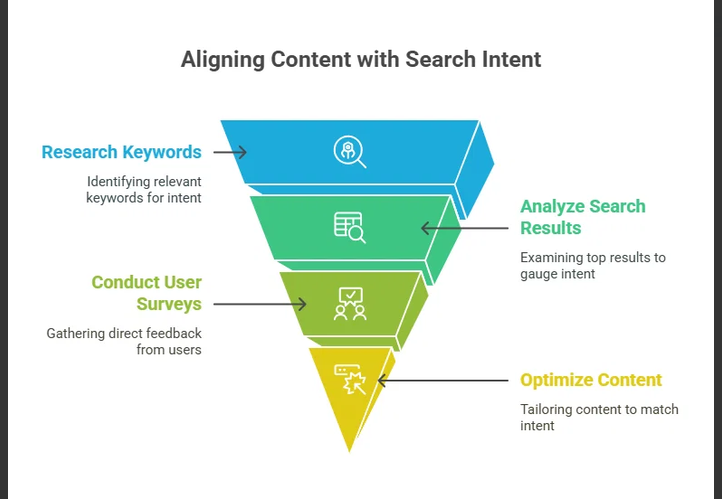
Strategic Value of Proper Keyword Research
- Connecting with High-Intent Audiences: Proper keywords allow marketers to target specific search intent—distinguishing between users looking for information ("how to style a WordPress theme") versus users ready to make a purchase ("best agency WordPress theme").
- Maximizing ROI on Content Creation: Ranking high on search engines requires dedicated time and resources. Keyword targeting ensures that content production efforts focus on topics with verified search volume rather than low-value topics.
- Informing Site Architecture & Navigation: Keyword clusters guide how pages, categories, and internal links should be structured. A well-organized site structure improves user navigation and helps search engine crawlers understand topical authority.
- Optimizing Paid Ads (PPC): In pay-per-click campaigns, choosing exact match and long-tail negative keywords directly prevents wasted ad spend on irrelevant clicks, significantly lowering cost per acquisition (CPA).
- Competitive Advantage: Analyzing competitor keyword gaps reveals underserved niches and long-tail opportunities that larger competitors may have overlooked.
Keyword Intent Breakdown
| Intent Category | Search Goal | Example Query | Primary Strategy |
| Informational | Learn a concept or fix an issue | How to fix CSS layout bugs | In-depth blog posts, tutorials, guides |
| Navigational | Reach a specific site/brand | Elementor login | Clean landing pages, branded SEO |
| Commercial | Research before buying | Frost vs Astra WordPress theme | Comparison tables, reviews, feature lists |
| Transactional | Complete a purchase or sign up | Buy domain name fast | Conversion-focused landing pages, clear CTAs |
FAQ
How do I perform a keyword gap analysis against competitors?
A keyword gap analysis identifies search terms that your direct competitors rank for, but your website either misses entirely or ranks poorly for.
1.Identify 3–5 Core Competitors:Prerequisite for accurate comparison data.
Select competitors into two distinct buckets:
- Direct Business Competitors: Brands offering identical products or services.
- Organic Search Competitors: Sites ranking at the top of Google for your target topics (even if they don't sell competing products, like industry blogs or news outlets).
2.Run a Gap Comparison Tool:Requires Semrush, Ahrefs, Moz, or Google Keyword Planner.
Enter your primary domain alongside 2–4 competitor domains into a dedicated Keyword Gap / Content Gap tool.
Set the location filter to match your primary target region (e.g., United States or United Kingdom).
3.Filter Results into Gap Categories:Focus on high-opportunity keyword sets.
Segment your raw comparison report into three primary views:
- Missing: Keywords where competitors rank in top 50, but your site does not rank at all.
- Weak: Keywords where both you and competitors rank, but competitors outrank you by 10+ positions.
- Shared (Top Positions): Keywords where you already outrank them (protect these rankings).
4.Apply Volume & Intent Benchmarks:Filter out irrelevant or unachievable terms.
Narrow down the "Missing" list by applying strict parameters:
- Search Volume: Filter for terms with meaningful search volume suitable for your niche (e.g., $>100$ monthly searches).
- Keyword Difficulty (KD): Focus on keywords where competitor Domain Ratings are comparable to yours.
- Intent Match: Group terms by commercial, transactional, or informational intent.
5.Map Gaps to Actionable Content Tasks:Execution phase.
Assign each target keyword group to an action item:
- Create New Pages: For "Missing" keywords requiring entirely new landing pages or blog posts.
- Update & Expand Existing Pages: For "Weak" keywords where adding new sections or updating metadata on current pages can reclaim rankings.
Key Metrics to Evaluate Opportunity
| Metric | What to Look For | Actionable Takeaway |
| Search Volume | High to moderate monthly query count | Indicates traffic potential |
| Keyword Difficulty (KD) | Equal to or lower than your domain strength | Indicates realistic chance to rank |
| Competitor URL Type | Product page vs. blog post | Dictates what page format you must build |
| Search Intent | Informational, commercial, transactional | Determines call-to-action and layout |
FAQ
How do I explain the trade-offs between long-tail and short-tail keywords in digital marketing?
The central trade-off in keyword selection balances reach versus relevance: short-tail keywords deliver high traffic volumes but lower conversion efficiency, while long-tail keywords deliver lower search volume with significantly higher user intent and conversion rates.
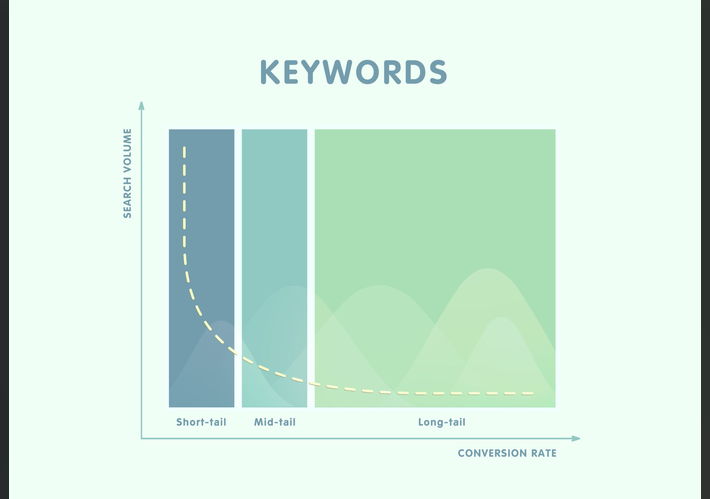
Direct Comparison
| Feature | Short-Tail Keywords | Long-Tail Keywords |
| Word Count | 1 to 2 words | 3+ words (often phrases or questions) |
| Example Query | WordPress themes | best lightweight block theme for blog performance |
| Search Volume | Very high (tens of thousands per month) | Low to moderate (tens to hundreds per month) |
| Search Intent | Broad / Ambiguous | Specific / Actionable |
| Competition | Extremely high (dominated by established domains) | Low to moderate |
| Conversion Rate | Low (typically 1%–2%) | High (often 5%–10%+) |
| PPC Cost-Per-Click (CPC) | Expensive due to high bidding competition | Lower cost per click |
| Time to Rank (SEO) | Months to years | Days to weeks |
Detailed Trade-Off Analysis
Short-Tail Keywords ("Head Terms")
- Pros:
- Brand Visibility & Awareness: Ranking for head terms establishes authority and puts your brand in front of thousands of top-of-funnel users.
- Broader Audience Capture: Drives massive raw site traffic, which can be useful for ad-monetized publishing sites or building retargeting lists.
- Cons:
- Vague Search Intent: A user searching for "shoes" could want history, manufacturing info, trends, or direct purchasing—making content targeting difficult.
- Resource Intensive: Requires significant domain authority, extensive backlink profiles, and high ad budgets to compete effectively.
Long-Tail Keywords
- Pros:
- High Conversion Rates: Users using specific queries know what they want and are further down the buying funnel.
- Faster SEO Gains: Lower keyword difficulty allows newer or smaller sites to rank quickly on page 1 of search results.
- Easier Content Alignment: Highly specific questions translate directly into targeted blog posts, FAQs, and product landing pages.
- Cons:
- Low Individual Volume: Single terms yield fewer total visitors, requiring a portfolio of dozens or hundreds of long-tail pages to aggregate major site traffic.
- Scalability Effort: Producing tailored content for multiple niche queries demands ongoing editorial planning and production effort.
Recommended Strategy: The "Hub and Spoke" Model
Instead of choosing one over the other, effective digital marketing strategies combine both using topical clusters:
- Pillar/Hub Pages: Target broad short-tail keywords on comprehensive overview pages (e.g., "Web Design Guide").
- Cluster/Spoke Content: Target long-tail keywords on specific articles or product pages (e.g., "How to customize navigation menus in WordPress block themes").
- Internal Links: Pass link equity from long-tail spoke pages back to the main short-tail pillar page to build overall topical authority.
FAQ
How do I design a topic cluster and pillar page model for my website?
Designing a topic cluster model requires organizing a broad overarching subject into a central "Pillar Page" supported by a network of specific "Cluster Content" pages, all connected through deliberate internal linking.
1.Select a Core Pillar Topic:Choose a high-level subject broad enough for 5–10 subtopics.
Identify a broad, short-tail head term relevant to your core business or service (e.g., WordPress Site Performance or Email Marketing).
- Ensure the term has high search volume.
- Confirm the topic can be naturally broken down into sub-components.
2.Conduct Cluster Keyword Research:Find specific questions, long-tail terms, and niche angles.
Brainstorm and research 5 to 10 subtopics targeting specific long-tail keywords associated with the main pillar.
- Use tools like AnswerThePublic, Semrush, or Google "People Also Ask."
- Focus on informational or transactional queries (e.g., How to optimize image sizes for web, Best caching plugins for WordPress).
3.Draft Content for Pillar and Clusters:Broad overview vs. deep-dive specifics.
Write and structure the content with distinct scopes:
- Pillar Page: Serves as an ultimate guide (typically 2,000–4,000+ words). It introduces every subtopic at a high level without going too deep into technical implementation.
- Cluster Pages: Deep-dive posts (1,000–2,000 words) that cover a single subtopic thoroughly with actionable, step-by-step detail.
4.Implement Internal Linking Architecture:The critical SEO connection that establishes topical authority.
Establish deliberate two-way contextual hyperlinks:
- Pillar to Cluster: Every subtopic section on the pillar page must link out to its corresponding cluster page using descriptive anchor text.
- Cluster to Pillar: Every cluster page must include a contextual link back to the main pillar page early in the body text.
- Cluster to Cluster: Interlink relevant cluster pages where naturally helpful for user navigation.
Example Topic Cluster Architecture
| Element | Component Role | Example URL & Target Keyword | Content Depth |
| Core Pillar | Central Hub Guide | /wordpress-performance-guide/(WordPress Site Performance) | High-level summary of speed factors, hosting, caching, and image optimization. |
| Cluster 1 | Subtopic Deep Dive | /how-to-optimize-images-wordpress/(optimize images wordpress) | Complete tutorial on WebP formats, compression plugins, and lazy loading. |
| Cluster 2 | Subtopic Deep Dive | /best-wordpress-caching-plugins/(best caching plugins wordpress) | Product comparisons, benchmarks, and configuration setups for top caching tools. |
| Cluster 3 | Subtopic Deep Dive | /reduce-unused-css-javascript/(reduce unused CSS wordpress) | Technical walkthrough on asset cleanups, code minification, and critical CSS rendering. |
Leave a Reply
You must be logged in to post a comment.
How to Succeed with Digital Marketing & Automation in The World Wide Web

Let’s be honest for a second: the World Wide Web is exhausted.
Every time you open a browser tab, you are immediately bombarded by cookies to accept, newsletters to join, pop-ups offering 10% off, and re-targeting ads tracking you from that one pair of boots you looked at three weeks ago. We’ve built a digital ecosystem that feels less like an information highway and more like a high-pressure timeshare presentation.
As someone who spends a lot of time analyzing how brands talk to humans online, I’ve been thinking deeply about where we are with digital marketing and automation. We are living through a massive paradigm shift. The old playbook is broken, the tools are getting scarily smart, and the line between "efficient marketing" and "spammy white noise" has never been thinner.
Here is my take on where the web is heading, what’s actually working, and why the future of marketing might require us to use a lot more machine intelligence—but a whole lot more human soul.
The Automation Trap: When Scale Kills Connection
Automation was supposed to be our savior. The promise was beautiful: automate the tedious tasks so you can focus on high-level strategy.
Instead, we used it to build a fire-hose of mediocrity.
Because it’s now incredibly easy to automate a 12-part email sequence, generate 50 generic blog posts via AI in an afternoon, or program a chatbot to say "Hi there! How can I help you today? 👋", everyone did exactly that. The web became flooded with content that has no point of view, sent by brands that feel entirely faceless.
The Reality Check: When you automate a bad process, you don't make it better; you just scale the annoyance.
When a brand automates its social media responses to the point where a frustrated customer gets a cheery, robotic reply, that isn’t efficiency—it’s a liability. True automation shouldn't feel mechanical to the end-user. It should act like an invisible concierge, quietly clearing the friction out of the way before the customer even realizes it’s there.

Smart Automation: Flipping the Script
Look, I’m not a luddite. I love data, and I love smart engineering. Automation is brilliant when it is used for contextual relevance rather than sheer volume.
The best digital marketing happening right now uses automation to respect a user’s time, not steal it. Here is what smart automation looks like in practice:
Behavioral Triggers Over Calendars: Instead of blasting a newsletter every Tuesday at 9:00 AM just because it’s Tuesday, smart systems wait until a user demonstrates explicit intent—like revisiting a specific pricing page three times—and then delivers a highly tailored, hyper-specific resource.
Predictive Customer Service: Using machine learning to anticipate when a client might need a refill, a check-in, or a technical upgrade, and triggering a personalized outreach before they have to ask.
Data Aggregation, Not Content Creation: Using automation to handle the heavy lifting of tracking metrics, segmenting audiences, and cleaning lists, which frees up human brainpower to write copy that actually makes people feel something.
The Premium on Raw Human Authenticity
Here is the silver lining in all of this: because the web is drowning in automated, synthesized noise, unfiltered human authenticity has become a premium commodity.
People can smell an AI-generated LinkedIn thought-piece from a mile away. They know when a brand's "apology" was run through a corporate PR filter. In a landscape of perfectly polished, automated corporate speak, the raw, vulnerable, and slightly messy human voice wins every single time.
The most successful digital marketing strategies today don't look like marketing at all. They look like:
A founder filming a quick, unedited video on their phone explaining a product flaw and how they're fixing it.
An email newsletter written in the first person that reads like it’s coming from an eccentric, brilliant friend rather than a marketing department.
Communities (like Discord channels or specialized subreddits) where real conversations happen without a salesperson lurking in the shadows.
Where We Go From Here
The World Wide Web is entering a mature phase. The novelty of being reached anywhere, at any time, has completely worn off for consumers. Privacy regulations are tightening, tracking cookies are crumbling, and users are actively retreating into private digital spaces to escape the noise.
If you want your digital marketing to survive the next decade, the goal cannot be to see how much of your relationship with the customer you can outsource to a machine.
The goal should be to use automation to handle the data, the tracking, and the operational logistics, so that when your brand finally speaks to a human being, it sounds exactly like one.
Let's build a web that's a little less automated for the sake of metrics, and a lot more intentional for the sake of people.
Who's Digital Marketing and Automation For?
The digital landscape has shifted from manual outreach to intelligent, system-driven engagement. While the tools of modern growth—search engine optimization, targeted advertising, email sequences, and customer relationship management (CRM) workflows—are widely accessible, a fundamental question remains: who is digital marketing and automation actually for?
The short answer is that it is for any entity looking to scale communication without multiplying manual effort. However, its specific value varies depending on the structure and goals of the user.
- Solopreneurs, Creators, and Micro-Businesses
For single-operator businesses, time is the scarcest asset. Solopreneurs—ranging from niche content creators and consultants to freelance service providers—wear every operational hat simultaneously.
Digital automation acts as a virtual workforce for these individuals. Instead of manually responding to every lead or sending individual follow-up emails, automated systems handle:
Lead Capture & Nurturing: Delivering lead magnets and triggering targeted email onboarding series automatically.
Content Distribution: Scheduling cross-platform social media posts and newsletters.
Client Onboarding: Automating appointment bookings, intake forms, and payment collection.
For this group, automation is not just about efficiency; it is about survival and preventing burnout while maintaining a professional presence.
- Small to Mid-Sized Businesses (SMBs)
Small and growing companies often face a distinct challenge: competing against enterprise budgets with limited internal bandwidth. Digital marketing levels the playing field by allowing SMBs to target precise local or global audiences, while automation ensures high operational efficiency.
For SMBs, these technologies streamline:
Customer Relationship Management: Tracking prospect interactions and scoring leads so sales reps focus only on high-intent prospects.
Customer Retention: Triggering re-engagement campaigns, birthday offers, and automated review requests post-purchase.
Ad Campaign Optimization: Using algorithmic bidding to maximize return on ad spend (ROAS) across search and social channels.
Automation bridges the gap between a small team's capacity and an enterprise-level customer experience.
- E-Commerce and Digital Retailers
Online stores operate continuously, receiving traffic and orders at all hours. Manual customer tracking is impossible at scale.
E-commerce brands rely heavily on behavioral automation to convert passive visitors into repeat buyers through:
Cart Abandonment Recovery: Sending timely, personalized email or SMS reminders to users who leave items behind.
Post-Purchase Sequences: Delivering order updates, usage guides, and tailored cross-sell recommendations.
Dynamic Segmentation: Categorizing shoppers based on browse history, lifetime value, and purchase frequency.
- Marketing Agencies and Growth Teams
For agencies managing multiple client portfolios, digital automation is the core engine of scalable operations. It enables growth teams to monitor multi-channel campaigns, pull cross-platform analytics into unified dashboards, and deliver consistent client reporting without tedious manual data entry.
Digital marketing and automation are for anyone who needs to build predictable, repeatable growth engines. Whether you are a solo creator looking to reclaim your calendar or an established business aiming to increase conversion rates, adopting these systems transforms marketing from a reactive task into an efficient asset.
While digital marketing and automation provide unprecedented scale and efficiency, implementing these systems involves distinct trade-offs. Understanding both the operational advantages and the potential pitfalls is essential for building a sustainable strategy.
The Benefits: Efficiency, Precision, and Predictability
1. Unmatched Scalability and Time Efficiency
The primary advantage of automation is the ability to decouple business growth from manual labor hours. Once an automated workflow—such as an email onboarding series, lead-scoring rule, or re-targeting campaign—is configured, it processes ten contacts or ten thousand with equal speed. This eliminates repetitive tasks, enabling teams to focus on strategy and creative direction.
2. Data-Driven Precision and Personalization
Traditional marketing relies on broad demographic assumptions, whereas digital marketing thrives on real-time behavioral data. Automated systems enable granular audience segmentation based on exact user actions—such as specific page visits, link clicks, or past purchase history. This ensures that prospects receive highly relevant messaging at the exact moment they are most likely to convert.
3. Measurable ROI and Revenue Attribution
Digital channels provide full visibility into the customer journey. Marketers can track every touch-point from the initial ad click to the final transaction. This level of attribution allows businesses to analyze exact customer acquisition costs (CAC), optimize underperforming assets, and reallocate budget to high-performing channels with confidence.
The Drawbacks: Complexity, Over-Reliance, and Technical Debt
1. Loss of Authentic Human Connection
An over-reliance on automated messaging can make interactions feel cold, robotic, and transactional. If workflows are improperly configured, consumers quickly recognize generic canned responses. Over-automating critical touch-points—especially in customer support or high-value sales—can alienate clients who expect genuine, empathetic human interaction.
2. Technical Complexity and Maintenance Overhead
Implementing marketing technology platforms requires technical expertise. Integration hurdles between software, broken API connections, and outdated workflow triggers can disrupt operations and harm brand reputation. Furthermore, automation is not a "set-and-forget" solution; workflows require continuous auditing, testing, and optimization to remain effective.
3. Privacy Compliance and Data Fatigue
Navigating modern privacy laws—such as GDPR, CCPA, and evolving browser cookie restrictions—adds regulatory complexity to digital marketing. Additionally, consumers face digital fatigue from constant automated outreach. Poorly frequency-capped campaigns risk high unsubscribe rates, spam complaints, and domain reputation damage.
Finding the Strategic Balance
Digital marketing and automation are force multipliers, not replacements for strategic positioning and quality products. Success lies in automating the routine while reserving human creativity, strategy, and empathy for critical high-value interactions.
New Entrant? How You Can Succeed
For newcomers entering the digital landscape, the sheer volume of platforms, tactics, and automation tools can feel overwhelming. Success does not require mastering every tool available; rather, it hinges on strategic focus, technical clarity, and incremental execution.
1. Build a Lean, Interoperable Tech Stack
A common trap for new entrants is subscribing to software subscriptions before establishing a clear operational workflow. Instead of assembling a fragmented suite of disjointed tools, start with a minimal, core stack built around seamless integration.
- Core CRM: Establish a centralized hub to store contacts, tag lead behaviors, and track interaction histories.
- Email & Flow Automation: Select a reliable platform for automated sequences (welcome series, lead delivery) that natively connects to your CRM or website.
- Form & Web Engine: Ensure your landing pages and forms easily pass clean lead data into your primary systems via direct integration or native webhooks.
Focus on mastering two or three core tools that communicate reliably rather than juggling a web of underutilized platforms.
2. Standardize Manual Processes Before Automating
Automation amplifies whatever process already exists. Automating a confusing sales pitch or a broken lead delivery system simply scales inefficiency faster.
Before building any automated workflow:
- Map the User Path manually: Define every step a lead takes from initial discovery to conversion.
- Test the Copy and Offer: Run outreach campaigns manually or send direct communications to gauge response rates and clarify your core positioning.
- Identify Repetitive Bottlenecks: Only build automated rules for actions that have been performed manually and proven effective.
3. Master Granular Segmentation Early
Generic, broadcast-style marketing struggles to perform in saturated digital environments. New entrants gain a distinct advantage by hyper-focusing on specific audience niches and delivering highly tailored experiences.
Structure your database using clear tags, custom fields, and behavior-based triggers from day one:
- Segment leads by source (e.g., organic search vs. paid lead magnet).
- Group prospects by indicated interests or self-selected goals on intake forms.
- Trigger separate email sequences depending on engagement levels.
Relevant messaging sent to a targeted list of 500 subscribers consistently outperforms generic broadcasts sent to thousands.
4. Implement Rigorous Data Hygiene and Analytics
Clean data is the engine of effective automation. Broken triggers, duplicate contacts, and inaccurate reporting obscure what is actually driving growth.
- Establish Standard Naming Conventions: Maintain uniform labels for tags, lists, custom fields, and UTM parameters across all marketing channels.
- Track Key Operational Metrics: Focus on actionable data—such as cost per acquisition (CPA), email click-to-open rates, and conversion rate by channel—rather than vanity metrics like page views.
- Audit Workflows Regularly: Continuously test opt-in forms, autoresponders, and link redirects to ensure technical paths remain functional as platforms update.
By maintaining focus on a clean foundation, validating processes before scaling, and prioritizing targeted communication, new entrants can build efficient marketing engines that drive sustainable, long-term growth.
Leave a Reply
You must be logged in to post a comment.
Difference Between GPT‑5 / GPT‑5.5 – How These Tools Benefit Digital Marketing Experts

The transition from GPT-5 (released in August 2025) to GPT-5.5 (released in April 2026) marks a critical shift in OpenAI's development philosophy. While GPT-5 focused on shattering benchmarks and unifying reasoning with raw multi-modal capabilities, GPT-5.5 was designed to optimize that power for practical, agentic workflows and enterprise-grade execution.
The key architectural, behavioral, and performance differences between the two generations break down as follows:
1. Core Architecture & Context Capacity
- GPT-5: Introduced a unified reasoning architecture that embedded prompt-chaining and native routing (allowing the model to decide when to answer instantly vs. when to "think"). It featured a standard context window of up to 400,000 tokens via the API.
- GPT-5.5 (Codename "Spud"): Significantly scaled memory and efficiency, expanding the context window to over 1 million tokens (specifically 922,000 input and 128,000 max output tokens).
2. "Smarter for Fewer Tokens"
- GPT-5: Focused on reducing raw output verbosity compared to GPT-4o (using 50–80% fewer tokens), but complex reasoning loops still consumed a massive amount of "thinking tokens".
- GPT-5.5: Introduced massive improvements in cost-performance and throughput. It achieves equivalent or superior reasoning results using significantly fewer reasoning tokens than prior models. Users require shorter prompts, and the model arrives at solutions with concise, optimized math and logic. OpenAI Developers
3. Shift Toward Agentic Autonomy and Tool Precision
- GPT-5: Brought "application connectors" to link the chatbot to databases and CRMs, acting primarily as a highly capable assistant.
- GPT-5.5: Designed natively for computer use and autonomous agents. It features a heavily reduced tool-call error rate, excels at complex multi-step planning, parses multi-tool environments without breaking, and naturally adapts its plan mid-stream if a tool yields unexpected data.
4. Behavioral and Prompting Nuances
- GPT-5: Relied heavily on traditional step-by-step process guidance prompting to navigate complex tasks.
- GPT-5.5: Prompts shift toward outcome-first structures. Because GPT-5.5 follows instructions with strict, literal precision, developers define the final goal, constraints, and success criteria, leaving the model to autonomously determine the best path.
- Tone: GPT-5 maintained a standard conversational tone. GPT-5.5 defaults to a highly direct, efficient, and task-oriented style in production, though its "Instant" consumer variant retains conversational warmth.
5. Hallucination Rates and Factuality
- GPT-5: Reduced hallucinations by roughly 45% compared to the GPT-4 generation.
- GPT-5.5: Pushed boundaries in high-stakes fields like law, medicine, and finance. The consumer variant (GPT-5.5 Instant) produces 52.5% fewer hallucinated claims than older iterations, utilizing an upgraded inner monologue that allows it to self-correct and catch its own factual or mathematical drift before finalizing an answer.
Summary Comparison Table
| Feature | GPT-5 (2025) | GPT-5.5 (2026) |
|---|---|---|
| Primary Focus | Unified reasoning & multi-modal foundational power. | Agentic execution, tool accuracy & token efficiency. |
| Context Window | Up to 400,000 tokens. | 1,050,000+ tokens (128K output). |
| Prompt Style | Step-by-step procedural prompting. | Outcome-first (define success criteria & goals). |
| Tool Execution | Standard connector integration. | High-precision multi-step tool chaining; minimized error rates. |
| Default Chat Tone | Conversational, standard formatting. | Highly direct, concise, and task-oriented by default. |
================
Conversation with Gemini
create an image of two male corporate workers discussing over laptops and coffee
Creating your image
analyze the difference between GPT‑5 / GPT‑5.5
The transition from GPT-5 (released in August 2025) to GPT-5.5 (released in April 2026) marks a critical shift in OpenAI's development philosophy. While GPT-5 focused on shattering benchmarks and unifying reasoning with raw multimodal capabilities, GPT-5.5 was designed to optimize that power for practical, agentic workflows and enterprise-grade execution.
The key architectural, behavioral, and performance differences between the two generations break down as follows:
1. Core Architecture & Context Capacity
- GPT-5: Introduced a unified reasoning architecture that embedded prompt-chaining and native routing (allowing the model to decide when to answer instantly vs. when to "think"). It featured a standard context window of up to 400,000 tokens via the API.
- GPT-5.5 (Codename "Spud"): Significantly scaled memory and efficiency, expanding the context window to over 1 million tokens (specifically 922,000 input and 128,000 max output tokens).
2. "Smarter for Fewer Tokens" (Token Efficiency)
- GPT-5: Focused on reducing raw output verbosity compared to GPT-4o (using 50–80% fewer tokens), but complex reasoning loops still consumed a massive amount of "thinking tokens".
- GPT-5.5: Introduced massive improvements in cost-performance and throughput. It achieves equivalent or superior reasoning results using significantly fewer reasoning tokens than prior models. Users require shorter prompts, and the model arrives at solutions with concise, optimized math and logic.
3. Shift Toward Agentic Autonomy and Tool Precision
- GPT-5: Brought "application connectors" to link the chatbot to databases and CRMs, acting primarily as a highly capable assistant.
- GPT-5.5: Designed natively for computer use and autonomous agents. It features a heavily reduced tool-call error rate, excels at complex multi-step planning, parses multi-tool environments without breaking, and naturally adapts its plan mid-stream if a tool yields unexpected data.
4. Behavioral and Prompting Nuances
- GPT-5: Relied heavily on traditional step-by-step process guidance prompting to navigate complex tasks.
- GPT-5.5: Prompts shift toward outcome-first structures. Because GPT-5.5 follows instructions with strict, literal precision, developers define the final goal, constraints, and success criteria, leaving the model to autonomously determine the best path.
- Tone: GPT-5 maintained a standard conversational tone. GPT-5.5 defaults to a highly direct, efficient, and task-oriented style in production, though its "Instant" consumer variant retains conversational warmth.
5. Hallucination Rates and Factuality
- GPT-5: Reduced hallucinations by roughly 45% compared to the GPT-4 generation.
- GPT-5.5: Pushed boundaries in high-stakes fields like law, medicine, and finance. The consumer variant (GPT-5.5 Instant) produces 52.5% fewer hallucinated claims than older iterations, utilizing an upgraded inner monologue that allows it to self-correct and catch its own factual or mathematical drift before finalizing an answer.
Summary Comparison Table
| Feature | GPT-5 (2025) | GPT-5.5 (2026) |
|---|---|---|
| Primary Focus | Unified reasoning & multimodal foundational power. | Agentic execution, tool accuracy & token efficiency. |
| Context Window | Up to 400,000 tokens. | 1,050,000+ tokens (128K output). |
| Prompt Style | Step-by-step procedural prompting. | Outcome-first (define success criteria & goals). |
| Tool Execution | Standard connector integration. | High-precision multi-step tool chaining; minimized error rates. |
| Default Chat Tone | Conversational, standard formatting. | Highly direct, concise, and task-oriented by default. |
How can these AI tools benefit digital marketers?
The architectural shift from GPT-5 to GPT-5.5 unlocks massive potential for digital marketing teams, moving from "content generation" to autonomous, data-driven execution.

Here is how these specific upgrades directly translate to business value for digital marketers:
1. Scaling Long-Form Content & Multi-Campaign Audits
- The Tool Benefit: GPT-5.5's massive 1-million-token context window.
- How to Use It: Instead of analyzing a single landing page or blog post at a time, marketers can upload an entire year's worth of content, a massive competitor website scrape, or multiple comprehensive brand guidelines.
- The ROI: You can generate highly consistent, hyper-targeted content calendars and cross-channel copy audits that stay flawlessly on-brand without "forgetting" the established tone halfway through the project.
2. Drastically Lowering Campaign Operational Costs
- The Tool Benefit: Enhanced token efficiency and reduced verbosity.
- How to Use It: GPT-5.5 gets to the point faster, requiring fewer "thinking tokens" to solve complex problems.
- The ROI: For marketing teams running large-scale programmatic ad copy creation, high-volume product descriptions, or automated email sequencing via APIs, the cost per campaign drops significantly. You get higher quality variations for a fraction of the token cost.
3. Deploying True Autonomous Marketing Agents
- The Tool Benefit: Advanced multi-step tool chaining and high-precision execution.
- How to Use It: While GPT-5 was great at writing an individual social media post, GPT-5.5 can act as an autonomous agent. You can task it with a goal: "Check yesterday's Shopify sales data, identify the lowest-performing product, look up its current ad spend on Meta, and draft three high-converting ad variations to boost its sales."
- The ROI: It effectively reduces the tedious "copy-paste" middleman work between different marketing platforms, pivoting strategies mid-stream based on live data feedback.
4. Flawless Audience & Goal Alignment
- The Tool Benefit: Outcome-first prompting alignment.
- How to Use It: Instead of micromanaging the AI with rigid, step-by-step instructions on how to write a landing page, marketers can simply define the target audience persona, the product's value proposition, and the strict conversion goals.
- The ROI: The model works backward from the intended psychological outcome, generating more natural, persuasive, and conversion-optimized copy that reads less like "AI fluff" and more like an experienced copywriter.
5. High-Stakes Regulatory Compliance
- The Tool Benefit: Over 50% reduction in hallucination rates.
- How to Use It: Digital marketers in highly regulated spaces—like fintech, healthcare, pharma, or legal services—can confidently use the model to draft content, knowing its internal self-correction mechanism minimizes factual errors.
- The ROI: Faster compliance approval bottlenecks and a significantly lower risk of publishing misleading information or compliance violations.
Why we still prefer GPT 5
Some people still prefer GPT-5 over newer models like GPT-5.5 for reasons that have more to do with personal preference and specific use cases than one model being universally "better."
Common reasons include:
- Writing style: Some users feel GPT-5 has a tone they prefer—perhaps more formal, more creative, or more concise.
- Consistency: If someone built a workflow around GPT-5 (for coding, writing, or research), they may prefer its familiar behavior.
- Subjective quality: AI responses aren't judged only by accuracy. Two models may answer correctly but with different phrasing, structure, or reasoning style, and users often develop preferences.
- Specific strengths: One model may perform better on a particular task. For example, a user might find GPT-5 produces better fiction, while GPT-5.5 is stronger at following detailed instructions or handling complex reasoning.
- Habit: People tend to stick with tools they know well, especially if those tools have served them reliably.
That said, newer models generally aim to improve on earlier ones by offering:
- Better reasoning on complex problems.
- More reliable instruction-following.
- Fewer factual errors (though no model is perfect).
- Faster responses and better efficiency.
- Improved multimodal capabilities (depending on the platform).
Ultimately, the best model depends on what you're doing. If your priority is creative writing, you might prefer one model. If it's programming, data analysis, or following detailed prompts, you might prefer another.
Compare GPT-5 vs. GPT-5.5 across content writing and SEO
If your main goal is publishing high-quality articles that rank in Google, both GPT-5 and GPT-5.5 are excellent. However, GPT-5.5 generally has the edge for SEO content production.
| Feature | GPT-5 | GPT-5.5 |
|---|---|---|
| Long-form articles | ⭐⭐⭐⭐☆ | ⭐⭐⭐⭐⭐ |
| SEO optimization | ⭐⭐⭐⭐☆ | ⭐⭐⭐⭐⭐ |
| Following detailed briefs | ⭐⭐⭐⭐☆ | ⭐⭐⭐⭐⭐ |
| Natural writing | ⭐⭐⭐⭐⭐ | ⭐⭐⭐⭐⭐ |
| Original phrasing | ⭐⭐⭐⭐☆ | ⭐⭐⭐⭐⭐ |
| Fact consistency | ⭐⭐⭐⭐☆ | ⭐⭐⭐⭐⭐ |
| Speed | Fast | Faster |
| Editing existing articles | Excellent | Excellent+ |
1. Long-form content
GPT-5
- Produces engaging articles.
- Sometimes repeats ideas in articles over 2,000 words.
- May require more editing for flow.
GPT-5.5
- Better organization.
- Stronger transitions between sections.
- Less repetition.
- Better at maintaining one consistent tone from start to finish.
Winner: GPT-5.5
2. SEO writing
For modern SEO, Google rewards content that is:
- Helpful
- Original
- Well structured
- Written for humans first
GPT-5.5 does a better job at:
- naturally including keywords
- avoiding keyword stuffing
- writing descriptive headings
- answering search intent
- creating featured-snippet-friendly paragraphs
- generating FAQs
For example, if you ask for:
"Write a 2,500-word article on Binance in Nigeria with FAQs, pros and cons, expert tips, and SEO optimization."
GPT-5.5 is more likely to produce a publish-ready draft.
Winner: GPT-5.5
3. Article rewrites
You've asked many times for:
- plagiarism-free rewrites
- unique subheadings
- SEO descriptions
- clean news articles
GPT-5.5 tends to:
- rewrite more deeply rather than swapping synonyms
- preserve facts while changing sentence structure
- create more distinctive headings
- reduce repetitive phrasing
This makes the output feel more original.
Winner: GPT-5.5
4. Human-like writing
GPT-5 already writes naturally.
GPT-5.5 usually improves by:
- varying sentence lengths
- using smoother transitions
- reducing AI-like repetitive patterns
- making the article read more like something written by an experienced editor
5. Following complex instructions
Suppose you request:
Rewrite this article.
Add H2 and H3 headings.
Make it plagiarism-free.
Include FAQs.
Add a 160-character SEO description.
Add schema markup.
Create a catchy title.
Keep it under 2,000 words.
GPT-5.5 is more likely to satisfy all of those requirements in one pass.
6. SEO metadata
GPT-5.5 is generally stronger at producing:
- SEO titles
- meta descriptions
- slug suggestions
- keyword ideas
- image alt text
- FAQ sections
- internal linking suggestions
7. News article writing
For news-style content, GPT-5.5 often produces:
- cleaner introductions
- better paragraph flow
- more professional formatting
- fewer repetitive phrases
This is particularly useful if you publish technology news, press releases, or product announcements.
8. Google ranking
No AI model can guarantee Google rankings.
What matters most is:
- originality
- factual accuracy
- usefulness
- topical authority
- good site performance
- quality backlinks
- satisfying search intent
GPT-5.5 can help produce content that aligns better with these goals, but rankings still depend on your overall SEO strategy.
Which should you choose?
For a content publisher or blogger:
- Choose GPT-5 if you want strong writing and don't mind polishing the final draft.
- Choose GPT-5.5 if you want more publish-ready articles, stronger SEO structure, and better adherence to detailed instructions.
For experts who love rewriting press releases, creating unique articles with subheadings, writing SEO descriptions, and preparing content for WordPress—GPT-5.5 is generally the better fit because it consistently produces cleaner, more structured drafts that require less editing before publication.
What about for those who create websites?
For website creation, GPT-5.5 is generally the stronger choice, especially if you're building modern, production-ready sites. That said, GPT-5 is still very capable.
Here's how they compare for common web development tasks:
| Task | GPT-5 | GPT-5.5 |
|---|---|---|
| HTML/CSS | ⭐⭐⭐⭐⭐ | ⭐⭐⭐⭐⭐ |
| JavaScript | ⭐⭐⭐⭐☆ | ⭐⭐⭐⭐⭐ |
| PHP | ⭐⭐⭐⭐☆ | ⭐⭐⭐⭐⭐ |
| WordPress | ⭐⭐⭐⭐☆ | ⭐⭐⭐⭐⭐ |
| Debugging | ⭐⭐⭐⭐☆ | ⭐⭐⭐⭐⭐ |
| Code explanation | ⭐⭐⭐⭐⭐ | ⭐⭐⭐⭐⭐ |
| UI/UX suggestions | ⭐⭐⭐⭐☆ | ⭐⭐⭐⭐⭐ |
| Following detailed specs | ⭐⭐⭐⭐☆ | ⭐⭐⭐⭐⭐ |
1. WordPress development
If you build WordPress sites, GPT-5.5 is especially useful for:
- Custom themes
- Child themes
- Plugin development
- WooCommerce customization
- Gutenberg blocks
- Performance optimization
- Security improvements
- SEO configuration
- Troubleshooting plugin conflicts
It also tends to produce cleaner PHP and WordPress code with fewer revisions.
2. Debugging website problems
For issues like:
- White Screen of Death
- 500 Internal Server Error
- Database connection errors
- Broken CSS
- JavaScript console errors
- Slow page loads
GPT-5.5 generally identifies likely causes more accurately and suggests a more systematic debugging process.
3. Building complete websites
If you ask:
"Build me a responsive landing page with HTML, CSS, JavaScript, contact form, pricing table, FAQ, animations, and dark mode."
GPT-5.5 is more likely to:
- Keep the code organized.
- Use reusable components.
- Maintain consistent styling.
- Handle edge cases better.
4. WordPress SEO
GPT-5.5 is strong at helping with:
- Site structure
- Internal linking
- Schema markup
- Robots.txt
- XML sitemaps
- Core Web Vitals recommendations
- Image optimization
- Meta tags
- Breadcrumbs
5. Performance optimization
It generally gives better advice for:
- Caching
- Image compression
- Lazy loading
- JavaScript optimization
- CSS optimization
- Database cleanup
- CDN usage
- Core Web Vitals improvements
6. Security
GPT-5.5 can help with:
- Hardening WordPress
- Preventing common vulnerabilities
- Input validation
- SQL injection prevention
- XSS mitigation
- CSRF protection
- Secure authentication practices
7. Full-stack development
If you're working with technologies like:
- React
- Next.js
- Vue
- Node.js
- Express
- Laravel
- Django
- Tailwind CSS
- Bootstrap
GPT-5.5 generally produces code that is more consistent, easier to maintain, and better aligned with current development practices.
Which is better for a website creator?
If you're:
- Building WordPress websites
- Maintaining client websites
- Fixing errors
- Creating landing pages
- Optimizing SEO
- Improving speed and security
- Writing custom PHP or JavaScript
In this case, GPT-5.5 is the better overall choice.
Given the kinds of questions you've asked recently—about WordPress, SEO, affiliate links, and site optimization—you'd likely benefit from GPT-5.5's stronger ability to follow detailed technical requirements and produce code or content that's closer to being ready for deployment.
Leave a Reply
You must be logged in to post a comment.

Digital marketing and automation have transformed how businesses reach customers, nurture leads, and drive revenue. When used strategically, automation amplifies your marketing efforts while saving time and improving consistency. Here are 10 essential tips to help you succeed:
1. Start with a Clear Marketing Automation Strategy
Before implementing any tools, define what you want to achieve. Ask yourself:
- What specific goals will automation support?
- Which customer segments are you targeting?
- How will you measure success?
A strategy-led approach ensures automation delivers real value rather than just adding complexity.
2. Let Marketing Own the Automation Process
While automation involves technology and integration, marketing should coordinate implementation. IT, consultants, and agencies support the effort, but marketing teams understand customer needs and campaign goals best. This ownership prevents misalignment between technical capabilities and marketing objectives.
3. Build a Solid Data Foundation
Quality data is the undeniable backbone of successful automation. Without it, even the most sophisticated marketing or operational workflows will simply amplify errors, frustrating customers and wasting resources.
Clean, unified, and well-organized customer information is what enables hyper-personalized messaging, precise segmentation, and accurate tracking across the entire buyer journey.
When your database is reliable, your automated triggers can deliver the right message to the right person at the exact moment of highest relevance.
However, achieving a pristine database can easily become a trap. To avoid getting stuck in perpetual preparation, a pragmatic approach is essential: start your automation journey with the high-quality data you already possess and know is working well.
Build your initial workflows around these trusted metrics and contact lists, and only then gradually improve and expand your data acquisition processes as a parallel, ongoing project. Above all, do not let data perfectionism delay your automation launch.
In the fast-paced digital landscape, launching a functional, good-enough system today will yield invaluable real-world insights, whereas waiting for an elusive, flawless database will only leave you indefinitely behind the competition.
4. Understand the Full Costs Up Front
Automation requires more budget than software licenses alone. Consider:
- Implementation and integration expenses
- Training costs for your team
- Maintenance and ongoing optimization
- Unforeseen complexity-related costs
Knowing the complete financial picture helps secure budget approval and prevents surprises.
5. Get Business Buy-In Early
Since automation involves significant financial investment and operational disruption, it is critical to ensure that key decision-makers and executive leadership support the initiative from the start.
Without this foundational alignment, projects often stall when initial budgets are exceeded or priorities shift. Having a dedicated business champion—an influential leader who actively advocates for the vision—helps bridge the gap between technical teams and upper management.
This champion not only helps secure additional resources and expanded budgets as the project scales, but they also demonstrate cross-departmental commitment, rallying hesitant teams, mitigating resistance to change, and ensuring that the automation strategy aligns seamlessly with the organization's broader long-term goals.
6. Prove Value Early with Campaigns You Can Report
To secure long-term organizational buy-in, launch initial automation initiatives specifically designed to demonstrate a rapid return on investment (ROI).
Rather than getting bogged down in complex, multi-tiered funnel improvements that take months to analyze, start with low-hanging fruit—campaigns that are easy to deploy, measure, and report.
Focus on straightforward, undeniable metrics like "new revenue generated" or "increased average order value" (AOV) rather than vanity metrics such as open rates, click-through rates, or top-of-funnel engagement. For example, deploying a targeted abandoned cart recovery sequence or a personalized post-purchase cross-sell campaign can yield immediate, quantifiable financial results.
These early wins not only prove the technical capabilities of the automation platform but also build vital confidence among stakeholders and executive leadership, thereby justifying the continued time, budget, and resources needed for more advanced scaling efforts down the road.
7. Solve Small Problems First
Don't try to automate everything at once. Identify specific, meaningful customer experience problems and automate just enough to fix them. Examples include:
- Simple welcome emails for new sign-ups
- Automated follow-ups after purchases
- Basic lead nurturing sequences
Solving small problems quickly proves ROI and builds momentum for larger initiatives.
8. Train Your Team on Automation Tools
Experienced automation resources are notoriously hard to find and increasingly competitive in today’s talent market, driving up recruitment costs and project delays.
Rather than chasing elusive "unicorn" employees—those rare individuals who possess deep software engineering skills, business acumen, and platform expertise all at once—organizations should pivot toward a strategy of internal enablement.
By upskilling existing team members on modern automation platforms, companies can democratize technology adoption.
This deliberate approach not only distributes critical technical skills and balances the workload across departments, but it also eliminates single points of failure that cause operational bottlenecks.
Ultimately, cultivating a culture of citizen developers builds sustainable, long-term organizational capability, ensuring that automation scales naturally alongside business growth rather than remaining dependent on a privileged few.
9. Use Lead Scoring and Segmentation
Automation works best when you understand which leads are most valuable. Implement lead scoring to prioritize prospects based on engagement, demographics, and behavior. Segment audiences to deliver targeted messages that match each group's interests and readiness to buy.
10. Fail Fast and Pivot Quickly
Not every automation project will succeed immediately. When initiatives don't show clear improvements, pivot quickly to another approach. Create forums to report wins and lessons learned so stakeholders understand the program's status. This agility prevents wasting resources on ineffective strategies.
Putting It All Together
Digital marketing automation succeeds when you combine strategic planning with practical execution. Start small, measure results, train your team, and remain flexible. The goal isn't just automation—it's building efficient systems that nurture customers, accelerate sales, and grow revenue consistently.
By following these 10 tips, you'll avoid common pitfalls and position your business to leverage automation's full potential in today's competitive digital landscape.
==============
A quiet café in Lagos on a Saturday morning. Mark and Felix, both seasoned digital marketing experts, sit at a corner table with laptops open, reviewing recent campaign data. Coffee cups steam between them.
Mark: Felix, I’ve been looking at the Q2 results from our latest automation rollout. The lead nurturing sequences are performing 35% better than manual campaigns. But I’m still seeing friction in the handoff between marketing and sales.
Felix: That’s a common bottleneck. Automation can identify and nurture leads efficiently, but if your sales team isn’t aligned on scoring thresholds or response SLAs, you’re just moving the problem downstream. What scoring model are you using?
Mark: We’re using a hybrid approach—behavioral engagement plus demographic data. But I think we’re over-scoring passive opens and undervaluing actual product page visits.
Felix: That’s the trap. Many teams weight clicks and opens too heavily. I’d suggest shifting 60% of your score to high-intent actions: demo requests, pricing page views, or repeated visits to specific solution pages. Then keep the rest for engagement signals. Automation should prioritize intent, not just activity.
Mark: Agree. We also noticed our email automation is sending too many messages too quickly. TheOpt-In group is getting five emails in three days. Engagement drops after the second message.
Felix: That’s frequency fatigue. You need dynamic pacing. Set rules so automation slows down if engagement drops—skip to the next stage, or pause for a week. Think of it as a conversation, not a broadcast.
Mark: Smart. I’ll adjust the cadence logic. What about multi-channel automation? We’re testing SMS follow-ups after email, but conversion is lower than expected.
Felix: SMS works best for urgent, high-value triggers—like abandoned cart reminders or limited-time offers. For nurturing, it’s too intrusive. Also, ensure you’re segmenting by consent. If someone only opted in for email, don’t auto-add them to SMS. Compliance and trust matter more than extra touchpoints.
Mark: Good point. We’re also debating AI-driven content generation for automation. Some of my team wants to auto-generate email variants using AI.
Felix: AI can help, but don’t fully automate creativity. Use AI for A/B variants of proven templates, not for writing new narratives from scratch. Human oversight keeps tone and brand integrity intact. And always test—automation amplifies what you feed it, good or bad.
Mark: That’s the balance. We don’t want to replace judgment, just scale execution. One last thing—how do you handle data hygiene in automation? Our CRM gets messy fast.
Felix: Set up automated validation rules at the point of entry. Require specific formats, block duplicates, and run weekly cleanup jobs. Also, tag data sources clearly. If a lead comes from a webinar vs. a paid ad, automation should treat them differently. Dirty data = noisy decisions.
Mark: I’ll implement those rules. Thanks, Felix. This conversation saved me weeks of trial and error.
Felix: Anytime, Mark. Automation isn’t about replacing marketers—it’s about giving us the bandwidth to focus on strategy while the machines handle the repetition. Let’s schedule a follow-up after you adjust the scoring and cadence.
Mark: Absolutely. Same time next week?
Felix: Perfect. And bring the new data. I’ll bring fresh coffee.
They close their laptops, smile, and head out into the Lagos morning, ready to refine the next wave of their automation strategy.
========================================
The Modern Customer Journey Powered by Automation
| Stage | What Happens (Digital Marketing) | The "Magic" of Automation | Icon Ideas |
| 1. ATTRACT | Content Marketing / SEO | Dynamic Content Personalization: Shows new users articles based on their behavior/entry point. | Magnet / Megaphone |
| 2. CAPTURE | Lead Magnets / Form Fills | Behavior-Triggered Forms: The form appears only when a user shows high interest (e.g., spending 5 minutes on a page). | Fishing Hook / Lead Form |
| 3. NURTURE | Email Marketing | Welcome Sequence & Drip Campaigns: Sends automatic introductory emails when they sign up, then warm-up tips over a week. | Watering Can / Seedling |
| 4. CONVERT | Sales Offers / Landing Pages | Abandoned Cart Recovery: Automatically emails a user if they leave items in their cart, reminding them to check out. | Shopping Cart / Money Bag |
| 5. ENGAGE | Social Media / Support | Chatbots / Automated Surveys: Instant customer support via chat or sending a "How did we do?" survey 2 hours after purchase. | Handshake / Speech Bubble |
The Digital Marketing and Automation Landscape of 2026
The digital marketing landscape has reached a decisive turning point. The era of fragmented AI experimentation and rigid, rule-based campaign automation has given way to agentic automation and real-time orchestration. Marketing departments no longer rely on static linear workflows or manual cross-channel updates. Instead, intelligent AI systems autonomously analyze signals, shift budgets, adapt messaging, and personalize customer journeys across the entire funnel.
Understanding the trends, underlying technologies, and operational strategies defines successful digital marketing and automation in 2026.
1. The Core Paradigm Shifts of 2026
        +-------------------------------------------------------------+
        |                 2026 Marketing Operating Model              |
        +-------------------------------------------------------------+
                                       |
       +-------------------------------+-------------------------------+
       |                               |                               |
       v                               v                               v
+--------------+               +---------------+               +---------------+
|  AI AGENT    |               |  FIRST-PARTY  |               |  ANSWER ENGINE|
| ORCHESTRATION|               |   DATA LAKES  |               |  OPTIMIZATION |
+--------------+               +---------------+               +---------------+
       |                               |                               |
       +-------------------------------+-------------------------------+
                                       |
                                       v
        +-------------------------------------------------------------+
        |        Hyper-Personalized, Omnichannel Execution            |
        +-------------------------------------------------------------+
From Rule-Based Workflows to Agentic Automation
Traditional marketing automation operated on fixed "if-this-then-that" logic. If a user downloaded a whitepaper, an automated email sequence triggered three days later.
In 2026, AI Agents have replaced static sequences. These goal-driven autonomous systems continuously observe performance data across CRMs, ad networks, content management systems, and analytics tools.
- Chatbots communicate.
- Assistants draft content or organize briefs.
- AI Agents reason, decide, and execute.
If an agent detects that visual carousel posts are outperforming text updates on professional networks while short-form video dominates social platforms, it dynamically updates channel allocations, adjusts ad creative, and re-allocates budget without waiting for a weekly manual review.
First-Party Data as the Strategic Core
With the sunset of third-party tracking, 2026 marks the absolute dominance of first-party and zero-party data strategies. Brands build unified data environments (Customer Data Platforms integrated with private AI instances) where customer interactions across web, email, customer support, and point-of-sale unify into real-time profiles. Personalization is no longer just using a contact's first name; it means dynamically assembling website layouts, product offers, and messaging based on live user intent and past interactions.
Answer Engine Optimization (AEO) and Conversational Search
Search behavior extends far beyond traditional blue-link search engine result pages. Consumers and B2B buyers query AI assistants, generative search engines, and multimodal interfaces directly. Marketers have adapted by shifting from pure Keyword SEO to Answer Engine Optimization (AEO). Content strategies prioritize structured context, authoritative domain presence, and direct answers that generative engines extract and cite.
2. Comparing Automation Models
To understand how drastically marketing operations have evolved, consider the difference between traditional automation setups and modern 2026 agentic stacks:
| Capability / Metric | Traditional Automation (Pre-2025) | Agentic Automation (2026 Standard) |
| Logic Model | Deterministic (if-then rules) | Probabilistic & Goal-Oriented (autonomous loops) |
| Optimization Frequency | Weekly / Monthly human reviews | Continuous, real-time programmatic adjustments |
| Data Integration | Siloed platform connectors | Unified real-time Data Lakes & CDPs |
| Personalization Depth | Static segment grouping (e.g., Industry, Role) | Hyper-individualized dynamic content synthesis |
| Content Generation | Manual creation with template fills | Modular content production & automated variants |
| Human Role | Task execution, campaign builds, manual testing | Strategic oversight, governance, creative direction |
3. High-Impact Content & Media Channels in 2026
Modern automation powers campaigns across media formats designed for rapid engagement and frictionless conversion:
- Shoppable & Interactive Video: Short-form video remains the dominant medium for attention capture, but static video has evolved into shoppable video environments. Viewers tap elements directly within short clips or live streams to view specs and checkout without exiting the app.
- Augmented Reality (AR) Previews: AR experiences allow consumers to test products virtually—from home furnishings to apparel—directly within mobile search or social ads, driving conversion rates upwards of 30–40%.
- Micro-Creator & Community Ecosystems: AI tools streamline outreach and tracking for creator partnerships. Rather than relying solely on celebrity endorsements, brands orchestrate decentralized campaigns across niche creators who maintain tight-knit community trust.
4. Strategic Blueprint: Building an Agentic Marketing Stack
For marketing leaders and growth teams, implementing effective automation requires structured execution.
Action Plan for Marketing Teams
- Audit and Unify Data Architecture
- Clean CRM records, standardize event tracking, and consolidate user touchpoints into a centralized CDP. AI agents require high-quality, real-time data to make reliable decisions.
- Establish Brand Governance and Guardrails
- Set strict operating parameters for AI tools—including brand voice guidelines, maximum spending caps, compliance constraints, and human-in-the-loop approvals for public campaigns.
- Deploy Specialized AI Agents
- Start with single-purpose agents (e.g., automated ad bid adjustment, lead scoring, or dynamic email generation) before attempting full-stack orchestration.
- Transition Talent to Strategic Orchestration
- Re-skill marketing specialists to act as prompt strategists, brand guardians, data curators, and experience designers.
Conclusion
Digital marketing and automation in 2026 is defined by the synergy between human creative strategy and autonomous AI execution. Brands that succeed are not those using the most tools, but those that build clean data foundations, empower intelligent agents to optimize in real time, and focus human talent on storytelling, brand identity, and customer empathy.
Leave a Reply
You must be logged in to post a comment.
Digital Marketing & E-Commerce. Safest, and Best Practices in 2026
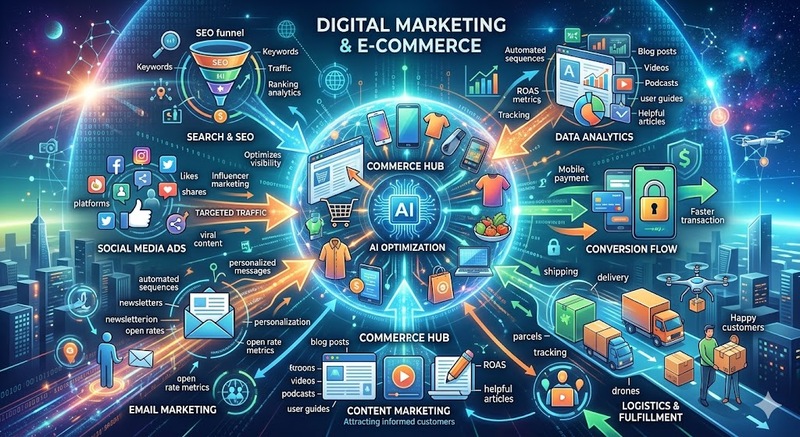
The morning sun filtered through the glass of the coffee shop, but Maya’s attention was entirely locked on her laptop screen. As the founder of Solis Goods, an e-commerce brand selling ethically sourced, high-end home goods, she was facing the modern retail gauntlet.
It was 2026. The digital marketplace had fundamentally changed. Third-party cookies were completely dead, AI search assistants were answering consumer questions before they ever hit a traditional search engine, and privacy regulations were tighter than ever.
Sitting across from her was Leo, a veteran digital marketing strategist. Maya rubbed her temples. "The old playbook is broken, Leo. My ad costs are up, and with the new privacy laws, I feel like I'm flying blind. How do I scale without being creepy, getting penalized, or burning my margins?"
Leo smiled, taking a sip of his espresso. "You don't fly blind, Maya. You change how you see. In 2026, the safest and best practices in e-commerce aren't about hacking the system; they are about trust, transparency, and technical foundations."
He pulled up a digital notepad. "Let’s break down the rules of the game today."
1. Zero-Party Data: The Ultimate Privacy Shield
"First," Leo said, tapping the screen, "we stop chasing people around the internet with third-party tracking. It’s a security risk and consumers hate it. Instead, we use Zero-Party Data—information customers willingly and explicitly share with you."
The 2026 Shift: Instead of buying list data, brands build interactive, value-driven experiences on their own sites to learn about their audience directly.
Maya nodded. "Like a style quiz?"
"Exactly. Look at the difference in how we approach data now."
| Strategy | Pre-2026 Approach (Risky & Deprecated) | 2026 Best Practice (Safe & Compliant) |
|---|---|---|
| Data Collection | Tracking pixels and cross-site cookie monitoring. | On-site quizzes, progressive profiling, and transparent account perks. |
| Email Marketing | Blasting the entire list with a single discount code. | Stricter segmentation based on internal purchase history and direct preferences. |
| Data Security | Storing customer data loosely across multiple third-party apps. | Zero-trust data architecture with end-to-end encryption and clear opt-out workflows. |
2. Optimizing for the AI Search Era (GEO)
"Next is how people find you," Leo continued. "Traditional SEO is still alive, but today it's about Generative Engine Optimization (GEO). When a user asks an AI assistant, 'What are the most durable, non-toxic linen sheets?', you need that AI to cite Solis Goods."
Kantar
"How do we force an AI to recommend us?" Maya asked.
"You don't force it; you feed it what it craves: unmistakable authority and clean data."
1
Implement Clean Schema Markup
Technical Foundation
1.Implement Clean Schema Markup:Technical Foundation.
Ensure your product pages have flawless structural data (Schema). The price, availability, materials, and return policies must be perfectly readable by AI web-scrapers.
2
Publish Citation-Worthy Content
Content Strategy
2.Publish Citation-Worthy Content: Content Strategy.
Move away from generic, keyword-stuffed blogs. Publish original data, independent lab tests of your materials, and deep-dive transparency reports. AI models cite original sources, not regurgitated summaries.
3
Cultivate Off-Site Mentions
Brand Authority
3.Cultivate Off-Site Mentions:Brand Authority.
AI engines evaluate your brand based on the whole internet. Encourage real conversations in forums, secure features in niche publications, and build genuine community discussions around your products.
3. Frictionless, Mobile-First Checkout Security
Maya sighed. "Okay, so we get them to the site safely. But our cart abandonment rate is still hovering around 70%. What are we doing wrong there?"
"In 2026, if your checkout takes more than three taps on a phone, it's dead on arrival," Leo said directly. "Over 70% of e-commerce traffic is mobile. Security and speed are the same thing to a consumer's brain."
Leo highlighted three non-negotiable checkout practices:
- One-Click Digital Wallets: Integrating Apple Pay, Google Pay, and secure mobile native payment options eliminates the need for users to type credit card numbers into a browser on a bus or train. Done Web Agency Luxembourg
- The "Let Them Go" Guest Checkout: Forcing a user to create an account and verify their email before they can buy is a massive friction point. Let them buy as a guest, then incentivize account creation on the post-purchase thank you page. Done Web Agency Luxembourg
- Visible Trust Signatures: Displaying your clear 60-day return policy and SSL security tokens directly next to the "Complete Purchase" button—not buried in the footer—lowers buying anxiety right at the finish line. Done Web Agency Luxembourg
The Turning Point
Maya looked at the blueprint Leo had laid out. It wasn't about trying to trick an algorithm or finding a loophole in privacy laws. It was about building a fortress of first-party data, making her website hyper-readable for the tools of 2026, and making the buying process completely without friction for a mobile user.
"It sounds like," Maya said slowly, "the safest marketing strategy is just being a fundamentally good, transparent business."
"Always has been," Leo smiled, closing his notepad. "Technology just finally caught up to force everyone else to do it, too."
Leave a Reply
You must be logged in to post a comment.
How to When connecting your domain name to Blogger, Route your DNS through Cloudflare

Routing your Blogger custom domain through Cloudflare is a smart move. It gives you absolute control over your DNS, speeds up performance, and protects your site from malicious bots.
Because Cloudflare acts as a proxy between your domain registrar and Google's servers, the setup requires a specific order of operations. Follow this step-by-step guide to get it up and running flawlessly.
Step 1: Get Your Custom DNS Codes from Blogger
Before touching Cloudflare, you need to pull your unique security codes from Google.
- Log into your Blogger Dashboard and go to Settings.
- Scroll down to the Publishing section and click on Custom domain.
- Type in your full domain name including the
www(e.g.,www.yourdomain.com) and click Save. - An error message will pop up. Do not close this. This message contains two vital CNAME records you need to copy:
- First CNAME: Name:
www| Destination:ghs.google.com - Second CNAME (Security token): Name:
[A unique short code]| Destination:[A long code ending in googlehosted.com]
- First CNAME: Name:
Step 2: Add Your Domain to Cloudflare
Next, you need to tell Cloudflare to manage your domain.
- Create a free account at Cloudflare.com and click Add a Site.
- Type in your root domain (e.g.,
yourdomain.comwithout the www) and click Continue. - Select the Free Plan ($0) and click continue.
- Cloudflare will scan your existing DNS records. If it finds old records from your registrar, it will list them. Click Continue to move to the nameserver stage.
Step 3: Point Your Registrar to Cloudflare Nameservers
To hand control over to Cloudflare, you must change your nameservers where you bought your domain (Namecheap, GoDaddy, DomainKing, etc.).
- Cloudflare will show you two specific nameservers (e.g.,
sara.ns.cloudflare.comandtom.ns.cloudflare.com). - Open a new tab, log into your domain registrar, and find your domain's Nameserver settings.
- Switch them from "Default" to "Custom Nameservers" and paste the two Cloudflare nameservers into the fields.
- Save the changes.⚠️ Important: If your registrar has a setting called DNSSEC, turn it OFF. Leaving DNSSEC enabled during a switch can cause Blogger integration to fail.
Step 4: Add the Blogger Records into Cloudflare
Now that Cloudflare controls your DNS, you can insert Google's routing records.
- Go back to your Cloudflare dashboard and click on the DNS tab -> Records.
- Click Add Record to add the following 6 records:
The 2 CNAME Records (From Step 1)
- Record 1: Type:
CNAME| Name:www| Target:ghs.google.com| Proxy Status: DNS Only (Grey Cloud) * Record 2: Type:CNAME| Name:[Your unique short token]| Target:[Your unique long googlehosted.com token]| Proxy Status: DNS Only (Grey Cloud)
🛑 Crucial Step for Blogger: For both CNAME records, click the orange cloud toggle to change it to Grey Cloud (DNS Only). If you leave them "Proxied" (Orange Cloud) right now, Google's security bots will fail to verify your ownership, and Blogger will throw an error. You can switch the
wwwrecord back to Orange Cloud after the site successfully connects.
The 4 Google A-Records (For Naked Domain Redirection)
To ensure that people who type yourdomain.com (without the www) still land on your blog, add these four separate A-records pointing to Google’s IPs. Leave these as Proxied (Orange Cloud):
- Record 3: Type:
A| Name:@| IPv4 address:216.239.32.21 - Record 4: Type:
A| Name:@| IPv4 address:216.239.34.21 - Record 5: Type:
A| Name:@| IPv4 address:216.239.36.21 - Record 6: Type:
A| Name:@| IPv4 address:216.239.38.21
Step 5: Finalize Settings in Blogger
Once your nameserver changes propagate (this can take anywhere from 10 minutes to an hour), you can finalize the link.
- Go back to your Blogger Dashboard -> Settings -> Custom Domain.
- Type your
www.yourdomain.comback in and hit Save. This time, instead of an error, it should successfully save. - Once saved, turn on Redirect domain (this forces
yourdomain.comto safely point towww.yourdomain.com). - Scroll slightly down and turn on HTTPS availability and HTTPS redirect. Google requires all AdSense-approved sites to use SSL.
Give it up to 24 hours for all global servers to update, and your securely routed, Cloudflare-optimized Blogger site will be ready for traffic!
Leave a Reply
You must be logged in to post a comment.
In Nigeria what are foods rich in antioxidants, Vitamin C, Vitamin D, and zinc?

Nigeria is packed with an incredible variety of local, nutrient-dense foods that can easily supply all these essential micronutrients. Instead of looking for expensive imports, you can get everything your body needs from the open market.
Here is a breakdown of common Nigerian foods rich in antioxidants, Vitamin C, Vitamin D, and Zinc:
1. Antioxidants
Antioxidants protect your cells from damage. In Nigeria, the rule of thumb is to look for deep colors and aromatic local spices/herbs.
- Scent Leaf (Nchanwu / Efirin): A powerhouse of flavonoids and phenolic compounds. It has some of the highest antioxidant activities among local herbs.
- Ugu (Fluted Pumpkin Leaves) & Bitter Leaf (Onugbu): These dark leafy greens are packed with polyphenols, lutein, and beta-carotene.
- African Star Apple (Agbalumo / Udara): Studies show this local fruit has an exceptionally high antioxidant capacity, even outperforming many common fruits.
- Zobo (Hibiscus calyces): Dried hibiscus flowers are loaded with anthocyanins (the pigments that give it that deep red color), which are potent antioxidants.
- Local Spices: Ginger, Garlic, and Uda (Negro pepper) are packed with cellular-protecting compounds.
2. Vitamin C
Vitamin C boosts immunity and skin health. Because heat destroys Vitamin C, try to consume fruits fresh and avoid overcooking vegetables.
- Guava: The absolute champion of Vitamin C in Nigeria—one guava contains more than double the Vitamin C of an orange.
- Cashew Fruit & Pawpaw (Papaya): Excellent, highly accessible sources.
- Citrus Fruits: Oranges, Tangerines, and Limes.
- Bell Peppers (Tatashe / Rodo): Red and yellow bell peppers actually contain more Vitamin C than green ones.
- Ugu and Waterleaf: High in Vitamin C, but remember to add them at the very end of your cooking so the heat doesn't kill the vitamin.
3. Vitamin D
Vitamin D is tricky because very few foods contain it naturally; our bodies mostly make it from sunlight. However, you can find it in these dietary sources:
- Oily Fish: Titus (Mackerel), Sardines (both fresh and canned), and Catfish.
- Egg Yolks: Don't skip the yolk! Local or crate eggs contain modest amounts of Vitamin D.
- Organ Meats: Beef liver (Inu eran) is a traditional source of fat-soluble vitamins, including Vitamin D.
- Fortified Foods: Many brands of powdered milk, liquid milk, and cooking oils in Nigeria are explicitly fortified with Vitamin D (check the labels).
Note: The most effective way to get Vitamin D in Nigeria is spending 10–15 minutes in the morning sun, as our skin synthesizes it naturally.
4. Zinc
Zinc is crucial for immune function and metabolism. It is highly bioavailable in animal products, but also present in local seeds.
- Seafood & Fish: Periwinkles (Isam), snails, prawns, and local fish. Periwinkles are incredibly nutrient-dense.
- Red Meat & Organ Meat: Beef, goat meat, and liver are excellent, easily absorbed sources of zinc.
- Egusi (Melon Seeds) & Ogbono: These foundational soup bases are great plant-based sources of zinc.
- Groundnuts & Cashew Nuts: Readily available snacks that provide a solid zinc boost.
- Beans (Ewa): Brown beans, honey beans (Oloyin), and soybeans contain zinc, though pairing them with a bit of meat or fish helps your body absorb it better.
Summary Checklist for Market Day:
If you want a single meal that hits almost all of these, a rich Ugu and Egusi soup cooked with Titus fish, beef liver, and ginger, paired with a cold glass of unsweetened Zobo, covers every single one of your bases!
Leave a Reply
You must be logged in to post a comment.
June 12, 2026
Question:
I'm in nigeria. I am always not qualified to take surveys inside timebucks.com. What can I do to get more surveys?
Answer:
It can be incredibly frustrating to sit down, spend time clicking through pre-screening questions, and constantly see that "You do not qualify" screen.
The blunt truth about why this is happening is geographic targeting. Most major corporate advertisers on TimeBucks are based in the US, UK, and Europe, so their survey routers are actively looking for consumers in those regions. When a survey lands in Nigeria, the target audience is usually very specific (e.g., specific decision-makers in Nigerian businesses or high-income urban consumers).
While you cannot change your country, you can change how you position your profile and how you interact with the platform to drastically increase your qualification rate.
1. Optimize Your "Consumer Profile"
When you start a survey router (like CPX Research, BitLabs, or InBrain) on TimeBucks, they ask screening questions about your life. To corporate advertisers, a "highly qualified" respondent is someone who spends money. Without lying, ensure your profile reflects a primary consumer by keeping these guidelines in mind:
- Be the Decision Maker: If a survey asks if you are the primary grocery shopper or the main decision-maker for household purchases, the answer should be Yes. Advertisers do not want to pay for the opinions of someone who doesn't control the budget.
- Employment Status: "Full-time employed" or "Self-employed" profiles get significantly more surveys than students or unemployed individuals. Advertisers want to talk to people with steady purchasing power.
- The "Industry Trap" Question: If a survey asks, "Do you or anyone in your household work in any of the following industries?" and lists Marketing, Advertising, Market Research, or Public Relations—always choose "None of the above." They ask this to weed out people who know how the marketing industry works behind the scenes.
2. Master the "Quality Score" System
TimeBucks routers track your hidden accuracy score. If your score drops too low because of automated red flags, the system will quietly stop matching you with high-paying surveys.
- Never Speed: If a page has two sentences of text, don't click "Next" in two seconds. The system flags this as "speeding" and automatically disqualifies you for not reading.
- Watch for Trap Questions: Look out for consistency checks. If a survey asks your age on page 2, and then asks for your birth year on page 10, a mismatch triggers an instant disqualification. Also look out for questions like, "Select the color Blue from the choices below to prove you are human."
- Keep Your Connection Clean: Never use a VPN. If you use a VPN to try and look like you are in the US, TimeBucks' fraud detection system will instantly flag your account, and you could get permanently banned from the survey tab. Use your normal mobile data or home Wi-Fi.
3. Pivot to High-Yield Offerwalls
If the Survey tab is dry or consistently rejecting you, the smartest move is to stop fighting the survey routers and pivot to the Offers tab. In regions like Nigeria, offerwalls often pay much more reliably than surveys.
On TimeBucks, open up offerwalls like Lootably, AyetStudios, or AdGate Media and look for these specific tasks:
| Task Type | Why It Works Better in Nigeria |
|---|---|
| App/Game Installs | You get paid just for downloading a game and reaching a certain level. No profile filtering or disqualifications involved. |
| Micro-tasks | Signing up for local crypto platforms, fintech apps, or social media pages that are specifically looking for African users. |
| Clicks Tab | TimeBucks has a native "Clicks" section under the Earn tab. It pays very little per click, but it is 100% guaranteed to credit with zero qualifications. |
💡 Pro-Tip on Timing: Survey inventory resets based on Western business hours. Try checking TimeBucks in the mornings or early afternoons on weekdays. Weekends are notoriously dead for surveys globally.
Start taking surveys everyday and earning money! Click Here
Gathered from active online communities (such as Reddit’s r/beermoney, r/povertyfinance, and r/passive_income), here are 12 honest reviews and quotes from experienced survey earners. They range from positive strategies to realistic warnings and negative frustrations.
Positive Experiences & Top Performers
1. The Prolific Academic Model (Positive)
"Academic research studies through platforms like Prolific are the single most recommended method on Reddit. The studies come from actual university researchers instead of market research companies, which means the tasks are more interesting and the disqualification rate is way lower than standard survey sites. The catch is that studies fill up fast, so you need browser alerts."
2. The Micro-Downtime Instant Payout (Positive)
"I've used AttaPoll for years because their payouts are instant straight to PayPal. I spend about 30 minutes a day while waiting around or watching TV, making about $20–$30 every week or two. It's not crazy money, but for zero effort on my phone, it’s reliable."
3. The GPT & Offerwall Pivot (Positive)
"If you're using sites like Freecash or Swagbucks, the secret experienced earners know is to skip the low-paying individual surveys and focus on offerwalls or app testing. I make around $40–$50 a month playing game offers casually. It’s way less buggy and pays out much faster than doing 20-minute surveys for 50 cents."
4. The Long-Term Account Loyalty Effect (Positive)
"When I first registered with survey panels, I was getting low-paying $0.50 to $1 surveys. But after a few weeks of consistent completion and profile accuracy, panels start elevating your status. Now I get $5 to $10 surveys that take 10–15 minutes, plus invites to higher-paying exclusive focus groups."
Realistic & Balanced Perspectives
5. "Coffee Money, Not Rent Money" (Balanced)
"Honestly, most survey sites are a pain, but a few do pay if you're patient. Just expect coffee money, not rent money. If you go into it expecting to make $500 a month, you'll burn out in 3 days. If you treat it as a way to cover your Netflix subscription or buy a coffee each week, it's fine."
6. The Geography / Demographic Lottery (Balanced)
"How much you make depends almost 90% on where you live and your demographic profile. US, UK, and Canadian users get high-paying panels constantly. If you're based anywhere else, you will face way more screen-outs, lower reward rates, and far fewer available surveys."
7. Micro-UI Testing vs. Long Form (Balanced)
"I gave up on 30-minute market research surveys and moved to micro-test apps like UserCrowd. The highest I’ve gotten is $1.40 for a quick 6-minute UI opinion. The total volume is lower, but the hourly pay-to-friction ratio is ten times better."
8. The Multi-Platform Stacker (Balanced)
"Never rely on just one panel. Experienced survey takers stack 3 to 5 panels at once (like Prolific, YouGov, and Lifepoints). When one is dry or kicking you out, you jump to another. Stacking is the only way to make $10–$15 a day consistently."
Negative & Frustrating Realities
9. Mid-Survey Disqualifications (Negative)
"The worst part of survey sites is answering 15 minutes of questions only to get a message saying 'Sorry, you aren't a match' and receiving 2 cents for your time. Rejection rates of 70% to 80% are normal on low-tier sites like Survey Junkie, making the actual hourly rate insultingly low."
10. Sudden Account Bans & Frozen Points (Negative)
"I accumulated over 26,000 points on Toluna over several months. Right before I was about to cash out, my account got randomly restricted without explanation. You have zero recourse when these platforms flag your account, so never hoard your points—cash out the second you hit the minimum threshold."
11. High Cash-Out Threshold Traps (Negative)
"Sites like YouGov are legit in that they actually pay, but the payout threshold is high (like £50 / $50). Because surveys only trickle in once or twice a week, it can take 6 months to a year just to cash out once. If you need quick cash, stay far away."
12. Poor Return on Time Compared to Other Gigs (Negative)
"Experienced gig workers usually move away from standard survey sites fast. When you calculate the time wasted answering profile pre-checkers, disqualifications, and broken survey links, most people average less than $3 to $4 an hour. User testing, transcription, or local gig apps pay significantly more for your time."
Leave a Reply
You must be logged in to post a comment.
June 11, 2026

STADIUM SOUNDS
Get the full stadium experience with referee whistles, crowd cheers, ambient chants, and crisp ball strikes synthetically generated directly in your browser.
KICKOFFARCADE
Season 2026 Edition
STRIKER STATS
BOOT UPGRADES
${player.name}
Value: ${player.value}
What this Football Arcade app includes:
- The Striker Challenge (3D-Projection Canvas Game): A physics-based penalty kick and free-kick game where players swipe, drag, and curve the ball past dynamic walls of defenders and a diving goalie.
- The Football Trivia Arena: A fast-paced quiz with rich levels, lives, and high stakes, helping players test their absolute knowledge of the beautiful game.
- The Club Manager Sim (Strategic): A fully simulated management game where players sign superstar legend cards from a dynamic market, build their Dream Squad, choose formations, and play interactive matches with live tactical decisions and textual matches.
- An Interconnected Economy: Earn "Club Coins" from the Striker Challenge and Trivia Arena to spend on premium players in the Manager Mode Transfer Market!
- A Synth Soundboard (Web Audio API): Custom synthesized football crowd cheers, referee whistles, kicks, and goal sirens!
- Unified Game Ecosystem: Earn coins with direct manual Striker Arena Swipes & Curves or Trivia Knowledge, and spend them directly inside the Tactical Club Manager to buy Gold & Silver player cards, boosting team ratings and simulated tournament matches.
- Physics-Based Canvas Game: Beautiful 3D perspective depth, wind speed & direction modifications, magnifying curves based on sweep force, and interactive goalkeeper AI.
- Football Trivia: Complete with progress visualization moving across a realistic field, customizable difficulties, and a live tracking dashboard.
- Management simulation: Detailed tactical mentallities, dynamic team ratings, transfers, and real-time live match commentary simulators.
- Stunning UI: Glassmorphism overlay panels, rich dark-stadium aesthetic, custom loading layouts, and browser-safe synths.
Leave a Reply
You must be logged in to post a comment.

Leo stared at his laptop screen, his forehead creased with worry. He had exactly three days to plan his sister’s graduation dinner, buy her a meaningful gift, and somehow keep his bank account from hitting absolute zero. In today’s economy, it felt like choosing between being a good brother and paying rent.
"There’s got to be a workaround," he muttered, opening a fresh browser tab.
That is when he stumbled upon https://CheapDady.com.
At first, he was skeptical. The internet is flooded with "deal" sites that just lead to broken links or endless pop-ups. But as Leo navigated through the clean interface, he realized this was different. The platform was built with a simple, genuine purpose: helping everyday people hunt down affordable deals, steep discounts, and budget-friendly products online without the usual headache.
Instead of spending hours cross-referencing five different retail apps, Leo found everything consolidated in one place. Within twenty minutes, the website guided him to a massive flash sale on a sleek, high-quality leather journal his sister had been eyeing for months—complete with a coupon code that took an extra 25% off at checkout.
Next came the dinner dilemma. Leo clicked through the local experiences section on the site. Instead of the wildly overpriced steakhouse he originally feared he’d have to book, he uncovered a hidden gem: a highly-rated bistro offering a curated three-course family package for nearly half the standard weekend rate.
When graduation night arrived, everything went off without a hitch. His sister opened her gift with tears in her eyes, and the family laughed over an incredible meal. Nobody at the table had any idea that Leo had managed the entire evening on a shoestring budget.
Sitting back and watching his family celebrate, Leo felt a massive weight lift off his shoulders. He didn’t have to compromise on making memories just because things were tight. Thanks to https://CheapDady.com, he cracked the code to smart shopping, proving that you don’t need to spend a fortune to deliver a million-dollar experience.
Want to partner with us? We'll promote your brand here with a permalink or write-up. Contact us today.
Leave a Reply
You must be logged in to post a comment.
May 21, 2026

If you’ve been sitting on the sidelines watching everyone else build remote income streams, you’re missing out on the ultimate tool for financial freedom. The digital economy moves fast, but the barrier to entry has never been lower. Whether you want to earn a few extra dollars covering minor expenses through simple micro-tasks, or replace your entire 9-to-5 by scaling a freelance digital skill, the path forward starts with a single step.
Stop waiting for the perfect moment or researching endlessly without taking action. Dive into the world of online income today and start building your safety net now.
TimeBucks is a popular GPT (Get-Paid-To) platform, but if you approach it blindly by just clicking on random ads or watching videos, you will likely end up earning pennies for hours of work.
The "secret" to maximizing your earnings on TimeBucks isn't magic—it is about filtering out low-reward time-sinks and focusing entirely on the tasks that scale.
1. The High-Yield Strategy
To make your time worth it, prioritize tasks based on their payout-to-effort ratio:
- Surveys Are King (But Guard Your Profile): Surveys pay up to 50 times more than any other task on the site. To prevent getting disqualified mid-survey, complete your profile honestly and consistently. Survey algorithms look for consistency; if you change your age, location, or income across different surveys, you will be flagged and disqualified.
- The Multi-Tier Referral System: This is the closest thing to passive income on TimeBucks. They offer a 5-tier referral program. This means you earn a percentage of what your direct referrals make, plus a percentage of what the people they refer make, down to 5 levels deep. Sharing your link in targeted side-hustle forums or among friends is crucial for scaling up.
- The Sweepstakes Ladder: TimeBucks gives away daily and weekly cash prizes via a sweepstakes system. You get entries just for logging in and doing basic tasks. While it relies on luck, active users consistently bag the $10 to $100 bonuses just by maintaining a high volume of small daily actions.
Click here to start earning now.
2. Micro-Tasks to Avoid (The Time Traps)
Many users burn out because they spend hours on tasks designed to pay fractions of a cent.
| Task Type | The Reality | Verdict |
| Push Clicks / Ad Clicking | Pays around $0.002 to $0.01 per day. | Skip. Huge time-waster. |
| Watching Videos | Averages roughly $0.10 to $0.12 per hour. | Skip. Destroys your device's battery and bandwidth for next to nothing. |
| Offerwalls (App Downloads) | Can pay $0.50 to $5.00, but often requires reaching massive levels in mobile games. | Selective. Only do it if you genuinely enjoy the game. |
3. A Dose of Reality
TimeBucks is completely legitimate and it does pay out weekly (via AirTM, Payeer, Litecoin, etc.) once you hit their $5 minimum withdrawal limit. However, it will not make you rich.
Most dedicated users earn between $5 to $20 a week. Think of it as a tool to cover minor expenses or fund small crypto/digital wallets—not as a replacement for a part-time or freelance job.
Click here to start earning now.
Leave a Reply
You must be logged in to post a comment.
May 19, 2026

Once upon a time in the bustling metropolis of Suburbia, there lived a man named Arthur Pendelton. Arthur was a completely average guy who possessed one incredibly dangerous, delusional desire: he wanted to date three women at the same time.
Arthur didn’t want to sneak around. No, he believed he had cracked the cosmic code of romance. He called it "The Grand Equilibrium."
"The secret," Arthur told his reflection in the mirror while splashing on too much cologne, "is diversification. One woman cannot possibly handle all of my complex facets. I need a portfolio."
So, Arthur set his plan into motion.
The Portfolio
Arthur managed to schedule three dates on a single Saturday night at The Bistro Grand, a massive restaurant with three distinct dining rooms, a labyrinthine hallway, and an overworked waitstaff.
- Woman #1: Chloe (The Intellectual). Seated in the Library Room. She liked existential dread, black coffee, and debating the economic impacts of the 14th century.
- Woman #2: Bianca (The Fitness Guru). Seated in the Garden Patio. She liked macros, high-intensity interval training, and judged people who ate gluten.
- Woman #3: Donna (The Free Spirit). Seated in the Lounge. She liked crystals, astrology, and spontaneously crying when she saw a nice tree.
The Strategy
Arthur’s "secret" to managing multiple women at once relied entirely on The Google Calendar Protocol and a highly aggressive cardio routine. He told each woman he was hosting a "crucial corporate networking event" in the building and would have to step away occasionally.
Arthur's Multi-Date Rotation Schedule (Target: 15-Minute Intervals)
[Chloe: Library] ---> (Sprint through Kitchen) ---> [Bianca: Patio] ---> (Leap over Busboy) ---> [Donna: Lounge]
The Execution (And The Collapse)
7:15 PM – The Library Room (Chloe) Arthur adjusted his glasses. "Chloe, your thesis on Kierkegaard is breathtaking. It makes me question the very fabric of my being." "Oh, Arthur," Chloe smiled. "Finally, a man with depth." Action: Arthur fakes a phone vibrate, excuses himself, and ducks into the restroom to change his shirt (Chloe hates polyester; Bianca loves it).
7:35 PM – The Garden Patio (Bianca) Arthur slides into the booth, breathing heavily. "Sorry, massive merger deal. But looking at your tricep definition makes the stress melt away." "You're sweaty, Arthur. Increased cortisol levels," Bianca noted, pushing a plate toward him. "Eat this raw kale." Arthur choked down the kale, faked a text alert, and bolted.
7:55 PM – The Lounge (Donna) Arthur collapsed onto a velvet couch. Donna was burning sage she brought in her purse. "Your aura is magenta tonight, Arthur," Donna whispered. "Very chaotic." "That’s just my passion for you, Donna," Arthur wheezed, his heart rate hitting 160 BPM. He drank her mezcal cocktail just to survive.
The Grand Equilibrium Shatters
By 8:45 PM, the "secret" to having several women at once began to suffer from severe data corruption. Arthur’s brain, fueled by raw kale, mezcal, and existential dread, started mixing up his binders.
He ran back to the Library Room, looked at Chloe, and said, "Your triceps look incredibly existential tonight. Want some kale?" Chloe blinked. "What?"
Panicking, he sprinted to the Garden Patio, grabbed Bianca’s hand, and said, "I feel like our past lives were intertwined in the 14th century, Mercury is in retrograde, let's lift weights." Bianca stared at him. "Are you having a stroke?"
Desperate, he burst into the Lounge, sat next to Donna, and blurted out, "The corporate merger is dead, just like God, according to Nietzsche!"
The Epilogue
The climax of Arthur’s secret strategy occurred in the neutral territory of the restaurant lobby.
Chloe had followed him to ask about his bizarre Nietzsche comment. Bianca had followed him because she tracked his elevated heart rate on her smartwatch and thought he was stealing her identity. Donna had followed him because a stray dog outside "called to her soul."
The three women converged by the coat check. They looked at Arthur, who was soaking wet with sweat, wearing a shirt that was half-buttoned, holding a crystal in one hand and a protein shaker in the other.
"Arthur?" Chloe asked. "Is this the 'networking event'?" Bianca demanded. Donna gasped, looking at Chloe and Bianca. "Oh my god... their auras are also magenta! We are a sisterhood!"
The three women quickly pieced it together. They didn't scream or fight each other. Instead, they shared a collective look of profound pity.
"Arthur," Chloe said, putting a hand on his trembling shoulder. "Go home. Read a book." "And do some cardio," Bianca added. "Your endurance is embarrassing." "I'll pray to the moon for your nervous system," Donna offered gently.
They all walked out together to get margaritas, leaving Arthur alone with a $450 dinner bill.
The True Secret: As Arthur sat on the curb waiting for an Uber, he finally realized the actual secret to a man wanting to have several women at once: Don't. Because a man's brain is simply a single-core processor trying to run three high-definition simulation programs at the same time, and eventually, the motherboard will catch fire.
Leave a Reply
You must be logged in to post a comment.
May 18, 2026

We invite someone into our home to make our lives easier, to reclaim our time, and to bring a sense of order to the chaos of modern living. But what happens when the very person hired to create harmony becomes the source of it?
"When maids misbehave" is a topic that rarely makes it into polished dinner party conversation, yet it’s a deeply stressful reality for thousands of households. Whether it’s a minor breach of etiquette, a lapse in professional boundaries, or a serious integrity issue, dealing with staff trouble is emotionally taxing.
If you’re currently walking on eggshells in your own home, here is how to navigate these murky waters with professionalism and grace.
1. Define the "Misbehavior"
Before you react, you must categorize the issue. Not all misbehavior is created equal, and your approach should match the severity:
- Performance Issues: Forgetfulness, improper cleaning techniques, or poor time management. These are usually training gaps, not character flaws.
- Boundary Issues: Overstepping personal space, inviting unauthorized guests, or inappropriate familiarity. These are communication gaps.
- Integrity Issues: Theft, dishonesty, or breach of trust. These are non-negotiable deal-breakers.
2. The Power of the "Reset" Conversation
Many employers suffer in silence, hoping the behavior will magically change. It rarely does. If the transgression isn't a fireable offense, schedule a formal sit-down.
Avoid doing this while you are angry. Frame the conversation around the role, not the person.
- Instead of: "You are being lazy and disrespectful."
- Try: "I’ve noticed that the cleaning schedule hasn’t been followed this week, and I’ve felt uncomfortable with [specific behavior]. I need us to reset our expectations to ensure this professional relationship works for both of us."
3. Clear Boundaries are Kindness
Sometimes, "misbehavior" is actually a result of blurred lines. If you treat your household staff like a family member, they may begin to act like one—which can lead to overstepping.
- Ensure there is a written contract or a simple "House Rules" document.
- Be clear about what areas of the house are private or off-limits.
- Maintain a professional distance. It is possible to be kind and appreciative of their hard work without being their peer.
4. Know When to Cut the Cord
There is an instinct to offer "one more chance," especially if you’ve developed a long-term relationship. However, if the misbehavior involves a lack of integrity, theft, or a recurring pattern that leaves you feeling anxious in your own home, it is time to let go.
Your home is your sanctuary. If you find yourself dreading coming home or constantly checking cameras, the arrangement is no longer serving its purpose. You are not obligated to manage someone who is negatively impacting the peace of your household.
5. Protect Yourself (And Them)
The best way to handle staff issues is to prevent them before they start:
- Background Checks: Never skip this step, no matter how good the referral seems.
- Clear Contracts: Outline duties, pay, and what constitutes grounds for immediate termination.
- Trial Periods: Always start with a 30-day probationary period. It gives both parties a chance to see if the dynamic is a good fit.
The Bottom Line
When hired help misbehaves, it’s easy to feel like you’ve been taken advantage of. But remember: you are the employer. You have the right to set the tone, demand respect, and insist on a high standard of service.
If the current situation isn't working, don't sacrifice your peace of mind. Address it, correct it, or move on. There is always someone out there who will respect your home as much as you do.
Leave a Reply
You must be logged in to post a comment.

In the world of rock and roll, hip-hop, and pop, there is an unspoken rule: the music is only half the story.
The rest is the lifestyle—the private jets, the mansions, and, most intriguingly, the complicated romantic entanglements.
While many stars opt for traditional relationships, a select few have cultivated dating lives that can only be described as, well, weird.
From bizarre power dynamics to unconventional living arrangements, here is a look at some music icons whose romantic histories have left fans scratching their heads.
The "Muse" Syndrome
For many famous musicians, a partner isn’t just a partner—they are an accessory or a manifestation of their current creative era.
Take, for example, the legendary Prince. The Purple One famously lived a life of extreme mystery, and his romantic life was no different. He was known for dating his protégés—younger, talented women whom he would mentor, shape, and then ultimately release back into the world. It blurred the lines between romantic partner and professional project in a way that felt strictly scripted by the artist himself.
The "Collection" Mentality
Some male stars seem to treat dating like an aesthetic pursuit rather than a human connection. You’ve likely noticed the pattern: a superstar hits a certain age, and suddenly, their partners are all carbon copies of one another—often models, often within a very specific age bracket, and often looking strikingly similar to the stars' past muses.
This "typecasting" isn't just about preference; it’s about control. By maintaining a specific "look" on the red carpet, these stars treat their relationships more like brand extensions. It creates an atmosphere where the woman isn't just a guest in his life, but a prop meant to solidify his "cool" factor.
The Power Imbalance: The "Enfants Terribles"
Then there are the rock stars who have made a career out of dating women who seem to be living in a constant state of chaos. We’ve seen musicians who repeatedly gravitate toward high-profile, high-drama partners, often resulting in messy public breakups that end up as lyrics on their next album.
Is it a genuine connection, or is it a calculated move to keep their names in the headlines? When the relationship is consistently framed as "volatile" or "star-crossed," it becomes a marketing tool. For the artist, the relationship stops being a choice and starts being a performance of the "tortured genius" trope.
The Cult of Secrecy
On the flip side of the loud, public romances are the stars who embrace extreme secrecy. Think of artists who vanish for months at a time, only to reappear with a new, younger partner who has signed a non-disclosure agreement thicker than a phone book.
This transactional approach to dating—where privacy is prioritized to the point of absurdity—is a weird flex. It turns a human relationship into a high-security clearance project. It raises the question: if you have to treat your girlfriend like a state secret, are you actually dating, or are you just trying to remain untouchable?
Why Are We So Obsessed?
Why do we care if a music star has a weird dating life? Perhaps it’s because music is deeply personal. When we listen to a singer’s heart-wrenching ballad, we want to believe it comes from a place of genuine, relatable vulnerability. When we find out that their real-life relationships are bizarre or calculated, it shatters the illusion.
However, maybe we should stop looking for "normalcy" in the lives of people who live for the stage. These stars are wired differently. They live in a world where everything is amplified, and their personal lives often reflect that.
Ultimately, whether it’s a calculated brand move or a genuine quirk, the dating lives of our favorite male icons serve as a reminder that being a "genius" in the studio doesn’t necessarily mean being a "normal" person in the bedroom.
Leave a Reply
You must be logged in to post a comment.
May 14, 2026

If you’ve ever visited Turkey (or watched a street food video), you know the spectacle: the Dondurma vendor teasing you with a cone, stretching the ice cream into impossibly long, elastic ribbons that refuse to melt or drop.
Turkish ice cream isn’t just a dessert; it’s a feat of food science. Its silky, stretchy, and incredibly thick texture comes from two secret ingredients: Salep (powdered orchid root) and Mastic (a tree resin).
The problem? Most of us don’t have a local Turkish bazaar to pick up high-quality Salep. But what if I told you there’s a "hack" to get that signature chewy, stretchy texture using ingredients you can find at your local supermarket?
Here is your guide to recreating the magic of authentic Turkish Dondurma in your own kitchen.
The Cheat Ingredients
To get that authentic, resistant-to-melting texture without hunting down rare orchid roots, we’re going to use two accessible substitutes that mimic the viscosity of Salep:
- Guar Gum or Xanthan Gum: These are natural thickeners found in the baking aisle. They create the stretch and prevent ice crystals from forming.
- Cornstarch: This adds the heavy, dense body that traditional Dondurma is known for.
- Heavy Cream & Whole Milk: Don’t skimp on the fat. The richness is essential to the final mouthfeel.
The Recipe: At-Home Stretchy Dondurma
Ingredients:
- 2 cups Whole Milk
- 1 cup Heavy Cream
- 3/4 cup Sugar
- 1 tsp Guar Gum (or Xanthan Gum)
- 1 tbsp Cornstarch
- 1/2 tsp Vanilla extract (or a drop of Mastic oil if you can find it online)
Instructions:
- The Mix: In a medium bowl, whisk your sugar, cornstarch, and guar gum together. Pro-tip: Mixing the dry thickeners with the sugar prevents them from clumping when they hit the liquid.
- The Heat: In a saucepan, bring the milk and cream to a gentle simmer. Slowly whisk in your dry mixture.
- The Thickening: Keep the mixture over medium-low heat, stirring constantly for about 10–12 minutes. You aren't just heating it; you are thickening it. It should become glossy and coat the back of a spoon thickly.
- The "Workout": This is the secret step. Once the mixture is thick, remove it from the heat. If you have a stand mixer, put it in the bowl and beat it on high for 5 minutes. If you’re doing it by hand, use a wooden spoon or spatula to vigorously beat the base. This incorporates air and activates the gums.
- The Freeze: Pour the mixture into a shallow container. Because this ice cream is dense, you need to freeze it, but you must stir it every 30 minutes for the first 3 hours. This forces the mixture to stay smooth rather than icy.
Why This Hack Works
Traditional Dondurma is beaten while it freezes. By using the Guar Gum + vigorous beating technique, you are mimicking the physical properties of the Salep orchid root. It creates a "micro-mesh" in the ice cream that holds everything together, allowing you to stretch it without it turning into a puddle of milk.
Pro-Tip for Serving
When you scoop it out, don't just put it in a bowl. Use a metal spoon and press it against the side of the container, pulling it upward. You’ll see that satisfying, elastic resistance.
Now, the real question: Are you going to tease your friends and family with the "cone flip" trick before you let them have a bite? (I highly recommend it!)
Leave a Reply
You must be logged in to post a comment.
May 14, 2026

Humans like to think we are the pinnacle of evolution because we invented the internet and air-fryers.
But if you observe a Golden Retriever trying to navigate a hardwood floor with a slightly oversized stick, you’ll realize that the true masters of entertainment don’t have Netflix specials—they have wagging tails and zero spatial awareness.
Dogs are not just "man’s best friend." They are furry, sentient slapstick routines that live in our houses and occasionally eat our tax returns.
The Physics of the "Zoomie"
Scientists have yet to explain the phenomenon known as The Zoomies (officially: Frenetic Random Activity Periods). One moment, your dog is a peaceful rug; the next, they have been possessed by the spirit of a Formula 1 car.
There is no grace in a Zoomie.
It is a high-speed blur involving ears pinned back and a butt tucked so low it practically scrapes the carpet.
The funniest part isn't the speed—it’s the "Post-Zoomie Statis."
Once the energy runs out, the dog will freeze mid-stride, tongue hanging out like a discarded piece of ham, looking at you as if to ask, "Did you catch the license plate of that truck that just drove through my brain?"
The "I’ve Never Been Fed in My Life" Performance
Every dog is an Oscar-caliber actor, specifically in the category of Victim of Famine.
You could feed a Labrador a steak dinner at 6:00 PM, and by 6:05 PM, they will be staring at you with eyes so soulful and hollow you’d think they hadn't seen a kibble since the Great Depression.
Some dogs take it a step further with the Dramatic Sigh.
You know the one: you tell them they can’t have your pizza crust, and they collapse onto the floor with a sigh so heavy it carries the weight of a thousand years of ancestral suffering.
It’s the ultimate guilt trip, delivered by a creature that was happily eating a blade of grass three minutes ago.
The Invisible Ghost War
Have you ever seen your dog stare intensely at a blank corner of the ceiling? Or better yet, bark at a leaf that had the audacity to tumble across the driveway? To us, it’s a quiet afternoon. To a dog, that leaf is a tactical insurgent threatening the very fabric of the household.
The physical comedy peaks during The Head Tilt. When you make a weird noise—like a high-pitched "Who’s a good boy?"
Their head pivots 45 degrees to the left, then 45 degrees to the right, as if they are trying to calibrate their internal GPS to locate the source of your sudden insanity.
The Dream Runner
There is nothing quite as pure as the Sleep-Running dog. Watching a 90-pound German Shepherd lying on its side, muffled-woofing at an imaginary squirrel.
Suddenly, its paws twitch in a rhythmic gallop, is a reminder that their internal lives are just as chaotic as their external ones.
They aren't just sleeping; they are the protagonists of a high-stakes action movie playing in the theater of their mind.
At the end of the day, we don’t keep dogs for protection or herding anymore.
We keep them because when the world feels heavy and serious.
But there is nothing quite like a Bulldog accidentally farting itself awake to remind us that life is, at its core, a very loud and very hairy comedy.
Leave a Reply
You must be logged in to post a comment.

Since you have a Nigerian address on your AdSense account, your payment currency is fixed to USD, and your primary payout options are Wire Transfer or Western Union. Receiving payments into a Grey virtual USD account is possible, but the setup requires specific attention to detail to avoid payment holds or failed transfers.
Here is the step-by-step process to set it up:
1. Get Your Details from Grey
Log into your Grey account and navigate to your USD virtual bank account. You will need the following information:
- Account Holder Name: Must exactly match the name on your AdSense account.
- Account Number
- Routing Number (ABA)
- Bank Name (usually Silvergate or Evolve Bank & Trust, depending on Grey's current provider).
- SWIFT/BIC Code: Note that for Nigerian AdSense accounts, Google typically uses Wire Transfer, which requires a SWIFT code. Virtual accounts often use ACH (Routing Number) for US-to-US transfers. +1
Important: If your AdSense payment page only asks for a SWIFT code (common for international wire transfers), but Grey only provides a Routing Number, you may need to contact Grey support to ask for their Intermediary Bank or SWIFT details for international wires.
2. Add the Payment Method in AdSense
- Sign in to your Google AdSense account.
- Click Payments > Payments info.
- Click Add payment method.
- Choose Add new wire transfer details.
- Note: Even though Grey is a virtual account, Google treats it as a standard bank account.
- Enter your information exactly as it appears in the Grey app:
- Name on bank account: Your full legal name.
- Bank name: The name provided by Grey (e.g., Evolve Bank & Trust).
- SWIFT-BIC: Enter the SWIFT code provided by Grey.
- Account number: Your virtual USD account number.
3. Verification & Thresholds
- Test Deposit: Google may send a small "test deposit" (usually less than $1) to your Grey account to verify it. You will need to check your Grey transaction history and enter that exact amount back into AdSense to verify the link.
- Minimum Payout: You must reach the $100 threshold before Google initiates the payment.
- Timeline: Payments are typically sent between the 21st and 26th of the month. Once sent, it usually takes 3–5 business days to reflect in your Grey USD balance.
Key Considerations for Nigerian Accounts
| Potential Issue | Solution |
|---|---|
| Address Verification | You must have already verified your Nigerian physical address via the AdSense PIN sent by mail before you can receive any payments. |
| Name Mismatch | If the name on your AdSense account is "John Doe" but your Grey account is registered as "John A. Doe," the transfer might fail. Ensure they are identical. |
| ACH vs. Wire | Some virtual accounts only support ACH (Domestic US transfers). If AdSense insists on a SWIFT code for an "International Wire," make sure Grey supports receiving wire transfers, or the money may be bounced back to Google. |
Pro Tip: If you run into issues with the USD virtual account, many Nigerian creators use a Domiciliary (Dom) account from a local bank (like GTBank or Zenith) and enter those SWIFT details directly. This is often more "native" to the Nigerian AdSense settings, though Grey generally offers better exchange rates when you eventually convert to Naira.
Leave a Reply
You must be logged in to post a comment.
Business Articles
November 4, 2026
Asana and Trello are both collaborative work-management platforms, but they occupy different ends of the complexity spectrum. Trello is best for lightweight, visual task tracking, while Asana is better suited to structured, cross-functional project and portfolio management.
How Asana Works
Asana organizes work in a hierarchy: Goals → Portfolios → Projects → Tasks → Subtasks. A task is the basic unit of work and typically has an owner, due date, collaborators, description, attachments, comments, and custom fields.
Teams create a project for an initiative—such as a product launch, marketing campaign, or editorial calendar—then break it into sections, tasks, milestones, and dependencies. The same project can be viewed as a list, Kanban board, calendar, timeline, or Gantt chart without rebuilding the underlying data.
Asana’s automation feature, Rules, handles repetitive work such as assigning tasks, changing statuses, updating custom fields, and sending reminders. More advanced capabilities include portfolios for tracking related projects, workload views for capacity planning, forms for standardized work intake, and dashboards for reporting.
Its pricing begins with a free Personal plan for up to two users; Starter is $10.99 per user per month billed annually, and Advanced is $24.99 per user per month billed annually. Enterprise and Enterprise+ plans are custom-priced.
How Trello Works
Trello is built around a simple Kanban model: boards contain lists, and lists contain cards. A board represents a project, workflow, or shared workspace; a card represents a task, idea, request, or item moving through a process.
A card’s front shows quick details such as its title, labels, members, and due date, while its back can hold descriptions, checklists, attachments, comments, and activity history. Users move cards from one list to another—for example, from “To Do” to “In Progress” to “Done”—to show progress visually.
Trello’s automation tool, Butler, can automatically move cards, assign members, set due dates, archive items, and trigger actions based on board activity. It also offers Timeline, Table, Calendar, Dashboard, Map, and Workspace views, though some of these are limited to paid plans.
Trello’s free plan supports up to 10 collaborators per Workspace. Standard costs $5 per user per month billed annually, Premium is $10 per user per month billed annually, and Enterprise is $17.50 per user per month billed annually for organizations with 50 or more seats.
Similarities
| Area | Asana and Trello |
|---|---|
| Core purpose | Both help teams organize work, assign responsibility, set deadlines, and track completion. |
| Collaboration | Both support comments, mentions, attachments, due dates, assignees, and shared workspaces. |
| Kanban support | Both offer board views for visualizing work as it moves through stages. |
| Automation | Asana uses Rules; Trello uses Butler. Both reduce repetitive administrative work. |
| Integrations | Both connect with common business tools such as Slack, Google Drive, Gmail, Microsoft Teams, and calendar applications. |
| Flexible use cases | Both can be adapted for marketing, product work, IT requests, client projects, onboarding, and internal operations. |
| Freemium pricing | Both offer a free tier, with more advanced views, automation, reporting, and administration available in paid plans. |
The key distinction is that Trello treats the board as the primary organizing model, whereas Asana treats the task-and-project structure as primary and offers boards as one of several views.
How Businesses Use Them
Asana in organizations
Asana is commonly used where work spans multiple teams, dependencies matter, and leadership needs visibility. Marketing teams can plan campaigns on a timeline; product teams can manage roadmaps; operations teams can use forms and approvals; and executives can monitor portfolios and goals.
Its multi-homing feature allows one task to appear in multiple projects while remaining a single source of truth, which is useful for cross-departmental work. Portfolios then aggregate related projects, while dashboards and reports help managers identify overdue work, bottlenecks, and project health.
Asana is particularly valuable for organizations that need process discipline: task dependencies, Gantt-style planning, workload balancing, standardized intake forms, and company-wide reporting.
Trello in organizations
Trello is often used as a visual operating system for smaller teams or simpler workflows. Businesses use it for content pipelines, sales pipelines, client-service queues, IT request tracking, onboarding checklists, meeting agendas, and resource hubs.
For example, a sales team can create columns such as “New Lead,” “Contacted,” “Proposal Sent,” and “Closed,” with each prospect represented as a card. Labels can show priority, checklists can track next steps, and Butler can automatically assign follow-up tasks or move cards when a stage changes.
Trello Enterprise adds centralized administration, permissions, SAML SSO through Atlassian Guard, security controls, and support for larger organizations.
Positive Feedback
Trello
Users consistently praise Trello for being easy to learn, visual, and fast to adopt. G2 reviewers frequently highlight its intuitive drag-and-drop interface, clear task organization, flexibility, and strong collaboration features.
Capterra reviewers also emphasize its real-time collaboration, centralized communication, file sharing, checklists, labels, due dates, and Butler automation. Many say teams can become productive within minutes and without formal training.
Trello’s major strengths are:
- Very low onboarding effort and minimal training requirements.
- Clear visual progress tracking through boards, lists, and cards.
- Strong value for small and mid-sized teams.
- Flexible boards that can model many workflows, from content production to CRM and IT requests.
- Useful automation through Butler.
Asana
Asana receives strong feedback for its clean interface, task accountability, workflow capabilities, and project visibility. G2 users frequently praise its task management, collaboration, workflow features, and ability to keep work organized.
Users also value its multiple project views, integration with Google Calendar, deadline reminders, automations, and ability to connect everyday work to broader goals.
Asana’s major strengths are:
- Strong structure for complex, multi-team projects.
- Timeline, Gantt, dependencies, milestones, and workload planning.
- Portfolios and dashboards for management-level visibility.
- Rules that automate recurring workflow steps.
- Better fit than Trello for scaling cross-functional operations.
Negative Feedback
Trello
The most common criticism of Trello is that its simplicity becomes a limitation as projects grow. G2 users frequently mention limited features, weak native reporting, limited customization, and difficulty visualizing dependencies between tasks.
Capterra reviewers report that large boards can become cluttered, that reporting often requires third-party tools or paid Power-Ups, and that the platform is less suitable for complex projects requiring resource management or native Gantt charts.
Common Trello complaints include:
- Limited native reporting and analytics.
- Weak support for complex task dependencies.
- Boards can become messy as card volume increases.
- Advanced views and automation may require paid plans.
- Some users find notifications inconsistent or overwhelming.
Asana
Asana’s main criticism is that its depth can create a steeper learning curve. G2 reviewers commonly cite difficulty with rules, project organization, search, navigation, and setup for complex workspaces.
Users also report notification overload, especially when participating in multiple projects, and frustration that advanced reporting, automation, portfolios, and workload features are restricted to higher-priced tiers.
Common Asana complaints include:
- Steeper learning curve than Trello.
- Excessive notifications if settings are not customized.
- Important reporting and automation features locked behind premium plans.
- Can feel overwhelming in large or poorly structured projects.
- Some users find task and subtask movement less intuitive than expected.
Overall Review
| Criterion | Asana | Trello |
|---|---|---|
| Best for | Cross-functional teams, structured projects, portfolios, and process-driven work. | Small teams, simple workflows, visual task tracking, and quick adoption. |
| Ease of use | Good, but more setup and learning required. | Excellent; boards are intuitive and require little training. |
| Project planning | Strong: dependencies, timelines, Gantt charts, milestones, workload. | Basic to moderate: Timeline and Calendar exist, but depth is limited. |
| Reporting | Strong dashboards, portfolios, and project reporting. | Basic native reporting; advanced insight often needs paid views or integrations. |
| Automation | Rules for task assignment, status changes, reminders, and workflow handoffs. | Butler for card moves, assignments, due dates, and board maintenance. |
| Scalability | Better for larger organizations and complex programs. | Better for small teams; can become cluttered at scale. |
| Starting price | Free Personal plan; Starter at $10.99 per user/month annually. | Free for up to 10 collaborators; Standard at $5 per user/month annually. |
| Main drawback | Complexity, notifications, and premium-feature paywalls. | Limited depth for complex projects and reporting. |
Verdict
Choose Trello if your team wants a fast, inexpensive, visual tool for straightforward task management, content workflows, client pipelines, or lightweight project coordination. It is especially strong for teams that value simplicity and can keep boards well organized.
Choose Asana if your organization needs a more complete work-management system with dependencies, timelines, portfolios, workload planning, reporting, and cross-team coordination. It costs more and takes more effort to configure, but it is substantially better equipped for complex business operations.
In short: Trello wins on simplicity and adoption speed; Asana wins on structure, visibility, and scalability. For a small team managing uncomplicated work, Trello is usually the more practical choice. For a growing organization coordinating multiple departments and dependent workstreams, Asana is the stronger long-term platform.
Leave a Reply
You must be logged in to post a comment.
Google Analytics for Business: Importance, Common Mistakes, and Best Practices
Google Analytics is a free web and app analytics platform that helps businesses understand how people find, use, and convert on their digital properties. Its current version, Google Analytics 4 (GA4), uses event-based tracking to measure user interactions across websites and mobile apps, giving organizations a more unified view of the customer journey.
For a business, Google Analytics is not simply a traffic counter. Used properly, it becomes a decision-making system: it shows which marketing channels bring valuable visitors, which pages help or hinder conversion, where users abandon a purchase, and how campaigns contribute to revenue.
What Google Analytics Does
Google Analytics collects and organizes data about user behavior. In GA4, nearly every interaction is recorded as an event—for example, a page view, video play, form submission, add-to-cart action, or purchase. Events can include additional details called parameters, such as the page viewed, product category, transaction value, or traffic source.
GA4 can measure both websites and apps, which makes it particularly useful for businesses whose customers move between channels. It also offers privacy controls, behavioral and conversion modeling, predictive insights, and integrations with advertising platforms such as Google Ads.
Core capabilities
- Traffic analysis: Identify where visitors come from, including organic search, paid ads, social media, email, referrals, and direct visits.
- Audience insights: Understand user locations, devices, browsers, new versus returning visitors, and broad engagement patterns.
- Behavior analysis: See which pages, products, videos, or features attract attention and where users drop off.
- Conversion tracking: Measure meaningful actions such as leads, sign-ups, purchases, downloads, bookings, or calls.
- Marketing measurement: Connect GA4 with Google Ads to see what users do after clicking an ad and evaluate return on ad spend.
- Custom analysis: Use reports, segments, and Explorations to answer business-specific questions beyond standard dashboards.
Why It Matters for Businesses
Google Analytics matters because it replaces guesswork with evidence. Instead of assuming that a campaign is working because it receives clicks or likes, a business can examine whether those visits lead to qualified leads, sales, repeat customers, or other valuable outcomes.
Better marketing decisions
GA4 shows how people discovered a site and how they explored it afterward. This helps businesses identify high-performing channels, improve weak landing pages, and invest budget in campaigns that produce measurable results rather than vanity metrics.
For example, an online store may discover that social media drives many visits but few purchases, while email drives fewer visits but a much higher purchase rate. That insight can justify shifting budget, creative, or promotional strategy.
Improved customer experience
Analytics can reveal friction in the customer journey. If many users add products to their cart but abandon the checkout page, the business can investigate issues such as unexpected shipping costs, slow loading, complicated forms, or limited payment options.
GA4’s cross-platform measurement is especially valuable here because it helps businesses understand customer behavior across websites and apps rather than treating each channel as an isolated silo.support.google+1
More efficient advertising
When linked with Google Ads, GA4 can show post-click behavior and conversion outcomes. Businesses can use this information to improve targeting, landing pages, bidding strategy, and overall return on ad spend.
Smarter product and content decisions
For publishers, SaaS companies, and app developers, GA4 can show which content keeps users engaged, which features are used most, and where onboarding or retention breaks down. This supports evidence-based decisions about product development, content strategy, and user experience.
How Businesses Use It Wrongly
Google Analytics is powerful, but poor setup or interpretation can produce misleading conclusions. The most common problem is not that the tool lacks data—it is that businesses collect the wrong data, misread it, or fail to connect it to decisions.
1. Tracking everything without a measurement plan
Some organizations enable every available event and collect large volumes of data without defining business questions. This creates cluttered reports, inconsistent event names, and dashboards nobody uses.
A better approach is to begin with objectives: increase qualified leads, raise online sales, reduce support tickets, improve retention, or grow newsletter subscriptions. Then define the events and metrics needed to measure progress.
2. Treating traffic as success
High traffic can look impressive, but it does not automatically mean business growth. Ten thousand visits with no purchases may be less valuable than one thousand highly relevant visits that generate sales.
Businesses should focus on outcomes such as conversion rate, revenue, cost per acquisition, customer lifetime value, and return on ad spend—not just sessions or page views.
3. Misunderstanding GA4’s event-based model
GA4 is event-based rather than session-based, so trying to use it exactly like the older Universal Analytics platform can lead to confusion. Terms and metrics do not always map one-to-one; for example, “conversions” in GA4 and Google Ads may be reported differently, and engaged sessions are not identical to all sessions.
4. Ignoring attribution
Marketing channels often work together. A customer may first find a brand through social media, later search for it on Google, and finally convert after an email promotion. Reading acquisition reports without understanding attribution can cause a business to overcredit the final channel and undervalue channels that introduced the customer earlier.
5. Poor event and tagging setup
Duplicate tracking, inconsistent event names, missing parameters, and tagging the same action in multiple ways can distort reports. Common errors include loading GA4 more than once, mixing hardcoded tags with Google Tag Manager, and using unclear event names.
Custom parameters also need to be registered as custom dimensions or metrics before they can be used effectively in reports.
6. Failing to mark key business events
GA4 records many events automatically, but it does not inherently know which actions matter most to a particular business. If a company fails to mark events such as generate_lead, purchase, sign_up, or book_appointment as key events, its reporting may emphasize activity rather than results.
7. Leaving default data-retention settings unchanged
GA4’s default event-data retention period is two months, with an option to extend it to 14 months. If a business leaves the default setting unchanged, it may lose the ability to conduct longer-term custom analysis, including year-over-year comparisons in Explorations.searchenginejournal+1
8. Ignoring privacy, consent, and internal traffic
Businesses that collect personal or behavioral data must handle it responsibly. GA4 provides controls for data collection, retention, and deletion, but those controls need to be reviewed and configured.
Another frequent issue is failing to exclude internal traffic from employees, developers, or agencies. This can inflate sessions and distort conversion rates.
The Right Way to Use Google Analytics
The correct approach is to treat Google Analytics as a measurement framework tied directly to business goals. That means planning what to measure, implementing it cleanly, validating the data, and using it to make repeatable decisions.
Start with business objectives
Before installing tags or building reports, define the outcomes that matter. Examples include:
- Increase online sales.
- Generate more qualified leads.
- Improve customer retention.
- Reduce cart abandonment.
- Increase demo bookings.
- Grow newsletter subscriptions.
- Improve engagement with key content.
Every tracking decision should support one or more of these objectives.
Build a measurement plan
A measurement plan should document:
- The business goal.
- The user action that indicates progress.
- The GA4 event name.
- Important parameters, such as value, currency, product category, or form type.
- The team responsible for maintaining the setup.
- How the data will be reported and acted upon.
For example, an e-commerce business might track view_item, add_to_cart, begin_checkout, and purchase, including value and currency parameters where relevant.
Use a consistent event structure
Use clear, consistent event names and avoid duplicating the same action under different names. Standard GA4 recommended events should be used where appropriate, while custom events should be reserved for actions unique to the business.
Google recommends avoiding artificial methods that inflate sessions, such as repeatedly pinging Analytics to prevent timeouts, because this distorts user-behavior data.
Validate tracking before relying on it
Every new tag, event, or configuration change should be tested. GA4’s DebugView can help confirm whether events are firing correctly before a business builds reports or makes decisions based on incomplete data.
Mark meaningful conversions
Identify the few actions that genuinely represent business value and mark them as key events. A newsletter signup may be a key event for a publisher, while a completed purchase is the primary key event for an online store. Less important interactions should not automatically be treated as conversions.
Use segments and Explorations for deeper questions
Standard reports are useful for monitoring trends, but deeper questions often require custom analysis. GA4’s Explorations allow users to create segments, compare audiences, examine paths, and investigate specific user behaviors.services.google+1
Examples include:
- Compare converting versus non-converting visitors.
- Analyze the path from first visit to purchase.
- Examine behavior of mobile versus desktop users.
- Identify which content leads to lead submissions.
- Compare performance across marketing channels.
Review attribution and channel performance carefully
Businesses should understand whether they are looking at user acquisition, which credits the first channel that brought a user, or traffic acquisition, which credits the channel of a particular session. Both are useful, but they answer different questions.
For advertising analysis, examine assisted conversions and attribution paths rather than judging a channel only by last-click results.
Protect user privacy
Businesses should configure data-retention settings deliberately, respect applicable consent requirements, and avoid collecting unnecessary personal information. GA4 includes data controls for retention, deletion, and regional collection settings, and businesses remain responsible for the data they collect.
A practical privacy approach includes:
- Use a consent management platform where required.
- Configure Google Consent Mode appropriately.
- Review data-retention settings.
- Avoid sending personally identifiable information to Analytics.
- Limit access to Analytics data to trained team members.
- Document data-collection practices.
Create a regular reporting routine
Analytics creates value only when insights lead to action. A simple routine might include:
- Weekly: Review traffic, campaigns, key events, and major anomalies.
- Monthly: Evaluate channel performance, landing pages, conversion funnels, and content effectiveness.
- Quarterly: Reassess goals, event tracking, attribution settings, dashboards, and privacy controls.
A Practical GA4 Setup Checklist
- Define business goals and key performance indicators.
- Install GA4 through one consistent method, preferably Google Tag Manager.
- Configure a web data stream and enable relevant enhanced measurement features.
- Exclude internal and developer traffic.
- Set an appropriate data-retention period.
- Create a measurement plan with events and parameters.
- Implement and test events using DebugView.
- Mark high-value actions as key events.
- Link Google Ads and other relevant tools where appropriate.
- Build dashboards and Explorations tied to decisions.
- Review privacy, consent, and access controls.
- Schedule regular reporting and optimization reviews.services.
Common Metrics Worth Monitoring
| Business question | Useful GA4 metric or report |
|---|---|
| Are we attracting the right visitors? | Users, sessions, engaged sessions, traffic source |
| Is our content engaging? | Engagement rate, average engagement time, scroll depth |
| Are marketing campaigns producing results? | Key events, conversions, revenue, cost data |
| Where do users abandon the journey? | Funnel exploration, checkout behavior, form events |
| Which channels drive value? | User acquisition, traffic acquisition, attribution reports |
| Are ads profitable? | ROAS, cost per conversion, conversion value |
| Are we retaining customers? | Returning users, repeat purchases, audience behavior |
Final Thoughts
Google Analytics is most valuable when it is treated as a business-intelligence tool rather than a traffic report. Businesses that define clear goals, implement clean event tracking, respect privacy requirements, and regularly translate insights into action can use GA4 to improve marketing efficiency, customer experience, and revenue performance.
The right mindset is simple: measure what matters, validate the data, interpret it in context, and use it to make better decisions—not merely to fill dashboards.
Leave a Reply
You must be logged in to post a comment.
June 12, 2026
Question:
I'm in nigeria. I am always not qualified to take surveys inside timebucks.com. What can I do to get more surveys?
Answer:
It can be incredibly frustrating to sit down, spend time clicking through pre-screening questions, and constantly see that "You do not qualify" screen.
The blunt truth about why this is happening is geographic targeting. Most major corporate advertisers on TimeBucks are based in the US, UK, and Europe, so their survey routers are actively looking for consumers in those regions. When a survey lands in Nigeria, the target audience is usually very specific (e.g., specific decision-makers in Nigerian businesses or high-income urban consumers).
While you cannot change your country, you can change how you position your profile and how you interact with the platform to drastically increase your qualification rate.
1. Optimize Your "Consumer Profile"
When you start a survey router (like CPX Research, BitLabs, or InBrain) on TimeBucks, they ask screening questions about your life. To corporate advertisers, a "highly qualified" respondent is someone who spends money. Without lying, ensure your profile reflects a primary consumer by keeping these guidelines in mind:
- Be the Decision Maker: If a survey asks if you are the primary grocery shopper or the main decision-maker for household purchases, the answer should be Yes. Advertisers do not want to pay for the opinions of someone who doesn't control the budget.
- Employment Status: "Full-time employed" or "Self-employed" profiles get significantly more surveys than students or unemployed individuals. Advertisers want to talk to people with steady purchasing power.
- The "Industry Trap" Question: If a survey asks, "Do you or anyone in your household work in any of the following industries?" and lists Marketing, Advertising, Market Research, or Public Relations—always choose "None of the above." They ask this to weed out people who know how the marketing industry works behind the scenes.
2. Master the "Quality Score" System
TimeBucks routers track your hidden accuracy score. If your score drops too low because of automated red flags, the system will quietly stop matching you with high-paying surveys.
- Never Speed: If a page has two sentences of text, don't click "Next" in two seconds. The system flags this as "speeding" and automatically disqualifies you for not reading.
- Watch for Trap Questions: Look out for consistency checks. If a survey asks your age on page 2, and then asks for your birth year on page 10, a mismatch triggers an instant disqualification. Also look out for questions like, "Select the color Blue from the choices below to prove you are human."
- Keep Your Connection Clean: Never use a VPN. If you use a VPN to try and look like you are in the US, TimeBucks' fraud detection system will instantly flag your account, and you could get permanently banned from the survey tab. Use your normal mobile data or home Wi-Fi.
3. Pivot to High-Yield Offerwalls
If the Survey tab is dry or consistently rejecting you, the smartest move is to stop fighting the survey routers and pivot to the Offers tab. In regions like Nigeria, offerwalls often pay much more reliably than surveys.
On TimeBucks, open up offerwalls like Lootably, AyetStudios, or AdGate Media and look for these specific tasks:
| Task Type | Why It Works Better in Nigeria |
|---|---|
| App/Game Installs | You get paid just for downloading a game and reaching a certain level. No profile filtering or disqualifications involved. |
| Micro-tasks | Signing up for local crypto platforms, fintech apps, or social media pages that are specifically looking for African users. |
| Clicks Tab | TimeBucks has a native "Clicks" section under the Earn tab. It pays very little per click, but it is 100% guaranteed to credit with zero qualifications. |
💡 Pro-Tip on Timing: Survey inventory resets based on Western business hours. Try checking TimeBucks in the mornings or early afternoons on weekdays. Weekends are notoriously dead for surveys globally.
Start taking surveys everyday and earning money! Click Here
Gathered from active online communities (such as Reddit’s r/beermoney, r/povertyfinance, and r/passive_income), here are 12 honest reviews and quotes from experienced survey earners. They range from positive strategies to realistic warnings and negative frustrations.
Positive Experiences & Top Performers
1. The Prolific Academic Model (Positive)
"Academic research studies through platforms like Prolific are the single most recommended method on Reddit. The studies come from actual university researchers instead of market research companies, which means the tasks are more interesting and the disqualification rate is way lower than standard survey sites. The catch is that studies fill up fast, so you need browser alerts."
2. The Micro-Downtime Instant Payout (Positive)
"I've used AttaPoll for years because their payouts are instant straight to PayPal. I spend about 30 minutes a day while waiting around or watching TV, making about $20–$30 every week or two. It's not crazy money, but for zero effort on my phone, it’s reliable."
3. The GPT & Offerwall Pivot (Positive)
"If you're using sites like Freecash or Swagbucks, the secret experienced earners know is to skip the low-paying individual surveys and focus on offerwalls or app testing. I make around $40–$50 a month playing game offers casually. It’s way less buggy and pays out much faster than doing 20-minute surveys for 50 cents."
4. The Long-Term Account Loyalty Effect (Positive)
"When I first registered with survey panels, I was getting low-paying $0.50 to $1 surveys. But after a few weeks of consistent completion and profile accuracy, panels start elevating your status. Now I get $5 to $10 surveys that take 10–15 minutes, plus invites to higher-paying exclusive focus groups."
Realistic & Balanced Perspectives
5. "Coffee Money, Not Rent Money" (Balanced)
"Honestly, most survey sites are a pain, but a few do pay if you're patient. Just expect coffee money, not rent money. If you go into it expecting to make $500 a month, you'll burn out in 3 days. If you treat it as a way to cover your Netflix subscription or buy a coffee each week, it's fine."
6. The Geography / Demographic Lottery (Balanced)
"How much you make depends almost 90% on where you live and your demographic profile. US, UK, and Canadian users get high-paying panels constantly. If you're based anywhere else, you will face way more screen-outs, lower reward rates, and far fewer available surveys."
7. Micro-UI Testing vs. Long Form (Balanced)
"I gave up on 30-minute market research surveys and moved to micro-test apps like UserCrowd. The highest I’ve gotten is $1.40 for a quick 6-minute UI opinion. The total volume is lower, but the hourly pay-to-friction ratio is ten times better."
8. The Multi-Platform Stacker (Balanced)
"Never rely on just one panel. Experienced survey takers stack 3 to 5 panels at once (like Prolific, YouGov, and Lifepoints). When one is dry or kicking you out, you jump to another. Stacking is the only way to make $10–$15 a day consistently."
Negative & Frustrating Realities
9. Mid-Survey Disqualifications (Negative)
"The worst part of survey sites is answering 15 minutes of questions only to get a message saying 'Sorry, you aren't a match' and receiving 2 cents for your time. Rejection rates of 70% to 80% are normal on low-tier sites like Survey Junkie, making the actual hourly rate insultingly low."
10. Sudden Account Bans & Frozen Points (Negative)
"I accumulated over 26,000 points on Toluna over several months. Right before I was about to cash out, my account got randomly restricted without explanation. You have zero recourse when these platforms flag your account, so never hoard your points—cash out the second you hit the minimum threshold."
11. High Cash-Out Threshold Traps (Negative)
"Sites like YouGov are legit in that they actually pay, but the payout threshold is high (like £50 / $50). Because surveys only trickle in once or twice a week, it can take 6 months to a year just to cash out once. If you need quick cash, stay far away."
12. Poor Return on Time Compared to Other Gigs (Negative)
"Experienced gig workers usually move away from standard survey sites fast. When you calculate the time wasted answering profile pre-checkers, disqualifications, and broken survey links, most people average less than $3 to $4 an hour. User testing, transcription, or local gig apps pay significantly more for your time."
Leave a Reply
You must be logged in to post a comment.
Leo stared at his laptop screen, his forehead creased with worry. He had exactly three days to plan his sister’s graduation dinner, buy her a meaningful gift, and somehow keep his bank account from hitting absolute zero. In today’s economy, it felt like choosing between being a good brother and paying rent.
"There’s got to be a workaround," he muttered, opening a fresh browser tab.
That is when he stumbled upon https://CheapDady.com.
At first, he was skeptical. The internet is flooded with "deal" sites that just lead to broken links or endless pop-ups. But as Leo navigated through the clean interface, he realized this was different. The platform was built with a simple, genuine purpose: helping everyday people hunt down affordable deals, steep discounts, and budget-friendly products online without the usual headache.
Instead of spending hours cross-referencing five different retail apps, Leo found everything consolidated in one place. Within twenty minutes, the website guided him to a massive flash sale on a sleek, high-quality leather journal his sister had been eyeing for months—complete with a coupon code that took an extra 25% off at checkout.
Next came the dinner dilemma. Leo clicked through the local experiences section on the site. Instead of the wildly overpriced steakhouse he originally feared he’d have to book, he uncovered a hidden gem: a highly-rated bistro offering a curated three-course family package for nearly half the standard weekend rate.
When graduation night arrived, everything went off without a hitch. His sister opened her gift with tears in her eyes, and the family laughed over an incredible meal. Nobody at the table had any idea that Leo had managed the entire evening on a shoestring budget.
Sitting back and watching his family celebrate, Leo felt a massive weight lift off his shoulders. He didn’t have to compromise on making memories just because things were tight. Thanks to https://CheapDady.com, he cracked the code to smart shopping, proving that you don’t need to spend a fortune to deliver a million-dollar experience.
Want to partner with us? We'll promote your brand here with a permalink or write-up. Contact us today.
Leave a Reply
You must be logged in to post a comment.
May 21, 2026
If you’ve been sitting on the sidelines watching everyone else build remote income streams, you’re missing out on the ultimate tool for financial freedom. The digital economy moves fast, but the barrier to entry has never been lower. Whether you want to earn a few extra dollars covering minor expenses through simple micro-tasks, or replace your entire 9-to-5 by scaling a freelance digital skill, the path forward starts with a single step.
Stop waiting for the perfect moment or researching endlessly without taking action. Dive into the world of online income today and start building your safety net now.
TimeBucks is a popular GPT (Get-Paid-To) platform, but if you approach it blindly by just clicking on random ads or watching videos, you will likely end up earning pennies for hours of work.
The "secret" to maximizing your earnings on TimeBucks isn't magic—it is about filtering out low-reward time-sinks and focusing entirely on the tasks that scale.
1. The High-Yield Strategy
To make your time worth it, prioritize tasks based on their payout-to-effort ratio:
- Surveys Are King (But Guard Your Profile): Surveys pay up to 50 times more than any other task on the site. To prevent getting disqualified mid-survey, complete your profile honestly and consistently. Survey algorithms look for consistency; if you change your age, location, or income across different surveys, you will be flagged and disqualified.
- The Multi-Tier Referral System: This is the closest thing to passive income on TimeBucks. They offer a 5-tier referral program. This means you earn a percentage of what your direct referrals make, plus a percentage of what the people they refer make, down to 5 levels deep. Sharing your link in targeted side-hustle forums or among friends is crucial for scaling up.
- The Sweepstakes Ladder: TimeBucks gives away daily and weekly cash prizes via a sweepstakes system. You get entries just for logging in and doing basic tasks. While it relies on luck, active users consistently bag the $10 to $100 bonuses just by maintaining a high volume of small daily actions.
Click here to start earning now.
2. Micro-Tasks to Avoid (The Time Traps)
Many users burn out because they spend hours on tasks designed to pay fractions of a cent.
| Task Type | The Reality | Verdict |
| Push Clicks / Ad Clicking | Pays around $0.002 to $0.01 per day. | Skip. Huge time-waster. |
| Watching Videos | Averages roughly $0.10 to $0.12 per hour. | Skip. Destroys your device's battery and bandwidth for next to nothing. |
| Offerwalls (App Downloads) | Can pay $0.50 to $5.00, but often requires reaching massive levels in mobile games. | Selective. Only do it if you genuinely enjoy the game. |
3. A Dose of Reality
TimeBucks is completely legitimate and it does pay out weekly (via AirTM, Payeer, Litecoin, etc.) once you hit their $5 minimum withdrawal limit. However, it will not make you rich.
Most dedicated users earn between $5 to $20 a week. Think of it as a tool to cover minor expenses or fund small crypto/digital wallets—not as a replacement for a part-time or freelance job.
Click here to start earning now.
Leave a Reply
You must be logged in to post a comment.
April 21, 2026

The "Succession" drama at Apple Park finally reached its series finale on April 20, 2026. For years, tech pundits treated the question of Tim Cook’s successor like a Vatican conclave, waiting for white smoke to billow from the Steve Jobs Theater (or at least a very cryptic push notification).
Here is the witty rundown of how the "Great Apple Handover" went down.
The Big Reveal: John Ternus Takes the Wheel
In a move that surprised absolutely no one who has been paying attention to the "Dad-core" aesthetic of recent Apple Keynotes, John Ternus was officially named the next CEO of Apple.
Effective September 1, 2026, Ternus—the man who spent 25 years making sure your iPhone didn't explode and that your Mac was "unapologetically aluminum"—will take the throne.
The Vibe Check:
- Tim Cook: Transitioning to Executive Chairman, a role that basically allows him to keep his $3 billion fortune while spending significantly more time wearing quarter-zips and nodding enthusiastically at supply chain spreadsheets.
- John Ternus: At 51, he is the "Goldilocks" candidate. He’s old enough to have worked with Steve Jobs but young enough to know what a "Brat Summer" is (hypothetically).
The Loser's Bracket: What Happened to Jeff?
For a decade, Jeff Williams (Apple’s COO) was the "Heir Apparent." He was the "Tim Cook 2.0"—the guy who made the trains run on time and the Apple Watches stay on wrists.
However, in a plot twist worthy of a prestige drama, Williams retired in 2025 to join the Disney board. It turns out that after years of managing the world's most complex supply chain, Jeff decided that managing Mickey Mouse was a more relaxing retirement plan. With the "Old Guard" favorite out of the way, the path was cleared for Ternus to ride in on a sleek, titanium-framed horse.
The "Ternus" Era: Engineering the Future
The industry reaction has been a mix of "Safe hands!" and "Wait, who is he again?"
| The Critic's View | The Fan's View |
|---|---|
| "He’s a hardware guy in an AI world. Can he code a soul into Siri?" | "He’s the guy who gave us Apple Silicon. He’s basically a wizard." |
| "Is he too 'nice'? Does he have the killer instinct?" | "He’s the most 'Apple' person left. He bleeds Space Gray." |
Export to Sheets
Why It Matters (The "Secret Sauce")
The choice of Ternus signals that Apple is doubling down on Product over Operations. While Cook was the master of the spreadsheet, Ternus is the master of the "clicky" feel of a laptop lid.
Overheard at Caffè Macs: "The transition was so smooth, most employees didn't notice until the 'From the Desk of the CEO' email signature changed from a Sans-Serif font to a slightly different Sans-Serif font."
The Final Stat
Tim Cook leaves a company valued at $4 trillion. He took over when Apple was worth $350 billion. If Ternus achieves even half of that growth, by 2040, Apple will likely own the rights to the concept of "Air" and charge a monthly subscription for it.
So, if you were betting on an outsider like Elon Musk or a sentient version of ChatGPT to take over? Sorry. Apple went with the guy who knows exactly how many microns thick the iPhone 18 needs to be.
Leave a Reply
You must be logged in to post a comment.
November 2, 2026
Digital Marketing Learning Roadmap: From Beginner to Expert
Digital marketing combines creativity, data, and technology to help brands reach and engage people online. This roadmap gives you a practical, step-by-step path: learn the fundamentals, practice through projects, specialize in a high-demand area, and build a portfolio that demonstrates measurable results. Digital marketing spans channels such as search engines, websites, social media, email, and online advertising.
How to Use This Roadmap
Treat this as a flexible guide rather than a rigid schedule. Start with the foundations, complete small projects as you learn, then choose a specialization that matches your interests and career goals. Revisit earlier sections as your skills develop, and use the portfolio guidance to turn practice work into evidence employers can evaluate.
Build the Foundations
Before running campaigns or using advanced tools, learn the vocabulary and logic behind digital marketing. Core concepts include the customer journey, content strategy, SEO, paid versus organic traffic, conversion, analytics, and key performance indicators (KPIs).
Focus on these fundamentals:
- Marketing channels: Search, social media, email, websites, display advertising, and mobile.
- Customer journey: How people discover a brand, evaluate options, and decide to buy or subscribe.
- Content strategy: Creating useful, relevant content that attracts and retains a defined audience.
- SEO: Improving the quality and quantity of organic search traffic to a website.
- Paid advertising: Buying visibility through channels such as search ads and social ads; pay-per-click (PPC) is a common model in which advertisers pay when someone clicks an ad.
- Conversion: Getting a visitor to complete a desired action, such as purchasing, signing up, or submitting a form.
- Analytics and KPIs: Measuring traffic, engagement, conversions, and campaign performance to guide decisions.
Learn Core Workflows
Digital marketing work follows repeatable processes. Practice each workflow early so you can connect strategy to execution.
| Workflow | What it involves | Practice activity |
|---|---|---|
| Campaign planning | Define goals, audience, channels, message, budget, and timeline | Write a one-page campaign brief for a product you like |
| Content creation | Develop copy, visuals, video, or email content | Draft a social post and a short blog introduction |
| SEO optimization | Research keywords and improve on-page content | Identify keywords for a blog topic and suggest page improvements |
| Performance tracking | Review metrics and identify trends | Examine a sample analytics dashboard and summarize two insights |
| Ad management | Set up, monitor, and optimize paid campaigns | Explore Google Ads or Meta Ads Manager and draft a sample campaign |
Practice With Tools
Hands-on practice matters more than passive reading. Use demo accounts, sandboxes, and free trials to explore platforms without risking real budgets.
Useful first tools include:
- Google Analytics: Track website traffic, user behavior, and campaign performance.
- Google Ads: Plan and measure paid search campaigns.
- Meta Ads Manager: Create and optimize campaigns for Facebook and Instagram.
- SEMrush or Ahrefs: Conduct keyword research, SEO audits, and competitor analysis.
- Mailchimp: Build, send, and analyze email campaigns.
- Canva: Create visuals for social posts, ads, and emails.
- Hootsuite or Buffer: Schedule and manage social media content.
- WordPress or Wix: Build landing pages and simple websites.
- Trello or Asana: Organize campaign tasks and collaborate with others.
First Practice Session
In your first 60–90 minutes, try to:
- Create a free account on a marketing simulator, email platform, or website builder.
- Explore the dashboard and locate the main reporting features.
- Draft a sample social post, email, or ad.
- Research keywords for a topic you enjoy.
- Review a sample analytics report.
- Identify two metrics that could indicate whether a campaign is working.
Build Skills Through Projects
Projects turn knowledge into experience. Start with small, well-defined assignments, then increase complexity as you become comfortable.
| Project | Skills practiced | Suggested time |
|---|---|---|
| Create a one-month social media calendar for a small business | Audience research, content planning, scheduling, brand voice | 2–3 hours |
| Draft a simple Google Ads campaign | Keyword research, ad copy, budgeting, performance tracking | 3–4 hours |
| Analyze one month of website traffic | Analytics setup, metric interpretation, reporting | 2–3 hours |
| Design an email campaign with segmentation and A/B testing | Email copy, segmentation, testing, campaign analysis | 3–5 hours |
| Improve a landing page for conversions | UX, copywriting, conversion tracking, testing | 4–6 hours |
For every project, document the challenge, your approach, the tools you used, the decisions you made, and the results or expected outcomes. Even simulated projects can demonstrate strategic thinking, technical ability, and familiarity with marketing workflows.
Choose a Specialization
After building broad foundations, develop deeper expertise in one or two areas. This makes your portfolio more focused and helps you target relevant roles.
SEO Strategy
SEO focuses on increasing organic visibility in search results through keyword research, content optimization, technical improvements, and link-building. Strong evidence of skill includes SEO audits, keyword maps, optimized pages, and before-and-after search performance data.
Social Media and Content Marketing
This specialization covers content planning, platform strategy, community engagement, and campaign execution. Build proof through social calendars, creative assets, engagement reports, and multi-platform campaign examples.
Paid Advertising and Performance Marketing
Performance marketers plan, launch, and optimize paid campaigns across search, social, and display channels. Learn to track cost-per-click, cost-per-acquisition, return on ad spend, and conversion performance.
Email Marketing and Automation
Email marketers build subscriber lists, segment audiences, write campaigns, and create automated customer journeys. Useful portfolio pieces include drip campaigns, segmentation strategies, A/B tests, and open and click-through rate reports.
Analytics and Conversion Optimization
This path emphasizes measuring performance, interpreting user behavior, and improving conversion rates. Practice funnel analysis, A/B testing, dashboard creation, and data-driven recommendations. Conversion rate optimization focuses on increasing the percentage of users who complete a desired action.
Learn Effectively
Consistent practice is more valuable than occasional long study sessions. Digital marketing also rewards curiosity, feedback, and familiarity with emerging tools.
- Spend 20–30 minutes daily reading reputable industry newsletters or blogs.
- Practice one tool feature or platform update each day.
- Create or publish sample content weekly.
- Review campaign metrics at least twice a week.
- Reflect weekly on what worked, what did not, and what you would change.
- Join professional communities on LinkedIn, Reddit, or local marketing groups.
- Volunteer to support a nonprofit, student organization, or small business.
- Use AI tools to brainstorm, draft, or analyze—but edit outputs carefully and verify insights before acting on them.
Build a Portfolio
Your portfolio should show how you think, not just what you can create. Organize it by skill area—such as SEO, paid media, social media, email, and analytics—and make it easy for a recruiter to navigate.
Include:
- Campaign summaries with goals, audience, strategy, and results.
- Screenshots or links to dashboards, ads, emails, landing pages, and social content.
- Before-and-after metrics where available.
- Short reflections on challenges, decisions, and lessons learned.
- Visual assets such as graphics, ad creative, or infographics.
- Clear dates and version history to show progression.
A personal website, LinkedIn profile, or well-organized shared folder can make your work accessible to employers and collaborators.
Prepare for the Job Market
Employers commonly look for practical tool experience, content creation ability, analytical thinking, and evidence that a candidate can improve campaign performance. Common roles include digital marketing specialist, social media coordinator, content marketer, email marketing associate, paid ads specialist, SEO assistant, and e-commerce associate.
Prepare for interviews by being able to explain:
- Why you chose a particular channel or audience.
- How you developed campaign messaging.
- Which metrics you tracked and why.
- What you would test or improve next.
- How you responded to feedback or underperforming results.
Resume Bullet Examples
- Developed and managed multi-platform campaigns using Google Ads and Meta Ads Manager, tracking engagement and conversion metrics.
- Created weekly Google Analytics reports to identify traffic trends and recommend strategy adjustments.
- Designed social media and email content aligned with brand voice and audience needs.
- Conducted keyword research and on-page SEO improvements using SEMrush.
- Planned content campaigns using the AIDA framework: Attention, Interest, Desire, and Action.
Frequently Asked Questions
Do I need a degree to start?
No. A degree can help, but many entry-level digital marketing roles prioritize demonstrated skills, tool familiarity, and a portfolio of practical work.
How long does it take to learn digital marketing?
You can learn the fundamentals in a few weeks, but becoming job-ready usually takes several months of consistent study, practice projects, and portfolio development.
Which specialization should I choose first?
Choose based on your strengths: SEO and analytics suit detail-oriented learners; social media and content suit creative communicators; paid advertising suits people who enjoy testing, budgets, and performance data.
Can AI replace digital marketers?
AI can accelerate research, drafting, design, and analysis, but marketers still need strategic judgment, audience understanding, brand consistency, ethical oversight, and the ability to interpret results.
Digital marketing rewards learners who combine creativity with measurement. Build your foundation, practice publicly, specialize deliberately, and keep a portfolio that shows both your process and your impact.
Leave a Reply
You must be logged in to post a comment.
Semrush has grown far beyond a basic keyword checker into an all-in-one digital marketing hub. If you are looking to maximize its ROI for a brand or client, here are five actionable campaign and strategy ideas built around its advanced toolkit.
1. Reverse-Engineer a Competitor's Paid Ad Strategy
Instead of guessing what ad copy or keywords will convert, use Semrush to see exactly what your successful competitors are paying for.
- The Workflow: Plug a top competitor's domain into the Advertising Toolkit, utilizing Advertising Research and AdClarity.
- The Play: Filter their history to find ads that have been running for 3+ months. If they’ve been spending budget on the exact same ad copy for a quarter or longer, it is almost certainly driving a positive ROI. Break down their headlines, analyze their landing page design, and identify the exact keywords triggering those ads. By pinpointing the specific offer—whether it’s a free trial, a discount, or a whitepaper—you can model your own PPC campaign after their proven success, eliminating the "testing phase" waste.
2. Hijack "Low-Difficulty" Content Gaps
Writing high-volume content is useless if you can't rank for it. This play focuses entirely on finding low-hanging fruit your competitors missed.
- The Workflow: Run a Keyword Gap analysis between your site and 3–4 direct competitors. Filter the results by "Missing" or "Weak" keywords (terms they rank for, but you don't).
- The Play: Apply a strict advanced filter: set the Keyword Difficulty (KD) to "Easy" (below 30%) and filter for "Informational Intent." This spits out a precise hit-list of specific questions your audience is asking that require very little domain authority to rank on page one. Export these to the SEO Content Template, which provides automated suggestions on subheadings and semantically related keywords, allowing you to build a content cluster that dominates a niche in weeks rather than months.
3. Track and Dominate "AI Visibility" (GEO)
Generative Engine Optimization (GEO) is just as critical as traditional SEO. You need to know if LLMs (like Google's AI Overviews, Perplexity, or ChatGPT) are citing your brand when users ask questions.
- The Workflow: Use Semrush's AI Visibility tracking features within the Position Tracking tool. Input your brand name alongside your top competitors to monitor how often you appear in AI-generated responses.
- The Play: Analyze the queries where your competitors are being cited but you are left out. Look at the structure of their winning content; frequently, AI engines prioritize "concise, bulleted answers" with clear schema markup. Restructure your own content to mirror this format, explicitly defining terms in the first 100 words and using FAQ-style schema. By becoming the "source of truth" for AI models, you capture traffic before the user even clicks a traditional search result.
4. Build a High-Authority PR Outreach Machine
Backlinks remain a primary ranking factor, but spamming site owners is a losing strategy. Use Semrush to land genuine digital PR features and high-quality links through data storytelling.
- The Workflow: Use the Topic Research tool combined with Exploding Topics to identify fast-rising trends in your industry before they hit the mainstream media.
- The Play: When you spot an emerging trend, conduct proprietary research or aggregate unique data points on your site. Use the Link Building Tool to identify journalists who cover that specific beat. Instead of a generic pitch, send them your data-backed mini-report as a resource for their upcoming stories. Journalists are constantly under pressure to provide "new" angles; providing them with pre-processed data and charts makes you a valuable partner rather than a nuisance, earning you high-DR backlinks from reputable news outlets.
5. Automated "Quick-Win" Technical Audits for Lead Gen
If you are operating as an agency or freelancer, you can use Semrush’s data as a highly effective, low-friction client-acquisition hook.
- The Workflow: Set up a project in the Site Audit tool for a high-value prospect's website. Configure the report to focus exclusively on "Critical Issues" like broken internal links (404 errors) or slow Core Web Vitals.
- The Play: Avoid sending an overwhelming, 50-page technical PDF. Instead, craft a "10-minute audit" email. Attach a screenshot of their lowest technical score—for example, a "Page Load Time" metric that is clearly costing them conversion—and explain in plain English how this specific error is driving customers to their competitors. Frame the fix not as a "technical service," but as "lost revenue recovery." Offering to walk them through a 15-minute screen-share on how to resolve these quick wins makes it nearly impossible for a prospect to ignore your reach-out.
Proper SEO keywords serve as the foundational bridge between what potential customers are searching for and the content digital marketers create. Without targeted keyword research, digital marketing strategies risk driving irrelevant traffic or missing high-intent audiences entirely.
Strategic Value of Proper Keyword Research
- Connecting with High-Intent Audiences: Proper keywords allow marketers to target specific search intent—distinguishing between users looking for information ("how to style a WordPress theme") versus users ready to make a purchase ("best agency WordPress theme").
- Maximizing ROI on Content Creation: Ranking high on search engines requires dedicated time and resources. Keyword targeting ensures that content production efforts focus on topics with verified search volume rather than low-value topics.
- Informing Site Architecture & Navigation: Keyword clusters guide how pages, categories, and internal links should be structured. A well-organized site structure improves user navigation and helps search engine crawlers understand topical authority.
- Optimizing Paid Ads (PPC): In pay-per-click campaigns, choosing exact match and long-tail negative keywords directly prevents wasted ad spend on irrelevant clicks, significantly lowering cost per acquisition (CPA).
- Competitive Advantage: Analyzing competitor keyword gaps reveals underserved niches and long-tail opportunities that larger competitors may have overlooked.
Keyword Intent Breakdown
| Intent Category | Search Goal | Example Query | Primary Strategy |
| Informational | Learn a concept or fix an issue | How to fix CSS layout bugs | In-depth blog posts, tutorials, guides |
| Navigational | Reach a specific site/brand | Elementor login | Clean landing pages, branded SEO |
| Commercial | Research before buying | Frost vs Astra WordPress theme | Comparison tables, reviews, feature lists |
| Transactional | Complete a purchase or sign up | Buy domain name fast | Conversion-focused landing pages, clear CTAs |
FAQ
How do I perform a keyword gap analysis against competitors?
A keyword gap analysis identifies search terms that your direct competitors rank for, but your website either misses entirely or ranks poorly for.
1.Identify 3–5 Core Competitors:Prerequisite for accurate comparison data.
Select competitors into two distinct buckets:
- Direct Business Competitors: Brands offering identical products or services.
- Organic Search Competitors: Sites ranking at the top of Google for your target topics (even if they don't sell competing products, like industry blogs or news outlets).
2.Run a Gap Comparison Tool:Requires Semrush, Ahrefs, Moz, or Google Keyword Planner.
Enter your primary domain alongside 2–4 competitor domains into a dedicated Keyword Gap / Content Gap tool.
Set the location filter to match your primary target region (e.g., United States or United Kingdom).
3.Filter Results into Gap Categories:Focus on high-opportunity keyword sets.
Segment your raw comparison report into three primary views:
- Missing: Keywords where competitors rank in top 50, but your site does not rank at all.
- Weak: Keywords where both you and competitors rank, but competitors outrank you by 10+ positions.
- Shared (Top Positions): Keywords where you already outrank them (protect these rankings).
4.Apply Volume & Intent Benchmarks:Filter out irrelevant or unachievable terms.
Narrow down the "Missing" list by applying strict parameters:
- Search Volume: Filter for terms with meaningful search volume suitable for your niche (e.g., $>100$ monthly searches).
- Keyword Difficulty (KD): Focus on keywords where competitor Domain Ratings are comparable to yours.
- Intent Match: Group terms by commercial, transactional, or informational intent.
5.Map Gaps to Actionable Content Tasks:Execution phase.
Assign each target keyword group to an action item:
- Create New Pages: For "Missing" keywords requiring entirely new landing pages or blog posts.
- Update & Expand Existing Pages: For "Weak" keywords where adding new sections or updating metadata on current pages can reclaim rankings.
Key Metrics to Evaluate Opportunity
| Metric | What to Look For | Actionable Takeaway |
| Search Volume | High to moderate monthly query count | Indicates traffic potential |
| Keyword Difficulty (KD) | Equal to or lower than your domain strength | Indicates realistic chance to rank |
| Competitor URL Type | Product page vs. blog post | Dictates what page format you must build |
| Search Intent | Informational, commercial, transactional | Determines call-to-action and layout |
FAQ
How do I explain the trade-offs between long-tail and short-tail keywords in digital marketing?
The central trade-off in keyword selection balances reach versus relevance: short-tail keywords deliver high traffic volumes but lower conversion efficiency, while long-tail keywords deliver lower search volume with significantly higher user intent and conversion rates.
Direct Comparison
| Feature | Short-Tail Keywords | Long-Tail Keywords |
| Word Count | 1 to 2 words | 3+ words (often phrases or questions) |
| Example Query | WordPress themes | best lightweight block theme for blog performance |
| Search Volume | Very high (tens of thousands per month) | Low to moderate (tens to hundreds per month) |
| Search Intent | Broad / Ambiguous | Specific / Actionable |
| Competition | Extremely high (dominated by established domains) | Low to moderate |
| Conversion Rate | Low (typically 1%–2%) | High (often 5%–10%+) |
| PPC Cost-Per-Click (CPC) | Expensive due to high bidding competition | Lower cost per click |
| Time to Rank (SEO) | Months to years | Days to weeks |
Detailed Trade-Off Analysis
Short-Tail Keywords ("Head Terms")
- Pros:
- Brand Visibility & Awareness: Ranking for head terms establishes authority and puts your brand in front of thousands of top-of-funnel users.
- Broader Audience Capture: Drives massive raw site traffic, which can be useful for ad-monetized publishing sites or building retargeting lists.
- Cons:
- Vague Search Intent: A user searching for "shoes" could want history, manufacturing info, trends, or direct purchasing—making content targeting difficult.
- Resource Intensive: Requires significant domain authority, extensive backlink profiles, and high ad budgets to compete effectively.
Long-Tail Keywords
- Pros:
- High Conversion Rates: Users using specific queries know what they want and are further down the buying funnel.
- Faster SEO Gains: Lower keyword difficulty allows newer or smaller sites to rank quickly on page 1 of search results.
- Easier Content Alignment: Highly specific questions translate directly into targeted blog posts, FAQs, and product landing pages.
- Cons:
- Low Individual Volume: Single terms yield fewer total visitors, requiring a portfolio of dozens or hundreds of long-tail pages to aggregate major site traffic.
- Scalability Effort: Producing tailored content for multiple niche queries demands ongoing editorial planning and production effort.
Recommended Strategy: The "Hub and Spoke" Model
Instead of choosing one over the other, effective digital marketing strategies combine both using topical clusters:
- Pillar/Hub Pages: Target broad short-tail keywords on comprehensive overview pages (e.g., "Web Design Guide").
- Cluster/Spoke Content: Target long-tail keywords on specific articles or product pages (e.g., "How to customize navigation menus in WordPress block themes").
- Internal Links: Pass link equity from long-tail spoke pages back to the main short-tail pillar page to build overall topical authority.
FAQ
How do I design a topic cluster and pillar page model for my website?
Designing a topic cluster model requires organizing a broad overarching subject into a central "Pillar Page" supported by a network of specific "Cluster Content" pages, all connected through deliberate internal linking.
1.Select a Core Pillar Topic:Choose a high-level subject broad enough for 5–10 subtopics.
Identify a broad, short-tail head term relevant to your core business or service (e.g., WordPress Site Performance or Email Marketing).
- Ensure the term has high search volume.
- Confirm the topic can be naturally broken down into sub-components.
2.Conduct Cluster Keyword Research:Find specific questions, long-tail terms, and niche angles.
Brainstorm and research 5 to 10 subtopics targeting specific long-tail keywords associated with the main pillar.
- Use tools like AnswerThePublic, Semrush, or Google "People Also Ask."
- Focus on informational or transactional queries (e.g., How to optimize image sizes for web, Best caching plugins for WordPress).
3.Draft Content for Pillar and Clusters:Broad overview vs. deep-dive specifics.
Write and structure the content with distinct scopes:
- Pillar Page: Serves as an ultimate guide (typically 2,000–4,000+ words). It introduces every subtopic at a high level without going too deep into technical implementation.
- Cluster Pages: Deep-dive posts (1,000–2,000 words) that cover a single subtopic thoroughly with actionable, step-by-step detail.
4.Implement Internal Linking Architecture:The critical SEO connection that establishes topical authority.
Establish deliberate two-way contextual hyperlinks:
- Pillar to Cluster: Every subtopic section on the pillar page must link out to its corresponding cluster page using descriptive anchor text.
- Cluster to Pillar: Every cluster page must include a contextual link back to the main pillar page early in the body text.
- Cluster to Cluster: Interlink relevant cluster pages where naturally helpful for user navigation.
Example Topic Cluster Architecture
| Element | Component Role | Example URL & Target Keyword | Content Depth |
| Core Pillar | Central Hub Guide | /wordpress-performance-guide/(WordPress Site Performance) | High-level summary of speed factors, hosting, caching, and image optimization. |
| Cluster 1 | Subtopic Deep Dive | /how-to-optimize-images-wordpress/(optimize images wordpress) | Complete tutorial on WebP formats, compression plugins, and lazy loading. |
| Cluster 2 | Subtopic Deep Dive | /best-wordpress-caching-plugins/(best caching plugins wordpress) | Product comparisons, benchmarks, and configuration setups for top caching tools. |
| Cluster 3 | Subtopic Deep Dive | /reduce-unused-css-javascript/(reduce unused CSS wordpress) | Technical walkthrough on asset cleanups, code minification, and critical CSS rendering. |
Leave a Reply
You must be logged in to post a comment.
How to Succeed with Digital Marketing & Automation in The World Wide Web
Let’s be honest for a second: the World Wide Web is exhausted.
Every time you open a browser tab, you are immediately bombarded by cookies to accept, newsletters to join, pop-ups offering 10% off, and re-targeting ads tracking you from that one pair of boots you looked at three weeks ago. We’ve built a digital ecosystem that feels less like an information highway and more like a high-pressure timeshare presentation.
As someone who spends a lot of time analyzing how brands talk to humans online, I’ve been thinking deeply about where we are with digital marketing and automation. We are living through a massive paradigm shift. The old playbook is broken, the tools are getting scarily smart, and the line between "efficient marketing" and "spammy white noise" has never been thinner.
Here is my take on where the web is heading, what’s actually working, and why the future of marketing might require us to use a lot more machine intelligence—but a whole lot more human soul.
The Automation Trap: When Scale Kills Connection
Automation was supposed to be our savior. The promise was beautiful: automate the tedious tasks so you can focus on high-level strategy.
Instead, we used it to build a fire-hose of mediocrity.
Because it’s now incredibly easy to automate a 12-part email sequence, generate 50 generic blog posts via AI in an afternoon, or program a chatbot to say "Hi there! How can I help you today? 👋", everyone did exactly that. The web became flooded with content that has no point of view, sent by brands that feel entirely faceless.
The Reality Check: When you automate a bad process, you don't make it better; you just scale the annoyance.
When a brand automates its social media responses to the point where a frustrated customer gets a cheery, robotic reply, that isn’t efficiency—it’s a liability. True automation shouldn't feel mechanical to the end-user. It should act like an invisible concierge, quietly clearing the friction out of the way before the customer even realizes it’s there.
Smart Automation: Flipping the Script
Look, I’m not a luddite. I love data, and I love smart engineering. Automation is brilliant when it is used for contextual relevance rather than sheer volume.
The best digital marketing happening right now uses automation to respect a user’s time, not steal it. Here is what smart automation looks like in practice:
Behavioral Triggers Over Calendars: Instead of blasting a newsletter every Tuesday at 9:00 AM just because it’s Tuesday, smart systems wait until a user demonstrates explicit intent—like revisiting a specific pricing page three times—and then delivers a highly tailored, hyper-specific resource.
Predictive Customer Service: Using machine learning to anticipate when a client might need a refill, a check-in, or a technical upgrade, and triggering a personalized outreach before they have to ask.
Data Aggregation, Not Content Creation: Using automation to handle the heavy lifting of tracking metrics, segmenting audiences, and cleaning lists, which frees up human brainpower to write copy that actually makes people feel something.
The Premium on Raw Human Authenticity
Here is the silver lining in all of this: because the web is drowning in automated, synthesized noise, unfiltered human authenticity has become a premium commodity.
People can smell an AI-generated LinkedIn thought-piece from a mile away. They know when a brand's "apology" was run through a corporate PR filter. In a landscape of perfectly polished, automated corporate speak, the raw, vulnerable, and slightly messy human voice wins every single time.
The most successful digital marketing strategies today don't look like marketing at all. They look like:
A founder filming a quick, unedited video on their phone explaining a product flaw and how they're fixing it.
An email newsletter written in the first person that reads like it’s coming from an eccentric, brilliant friend rather than a marketing department.
Communities (like Discord channels or specialized subreddits) where real conversations happen without a salesperson lurking in the shadows.
Where We Go From Here
The World Wide Web is entering a mature phase. The novelty of being reached anywhere, at any time, has completely worn off for consumers. Privacy regulations are tightening, tracking cookies are crumbling, and users are actively retreating into private digital spaces to escape the noise.
If you want your digital marketing to survive the next decade, the goal cannot be to see how much of your relationship with the customer you can outsource to a machine.
The goal should be to use automation to handle the data, the tracking, and the operational logistics, so that when your brand finally speaks to a human being, it sounds exactly like one.
Let's build a web that's a little less automated for the sake of metrics, and a lot more intentional for the sake of people.
Who's Digital Marketing and Automation For?
The digital landscape has shifted from manual outreach to intelligent, system-driven engagement. While the tools of modern growth—search engine optimization, targeted advertising, email sequences, and customer relationship management (CRM) workflows—are widely accessible, a fundamental question remains: who is digital marketing and automation actually for?
The short answer is that it is for any entity looking to scale communication without multiplying manual effort. However, its specific value varies depending on the structure and goals of the user.
- Solopreneurs, Creators, and Micro-Businesses
For single-operator businesses, time is the scarcest asset. Solopreneurs—ranging from niche content creators and consultants to freelance service providers—wear every operational hat simultaneously.
Digital automation acts as a virtual workforce for these individuals. Instead of manually responding to every lead or sending individual follow-up emails, automated systems handle:
Lead Capture & Nurturing: Delivering lead magnets and triggering targeted email onboarding series automatically.
Content Distribution: Scheduling cross-platform social media posts and newsletters.
Client Onboarding: Automating appointment bookings, intake forms, and payment collection.
For this group, automation is not just about efficiency; it is about survival and preventing burnout while maintaining a professional presence.
- Small to Mid-Sized Businesses (SMBs)
Small and growing companies often face a distinct challenge: competing against enterprise budgets with limited internal bandwidth. Digital marketing levels the playing field by allowing SMBs to target precise local or global audiences, while automation ensures high operational efficiency.
For SMBs, these technologies streamline:
Customer Relationship Management: Tracking prospect interactions and scoring leads so sales reps focus only on high-intent prospects.
Customer Retention: Triggering re-engagement campaigns, birthday offers, and automated review requests post-purchase.
Ad Campaign Optimization: Using algorithmic bidding to maximize return on ad spend (ROAS) across search and social channels.
Automation bridges the gap between a small team's capacity and an enterprise-level customer experience.
- E-Commerce and Digital Retailers
Online stores operate continuously, receiving traffic and orders at all hours. Manual customer tracking is impossible at scale.
E-commerce brands rely heavily on behavioral automation to convert passive visitors into repeat buyers through:
Cart Abandonment Recovery: Sending timely, personalized email or SMS reminders to users who leave items behind.
Post-Purchase Sequences: Delivering order updates, usage guides, and tailored cross-sell recommendations.
Dynamic Segmentation: Categorizing shoppers based on browse history, lifetime value, and purchase frequency.
- Marketing Agencies and Growth Teams
For agencies managing multiple client portfolios, digital automation is the core engine of scalable operations. It enables growth teams to monitor multi-channel campaigns, pull cross-platform analytics into unified dashboards, and deliver consistent client reporting without tedious manual data entry.
Digital marketing and automation are for anyone who needs to build predictable, repeatable growth engines. Whether you are a solo creator looking to reclaim your calendar or an established business aiming to increase conversion rates, adopting these systems transforms marketing from a reactive task into an efficient asset.
While digital marketing and automation provide unprecedented scale and efficiency, implementing these systems involves distinct trade-offs. Understanding both the operational advantages and the potential pitfalls is essential for building a sustainable strategy.
The Benefits: Efficiency, Precision, and Predictability
1. Unmatched Scalability and Time Efficiency
The primary advantage of automation is the ability to decouple business growth from manual labor hours. Once an automated workflow—such as an email onboarding series, lead-scoring rule, or re-targeting campaign—is configured, it processes ten contacts or ten thousand with equal speed. This eliminates repetitive tasks, enabling teams to focus on strategy and creative direction.
2. Data-Driven Precision and Personalization
Traditional marketing relies on broad demographic assumptions, whereas digital marketing thrives on real-time behavioral data. Automated systems enable granular audience segmentation based on exact user actions—such as specific page visits, link clicks, or past purchase history. This ensures that prospects receive highly relevant messaging at the exact moment they are most likely to convert.
3. Measurable ROI and Revenue Attribution
Digital channels provide full visibility into the customer journey. Marketers can track every touch-point from the initial ad click to the final transaction. This level of attribution allows businesses to analyze exact customer acquisition costs (CAC), optimize underperforming assets, and reallocate budget to high-performing channels with confidence.
The Drawbacks: Complexity, Over-Reliance, and Technical Debt
1. Loss of Authentic Human Connection
An over-reliance on automated messaging can make interactions feel cold, robotic, and transactional. If workflows are improperly configured, consumers quickly recognize generic canned responses. Over-automating critical touch-points—especially in customer support or high-value sales—can alienate clients who expect genuine, empathetic human interaction.
2. Technical Complexity and Maintenance Overhead
Implementing marketing technology platforms requires technical expertise. Integration hurdles between software, broken API connections, and outdated workflow triggers can disrupt operations and harm brand reputation. Furthermore, automation is not a "set-and-forget" solution; workflows require continuous auditing, testing, and optimization to remain effective.
3. Privacy Compliance and Data Fatigue
Navigating modern privacy laws—such as GDPR, CCPA, and evolving browser cookie restrictions—adds regulatory complexity to digital marketing. Additionally, consumers face digital fatigue from constant automated outreach. Poorly frequency-capped campaigns risk high unsubscribe rates, spam complaints, and domain reputation damage.
Finding the Strategic Balance
Digital marketing and automation are force multipliers, not replacements for strategic positioning and quality products. Success lies in automating the routine while reserving human creativity, strategy, and empathy for critical high-value interactions.
New Entrant? How You Can Succeed
For newcomers entering the digital landscape, the sheer volume of platforms, tactics, and automation tools can feel overwhelming. Success does not require mastering every tool available; rather, it hinges on strategic focus, technical clarity, and incremental execution.
1. Build a Lean, Interoperable Tech Stack
A common trap for new entrants is subscribing to software subscriptions before establishing a clear operational workflow. Instead of assembling a fragmented suite of disjointed tools, start with a minimal, core stack built around seamless integration.
- Core CRM: Establish a centralized hub to store contacts, tag lead behaviors, and track interaction histories.
- Email & Flow Automation: Select a reliable platform for automated sequences (welcome series, lead delivery) that natively connects to your CRM or website.
- Form & Web Engine: Ensure your landing pages and forms easily pass clean lead data into your primary systems via direct integration or native webhooks.
Focus on mastering two or three core tools that communicate reliably rather than juggling a web of underutilized platforms.
2. Standardize Manual Processes Before Automating
Automation amplifies whatever process already exists. Automating a confusing sales pitch or a broken lead delivery system simply scales inefficiency faster.
Before building any automated workflow:
- Map the User Path manually: Define every step a lead takes from initial discovery to conversion.
- Test the Copy and Offer: Run outreach campaigns manually or send direct communications to gauge response rates and clarify your core positioning.
- Identify Repetitive Bottlenecks: Only build automated rules for actions that have been performed manually and proven effective.
3. Master Granular Segmentation Early
Generic, broadcast-style marketing struggles to perform in saturated digital environments. New entrants gain a distinct advantage by hyper-focusing on specific audience niches and delivering highly tailored experiences.
Structure your database using clear tags, custom fields, and behavior-based triggers from day one:
- Segment leads by source (e.g., organic search vs. paid lead magnet).
- Group prospects by indicated interests or self-selected goals on intake forms.
- Trigger separate email sequences depending on engagement levels.
Relevant messaging sent to a targeted list of 500 subscribers consistently outperforms generic broadcasts sent to thousands.
4. Implement Rigorous Data Hygiene and Analytics
Clean data is the engine of effective automation. Broken triggers, duplicate contacts, and inaccurate reporting obscure what is actually driving growth.
- Establish Standard Naming Conventions: Maintain uniform labels for tags, lists, custom fields, and UTM parameters across all marketing channels.
- Track Key Operational Metrics: Focus on actionable data—such as cost per acquisition (CPA), email click-to-open rates, and conversion rate by channel—rather than vanity metrics like page views.
- Audit Workflows Regularly: Continuously test opt-in forms, autoresponders, and link redirects to ensure technical paths remain functional as platforms update.
By maintaining focus on a clean foundation, validating processes before scaling, and prioritizing targeted communication, new entrants can build efficient marketing engines that drive sustainable, long-term growth.
Leave a Reply
You must be logged in to post a comment.
Difference Between GPT‑5 / GPT‑5.5 – How These Tools Benefit Digital Marketing Experts
The transition from GPT-5 (released in August 2025) to GPT-5.5 (released in April 2026) marks a critical shift in OpenAI's development philosophy. While GPT-5 focused on shattering benchmarks and unifying reasoning with raw multi-modal capabilities, GPT-5.5 was designed to optimize that power for practical, agentic workflows and enterprise-grade execution.
The key architectural, behavioral, and performance differences between the two generations break down as follows:
1. Core Architecture & Context Capacity
- GPT-5: Introduced a unified reasoning architecture that embedded prompt-chaining and native routing (allowing the model to decide when to answer instantly vs. when to "think"). It featured a standard context window of up to 400,000 tokens via the API.
- GPT-5.5 (Codename "Spud"): Significantly scaled memory and efficiency, expanding the context window to over 1 million tokens (specifically 922,000 input and 128,000 max output tokens).
2. "Smarter for Fewer Tokens"
- GPT-5: Focused on reducing raw output verbosity compared to GPT-4o (using 50–80% fewer tokens), but complex reasoning loops still consumed a massive amount of "thinking tokens".
- GPT-5.5: Introduced massive improvements in cost-performance and throughput. It achieves equivalent or superior reasoning results using significantly fewer reasoning tokens than prior models. Users require shorter prompts, and the model arrives at solutions with concise, optimized math and logic. OpenAI Developers
3. Shift Toward Agentic Autonomy and Tool Precision
- GPT-5: Brought "application connectors" to link the chatbot to databases and CRMs, acting primarily as a highly capable assistant.
- GPT-5.5: Designed natively for computer use and autonomous agents. It features a heavily reduced tool-call error rate, excels at complex multi-step planning, parses multi-tool environments without breaking, and naturally adapts its plan mid-stream if a tool yields unexpected data.
4. Behavioral and Prompting Nuances
- GPT-5: Relied heavily on traditional step-by-step process guidance prompting to navigate complex tasks.
- GPT-5.5: Prompts shift toward outcome-first structures. Because GPT-5.5 follows instructions with strict, literal precision, developers define the final goal, constraints, and success criteria, leaving the model to autonomously determine the best path.
- Tone: GPT-5 maintained a standard conversational tone. GPT-5.5 defaults to a highly direct, efficient, and task-oriented style in production, though its "Instant" consumer variant retains conversational warmth.
5. Hallucination Rates and Factuality
- GPT-5: Reduced hallucinations by roughly 45% compared to the GPT-4 generation.
- GPT-5.5: Pushed boundaries in high-stakes fields like law, medicine, and finance. The consumer variant (GPT-5.5 Instant) produces 52.5% fewer hallucinated claims than older iterations, utilizing an upgraded inner monologue that allows it to self-correct and catch its own factual or mathematical drift before finalizing an answer.
Summary Comparison Table
| Feature | GPT-5 (2025) | GPT-5.5 (2026) |
|---|---|---|
| Primary Focus | Unified reasoning & multi-modal foundational power. | Agentic execution, tool accuracy & token efficiency. |
| Context Window | Up to 400,000 tokens. | 1,050,000+ tokens (128K output). |
| Prompt Style | Step-by-step procedural prompting. | Outcome-first (define success criteria & goals). |
| Tool Execution | Standard connector integration. | High-precision multi-step tool chaining; minimized error rates. |
| Default Chat Tone | Conversational, standard formatting. | Highly direct, concise, and task-oriented by default. |
================
Conversation with Gemini
create an image of two male corporate workers discussing over laptops and coffee
Creating your image
analyze the difference between GPT‑5 / GPT‑5.5
The transition from GPT-5 (released in August 2025) to GPT-5.5 (released in April 2026) marks a critical shift in OpenAI's development philosophy. While GPT-5 focused on shattering benchmarks and unifying reasoning with raw multimodal capabilities, GPT-5.5 was designed to optimize that power for practical, agentic workflows and enterprise-grade execution.
The key architectural, behavioral, and performance differences between the two generations break down as follows:
1. Core Architecture & Context Capacity
- GPT-5: Introduced a unified reasoning architecture that embedded prompt-chaining and native routing (allowing the model to decide when to answer instantly vs. when to "think"). It featured a standard context window of up to 400,000 tokens via the API.
- GPT-5.5 (Codename "Spud"): Significantly scaled memory and efficiency, expanding the context window to over 1 million tokens (specifically 922,000 input and 128,000 max output tokens).
2. "Smarter for Fewer Tokens" (Token Efficiency)
- GPT-5: Focused on reducing raw output verbosity compared to GPT-4o (using 50–80% fewer tokens), but complex reasoning loops still consumed a massive amount of "thinking tokens".
- GPT-5.5: Introduced massive improvements in cost-performance and throughput. It achieves equivalent or superior reasoning results using significantly fewer reasoning tokens than prior models. Users require shorter prompts, and the model arrives at solutions with concise, optimized math and logic.
3. Shift Toward Agentic Autonomy and Tool Precision
- GPT-5: Brought "application connectors" to link the chatbot to databases and CRMs, acting primarily as a highly capable assistant.
- GPT-5.5: Designed natively for computer use and autonomous agents. It features a heavily reduced tool-call error rate, excels at complex multi-step planning, parses multi-tool environments without breaking, and naturally adapts its plan mid-stream if a tool yields unexpected data.
4. Behavioral and Prompting Nuances
- GPT-5: Relied heavily on traditional step-by-step process guidance prompting to navigate complex tasks.
- GPT-5.5: Prompts shift toward outcome-first structures. Because GPT-5.5 follows instructions with strict, literal precision, developers define the final goal, constraints, and success criteria, leaving the model to autonomously determine the best path.
- Tone: GPT-5 maintained a standard conversational tone. GPT-5.5 defaults to a highly direct, efficient, and task-oriented style in production, though its "Instant" consumer variant retains conversational warmth.
5. Hallucination Rates and Factuality
- GPT-5: Reduced hallucinations by roughly 45% compared to the GPT-4 generation.
- GPT-5.5: Pushed boundaries in high-stakes fields like law, medicine, and finance. The consumer variant (GPT-5.5 Instant) produces 52.5% fewer hallucinated claims than older iterations, utilizing an upgraded inner monologue that allows it to self-correct and catch its own factual or mathematical drift before finalizing an answer.
Summary Comparison Table
| Feature | GPT-5 (2025) | GPT-5.5 (2026) |
|---|---|---|
| Primary Focus | Unified reasoning & multimodal foundational power. | Agentic execution, tool accuracy & token efficiency. |
| Context Window | Up to 400,000 tokens. | 1,050,000+ tokens (128K output). |
| Prompt Style | Step-by-step procedural prompting. | Outcome-first (define success criteria & goals). |
| Tool Execution | Standard connector integration. | High-precision multi-step tool chaining; minimized error rates. |
| Default Chat Tone | Conversational, standard formatting. | Highly direct, concise, and task-oriented by default. |
How can these AI tools benefit digital marketers?
The architectural shift from GPT-5 to GPT-5.5 unlocks massive potential for digital marketing teams, moving from "content generation" to autonomous, data-driven execution.
Here is how these specific upgrades directly translate to business value for digital marketers:
1. Scaling Long-Form Content & Multi-Campaign Audits
- The Tool Benefit: GPT-5.5's massive 1-million-token context window.
- How to Use It: Instead of analyzing a single landing page or blog post at a time, marketers can upload an entire year's worth of content, a massive competitor website scrape, or multiple comprehensive brand guidelines.
- The ROI: You can generate highly consistent, hyper-targeted content calendars and cross-channel copy audits that stay flawlessly on-brand without "forgetting" the established tone halfway through the project.
2. Drastically Lowering Campaign Operational Costs
- The Tool Benefit: Enhanced token efficiency and reduced verbosity.
- How to Use It: GPT-5.5 gets to the point faster, requiring fewer "thinking tokens" to solve complex problems.
- The ROI: For marketing teams running large-scale programmatic ad copy creation, high-volume product descriptions, or automated email sequencing via APIs, the cost per campaign drops significantly. You get higher quality variations for a fraction of the token cost.
3. Deploying True Autonomous Marketing Agents
- The Tool Benefit: Advanced multi-step tool chaining and high-precision execution.
- How to Use It: While GPT-5 was great at writing an individual social media post, GPT-5.5 can act as an autonomous agent. You can task it with a goal: "Check yesterday's Shopify sales data, identify the lowest-performing product, look up its current ad spend on Meta, and draft three high-converting ad variations to boost its sales."
- The ROI: It effectively reduces the tedious "copy-paste" middleman work between different marketing platforms, pivoting strategies mid-stream based on live data feedback.
4. Flawless Audience & Goal Alignment
- The Tool Benefit: Outcome-first prompting alignment.
- How to Use It: Instead of micromanaging the AI with rigid, step-by-step instructions on how to write a landing page, marketers can simply define the target audience persona, the product's value proposition, and the strict conversion goals.
- The ROI: The model works backward from the intended psychological outcome, generating more natural, persuasive, and conversion-optimized copy that reads less like "AI fluff" and more like an experienced copywriter.
5. High-Stakes Regulatory Compliance
- The Tool Benefit: Over 50% reduction in hallucination rates.
- How to Use It: Digital marketers in highly regulated spaces—like fintech, healthcare, pharma, or legal services—can confidently use the model to draft content, knowing its internal self-correction mechanism minimizes factual errors.
- The ROI: Faster compliance approval bottlenecks and a significantly lower risk of publishing misleading information or compliance violations.
Why we still prefer GPT 5
Some people still prefer GPT-5 over newer models like GPT-5.5 for reasons that have more to do with personal preference and specific use cases than one model being universally "better."
Common reasons include:
- Writing style: Some users feel GPT-5 has a tone they prefer—perhaps more formal, more creative, or more concise.
- Consistency: If someone built a workflow around GPT-5 (for coding, writing, or research), they may prefer its familiar behavior.
- Subjective quality: AI responses aren't judged only by accuracy. Two models may answer correctly but with different phrasing, structure, or reasoning style, and users often develop preferences.
- Specific strengths: One model may perform better on a particular task. For example, a user might find GPT-5 produces better fiction, while GPT-5.5 is stronger at following detailed instructions or handling complex reasoning.
- Habit: People tend to stick with tools they know well, especially if those tools have served them reliably.
That said, newer models generally aim to improve on earlier ones by offering:
- Better reasoning on complex problems.
- More reliable instruction-following.
- Fewer factual errors (though no model is perfect).
- Faster responses and better efficiency.
- Improved multimodal capabilities (depending on the platform).
Ultimately, the best model depends on what you're doing. If your priority is creative writing, you might prefer one model. If it's programming, data analysis, or following detailed prompts, you might prefer another.
Compare GPT-5 vs. GPT-5.5 across content writing and SEO
If your main goal is publishing high-quality articles that rank in Google, both GPT-5 and GPT-5.5 are excellent. However, GPT-5.5 generally has the edge for SEO content production.
| Feature | GPT-5 | GPT-5.5 |
|---|---|---|
| Long-form articles | ⭐⭐⭐⭐☆ | ⭐⭐⭐⭐⭐ |
| SEO optimization | ⭐⭐⭐⭐☆ | ⭐⭐⭐⭐⭐ |
| Following detailed briefs | ⭐⭐⭐⭐☆ | ⭐⭐⭐⭐⭐ |
| Natural writing | ⭐⭐⭐⭐⭐ | ⭐⭐⭐⭐⭐ |
| Original phrasing | ⭐⭐⭐⭐☆ | ⭐⭐⭐⭐⭐ |
| Fact consistency | ⭐⭐⭐⭐☆ | ⭐⭐⭐⭐⭐ |
| Speed | Fast | Faster |
| Editing existing articles | Excellent | Excellent+ |
1. Long-form content
GPT-5
- Produces engaging articles.
- Sometimes repeats ideas in articles over 2,000 words.
- May require more editing for flow.
GPT-5.5
- Better organization.
- Stronger transitions between sections.
- Less repetition.
- Better at maintaining one consistent tone from start to finish.
Winner: GPT-5.5
2. SEO writing
For modern SEO, Google rewards content that is:
- Helpful
- Original
- Well structured
- Written for humans first
GPT-5.5 does a better job at:
- naturally including keywords
- avoiding keyword stuffing
- writing descriptive headings
- answering search intent
- creating featured-snippet-friendly paragraphs
- generating FAQs
For example, if you ask for:
"Write a 2,500-word article on Binance in Nigeria with FAQs, pros and cons, expert tips, and SEO optimization."
GPT-5.5 is more likely to produce a publish-ready draft.
Winner: GPT-5.5
3. Article rewrites
You've asked many times for:
- plagiarism-free rewrites
- unique subheadings
- SEO descriptions
- clean news articles
GPT-5.5 tends to:
- rewrite more deeply rather than swapping synonyms
- preserve facts while changing sentence structure
- create more distinctive headings
- reduce repetitive phrasing
This makes the output feel more original.
Winner: GPT-5.5
4. Human-like writing
GPT-5 already writes naturally.
GPT-5.5 usually improves by:
- varying sentence lengths
- using smoother transitions
- reducing AI-like repetitive patterns
- making the article read more like something written by an experienced editor
5. Following complex instructions
Suppose you request:
Rewrite this article.
Add H2 and H3 headings.
Make it plagiarism-free.
Include FAQs.
Add a 160-character SEO description.
Add schema markup.
Create a catchy title.
Keep it under 2,000 words.
GPT-5.5 is more likely to satisfy all of those requirements in one pass.
6. SEO metadata
GPT-5.5 is generally stronger at producing:
- SEO titles
- meta descriptions
- slug suggestions
- keyword ideas
- image alt text
- FAQ sections
- internal linking suggestions
7. News article writing
For news-style content, GPT-5.5 often produces:
- cleaner introductions
- better paragraph flow
- more professional formatting
- fewer repetitive phrases
This is particularly useful if you publish technology news, press releases, or product announcements.
8. Google ranking
No AI model can guarantee Google rankings.
What matters most is:
- originality
- factual accuracy
- usefulness
- topical authority
- good site performance
- quality backlinks
- satisfying search intent
GPT-5.5 can help produce content that aligns better with these goals, but rankings still depend on your overall SEO strategy.
Which should you choose?
For a content publisher or blogger:
- Choose GPT-5 if you want strong writing and don't mind polishing the final draft.
- Choose GPT-5.5 if you want more publish-ready articles, stronger SEO structure, and better adherence to detailed instructions.
For experts who love rewriting press releases, creating unique articles with subheadings, writing SEO descriptions, and preparing content for WordPress—GPT-5.5 is generally the better fit because it consistently produces cleaner, more structured drafts that require less editing before publication.
What about for those who create websites?
For website creation, GPT-5.5 is generally the stronger choice, especially if you're building modern, production-ready sites. That said, GPT-5 is still very capable.
Here's how they compare for common web development tasks:
| Task | GPT-5 | GPT-5.5 |
|---|---|---|
| HTML/CSS | ⭐⭐⭐⭐⭐ | ⭐⭐⭐⭐⭐ |
| JavaScript | ⭐⭐⭐⭐☆ | ⭐⭐⭐⭐⭐ |
| PHP | ⭐⭐⭐⭐☆ | ⭐⭐⭐⭐⭐ |
| WordPress | ⭐⭐⭐⭐☆ | ⭐⭐⭐⭐⭐ |
| Debugging | ⭐⭐⭐⭐☆ | ⭐⭐⭐⭐⭐ |
| Code explanation | ⭐⭐⭐⭐⭐ | ⭐⭐⭐⭐⭐ |
| UI/UX suggestions | ⭐⭐⭐⭐☆ | ⭐⭐⭐⭐⭐ |
| Following detailed specs | ⭐⭐⭐⭐☆ | ⭐⭐⭐⭐⭐ |
1. WordPress development
If you build WordPress sites, GPT-5.5 is especially useful for:
- Custom themes
- Child themes
- Plugin development
- WooCommerce customization
- Gutenberg blocks
- Performance optimization
- Security improvements
- SEO configuration
- Troubleshooting plugin conflicts
It also tends to produce cleaner PHP and WordPress code with fewer revisions.
2. Debugging website problems
For issues like:
- White Screen of Death
- 500 Internal Server Error
- Database connection errors
- Broken CSS
- JavaScript console errors
- Slow page loads
GPT-5.5 generally identifies likely causes more accurately and suggests a more systematic debugging process.
3. Building complete websites
If you ask:
"Build me a responsive landing page with HTML, CSS, JavaScript, contact form, pricing table, FAQ, animations, and dark mode."
GPT-5.5 is more likely to:
- Keep the code organized.
- Use reusable components.
- Maintain consistent styling.
- Handle edge cases better.
4. WordPress SEO
GPT-5.5 is strong at helping with:
- Site structure
- Internal linking
- Schema markup
- Robots.txt
- XML sitemaps
- Core Web Vitals recommendations
- Image optimization
- Meta tags
- Breadcrumbs
5. Performance optimization
It generally gives better advice for:
- Caching
- Image compression
- Lazy loading
- JavaScript optimization
- CSS optimization
- Database cleanup
- CDN usage
- Core Web Vitals improvements
6. Security
GPT-5.5 can help with:
- Hardening WordPress
- Preventing common vulnerabilities
- Input validation
- SQL injection prevention
- XSS mitigation
- CSRF protection
- Secure authentication practices
7. Full-stack development
If you're working with technologies like:
- React
- Next.js
- Vue
- Node.js
- Express
- Laravel
- Django
- Tailwind CSS
- Bootstrap
GPT-5.5 generally produces code that is more consistent, easier to maintain, and better aligned with current development practices.
Which is better for a website creator?
If you're:
- Building WordPress websites
- Maintaining client websites
- Fixing errors
- Creating landing pages
- Optimizing SEO
- Improving speed and security
- Writing custom PHP or JavaScript
In this case, GPT-5.5 is the better overall choice.
Given the kinds of questions you've asked recently—about WordPress, SEO, affiliate links, and site optimization—you'd likely benefit from GPT-5.5's stronger ability to follow detailed technical requirements and produce code or content that's closer to being ready for deployment.
Leave a Reply
You must be logged in to post a comment.
Digital marketing and automation have transformed how businesses reach customers, nurture leads, and drive revenue. When used strategically, automation amplifies your marketing efforts while saving time and improving consistency. Here are 10 essential tips to help you succeed:
1. Start with a Clear Marketing Automation Strategy
Before implementing any tools, define what you want to achieve. Ask yourself:
- What specific goals will automation support?
- Which customer segments are you targeting?
- How will you measure success?
A strategy-led approach ensures automation delivers real value rather than just adding complexity.
2. Let Marketing Own the Automation Process
While automation involves technology and integration, marketing should coordinate implementation. IT, consultants, and agencies support the effort, but marketing teams understand customer needs and campaign goals best. This ownership prevents misalignment between technical capabilities and marketing objectives.
3. Build a Solid Data Foundation
Quality data is the undeniable backbone of successful automation. Without it, even the most sophisticated marketing or operational workflows will simply amplify errors, frustrating customers and wasting resources.
Clean, unified, and well-organized customer information is what enables hyper-personalized messaging, precise segmentation, and accurate tracking across the entire buyer journey.
When your database is reliable, your automated triggers can deliver the right message to the right person at the exact moment of highest relevance.
However, achieving a pristine database can easily become a trap. To avoid getting stuck in perpetual preparation, a pragmatic approach is essential: start your automation journey with the high-quality data you already possess and know is working well.
Build your initial workflows around these trusted metrics and contact lists, and only then gradually improve and expand your data acquisition processes as a parallel, ongoing project. Above all, do not let data perfectionism delay your automation launch.
In the fast-paced digital landscape, launching a functional, good-enough system today will yield invaluable real-world insights, whereas waiting for an elusive, flawless database will only leave you indefinitely behind the competition.
4. Understand the Full Costs Up Front
Automation requires more budget than software licenses alone. Consider:
- Implementation and integration expenses
- Training costs for your team
- Maintenance and ongoing optimization
- Unforeseen complexity-related costs
Knowing the complete financial picture helps secure budget approval and prevents surprises.
5. Get Business Buy-In Early
Since automation involves significant financial investment and operational disruption, it is critical to ensure that key decision-makers and executive leadership support the initiative from the start.
Without this foundational alignment, projects often stall when initial budgets are exceeded or priorities shift. Having a dedicated business champion—an influential leader who actively advocates for the vision—helps bridge the gap between technical teams and upper management.
This champion not only helps secure additional resources and expanded budgets as the project scales, but they also demonstrate cross-departmental commitment, rallying hesitant teams, mitigating resistance to change, and ensuring that the automation strategy aligns seamlessly with the organization's broader long-term goals.
6. Prove Value Early with Campaigns You Can Report
To secure long-term organizational buy-in, launch initial automation initiatives specifically designed to demonstrate a rapid return on investment (ROI).
Rather than getting bogged down in complex, multi-tiered funnel improvements that take months to analyze, start with low-hanging fruit—campaigns that are easy to deploy, measure, and report.
Focus on straightforward, undeniable metrics like "new revenue generated" or "increased average order value" (AOV) rather than vanity metrics such as open rates, click-through rates, or top-of-funnel engagement. For example, deploying a targeted abandoned cart recovery sequence or a personalized post-purchase cross-sell campaign can yield immediate, quantifiable financial results.
These early wins not only prove the technical capabilities of the automation platform but also build vital confidence among stakeholders and executive leadership, thereby justifying the continued time, budget, and resources needed for more advanced scaling efforts down the road.
7. Solve Small Problems First
Don't try to automate everything at once. Identify specific, meaningful customer experience problems and automate just enough to fix them. Examples include:
- Simple welcome emails for new sign-ups
- Automated follow-ups after purchases
- Basic lead nurturing sequences
Solving small problems quickly proves ROI and builds momentum for larger initiatives.
8. Train Your Team on Automation Tools
Experienced automation resources are notoriously hard to find and increasingly competitive in today’s talent market, driving up recruitment costs and project delays.
Rather than chasing elusive "unicorn" employees—those rare individuals who possess deep software engineering skills, business acumen, and platform expertise all at once—organizations should pivot toward a strategy of internal enablement.
By upskilling existing team members on modern automation platforms, companies can democratize technology adoption.
This deliberate approach not only distributes critical technical skills and balances the workload across departments, but it also eliminates single points of failure that cause operational bottlenecks.
Ultimately, cultivating a culture of citizen developers builds sustainable, long-term organizational capability, ensuring that automation scales naturally alongside business growth rather than remaining dependent on a privileged few.
9. Use Lead Scoring and Segmentation
Automation works best when you understand which leads are most valuable. Implement lead scoring to prioritize prospects based on engagement, demographics, and behavior. Segment audiences to deliver targeted messages that match each group's interests and readiness to buy.
10. Fail Fast and Pivot Quickly
Not every automation project will succeed immediately. When initiatives don't show clear improvements, pivot quickly to another approach. Create forums to report wins and lessons learned so stakeholders understand the program's status. This agility prevents wasting resources on ineffective strategies.
Putting It All Together
Digital marketing automation succeeds when you combine strategic planning with practical execution. Start small, measure results, train your team, and remain flexible. The goal isn't just automation—it's building efficient systems that nurture customers, accelerate sales, and grow revenue consistently.
By following these 10 tips, you'll avoid common pitfalls and position your business to leverage automation's full potential in today's competitive digital landscape.
==============
A quiet café in Lagos on a Saturday morning. Mark and Felix, both seasoned digital marketing experts, sit at a corner table with laptops open, reviewing recent campaign data. Coffee cups steam between them.
Mark: Felix, I’ve been looking at the Q2 results from our latest automation rollout. The lead nurturing sequences are performing 35% better than manual campaigns. But I’m still seeing friction in the handoff between marketing and sales.
Felix: That’s a common bottleneck. Automation can identify and nurture leads efficiently, but if your sales team isn’t aligned on scoring thresholds or response SLAs, you’re just moving the problem downstream. What scoring model are you using?
Mark: We’re using a hybrid approach—behavioral engagement plus demographic data. But I think we’re over-scoring passive opens and undervaluing actual product page visits.
Felix: That’s the trap. Many teams weight clicks and opens too heavily. I’d suggest shifting 60% of your score to high-intent actions: demo requests, pricing page views, or repeated visits to specific solution pages. Then keep the rest for engagement signals. Automation should prioritize intent, not just activity.
Mark: Agree. We also noticed our email automation is sending too many messages too quickly. TheOpt-In group is getting five emails in three days. Engagement drops after the second message.
Felix: That’s frequency fatigue. You need dynamic pacing. Set rules so automation slows down if engagement drops—skip to the next stage, or pause for a week. Think of it as a conversation, not a broadcast.
Mark: Smart. I’ll adjust the cadence logic. What about multi-channel automation? We’re testing SMS follow-ups after email, but conversion is lower than expected.
Felix: SMS works best for urgent, high-value triggers—like abandoned cart reminders or limited-time offers. For nurturing, it’s too intrusive. Also, ensure you’re segmenting by consent. If someone only opted in for email, don’t auto-add them to SMS. Compliance and trust matter more than extra touchpoints.
Mark: Good point. We’re also debating AI-driven content generation for automation. Some of my team wants to auto-generate email variants using AI.
Felix: AI can help, but don’t fully automate creativity. Use AI for A/B variants of proven templates, not for writing new narratives from scratch. Human oversight keeps tone and brand integrity intact. And always test—automation amplifies what you feed it, good or bad.
Mark: That’s the balance. We don’t want to replace judgment, just scale execution. One last thing—how do you handle data hygiene in automation? Our CRM gets messy fast.
Felix: Set up automated validation rules at the point of entry. Require specific formats, block duplicates, and run weekly cleanup jobs. Also, tag data sources clearly. If a lead comes from a webinar vs. a paid ad, automation should treat them differently. Dirty data = noisy decisions.
Mark: I’ll implement those rules. Thanks, Felix. This conversation saved me weeks of trial and error.
Felix: Anytime, Mark. Automation isn’t about replacing marketers—it’s about giving us the bandwidth to focus on strategy while the machines handle the repetition. Let’s schedule a follow-up after you adjust the scoring and cadence.
Mark: Absolutely. Same time next week?
Felix: Perfect. And bring the new data. I’ll bring fresh coffee.
They close their laptops, smile, and head out into the Lagos morning, ready to refine the next wave of their automation strategy.
========================================
The Modern Customer Journey Powered by Automation
| Stage | What Happens (Digital Marketing) | The "Magic" of Automation | Icon Ideas |
| 1. ATTRACT | Content Marketing / SEO | Dynamic Content Personalization: Shows new users articles based on their behavior/entry point. | Magnet / Megaphone |
| 2. CAPTURE | Lead Magnets / Form Fills | Behavior-Triggered Forms: The form appears only when a user shows high interest (e.g., spending 5 minutes on a page). | Fishing Hook / Lead Form |
| 3. NURTURE | Email Marketing | Welcome Sequence & Drip Campaigns: Sends automatic introductory emails when they sign up, then warm-up tips over a week. | Watering Can / Seedling |
| 4. CONVERT | Sales Offers / Landing Pages | Abandoned Cart Recovery: Automatically emails a user if they leave items in their cart, reminding them to check out. | Shopping Cart / Money Bag |
| 5. ENGAGE | Social Media / Support | Chatbots / Automated Surveys: Instant customer support via chat or sending a "How did we do?" survey 2 hours after purchase. | Handshake / Speech Bubble |
The Digital Marketing and Automation Landscape of 2026
The digital marketing landscape has reached a decisive turning point. The era of fragmented AI experimentation and rigid, rule-based campaign automation has given way to agentic automation and real-time orchestration. Marketing departments no longer rely on static linear workflows or manual cross-channel updates. Instead, intelligent AI systems autonomously analyze signals, shift budgets, adapt messaging, and personalize customer journeys across the entire funnel.
Understanding the trends, underlying technologies, and operational strategies defines successful digital marketing and automation in 2026.
1. The Core Paradigm Shifts of 2026
        +-------------------------------------------------------------+
        |                 2026 Marketing Operating Model              |
        +-------------------------------------------------------------+
                                       |
       +-------------------------------+-------------------------------+
       |                               |                               |
       v                               v                               v
+--------------+               +---------------+               +---------------+
|  AI AGENT    |               |  FIRST-PARTY  |               |  ANSWER ENGINE|
| ORCHESTRATION|               |   DATA LAKES  |               |  OPTIMIZATION |
+--------------+               +---------------+               +---------------+
       |                               |                               |
       +-------------------------------+-------------------------------+
                                       |
                                       v
        +-------------------------------------------------------------+
        |        Hyper-Personalized, Omnichannel Execution            |
        +-------------------------------------------------------------+
From Rule-Based Workflows to Agentic Automation
Traditional marketing automation operated on fixed "if-this-then-that" logic. If a user downloaded a whitepaper, an automated email sequence triggered three days later.
In 2026, AI Agents have replaced static sequences. These goal-driven autonomous systems continuously observe performance data across CRMs, ad networks, content management systems, and analytics tools.
- Chatbots communicate.
- Assistants draft content or organize briefs.
- AI Agents reason, decide, and execute.
If an agent detects that visual carousel posts are outperforming text updates on professional networks while short-form video dominates social platforms, it dynamically updates channel allocations, adjusts ad creative, and re-allocates budget without waiting for a weekly manual review.
First-Party Data as the Strategic Core
With the sunset of third-party tracking, 2026 marks the absolute dominance of first-party and zero-party data strategies. Brands build unified data environments (Customer Data Platforms integrated with private AI instances) where customer interactions across web, email, customer support, and point-of-sale unify into real-time profiles. Personalization is no longer just using a contact's first name; it means dynamically assembling website layouts, product offers, and messaging based on live user intent and past interactions.
Answer Engine Optimization (AEO) and Conversational Search
Search behavior extends far beyond traditional blue-link search engine result pages. Consumers and B2B buyers query AI assistants, generative search engines, and multimodal interfaces directly. Marketers have adapted by shifting from pure Keyword SEO to Answer Engine Optimization (AEO). Content strategies prioritize structured context, authoritative domain presence, and direct answers that generative engines extract and cite.
2. Comparing Automation Models
To understand how drastically marketing operations have evolved, consider the difference between traditional automation setups and modern 2026 agentic stacks:
| Capability / Metric | Traditional Automation (Pre-2025) | Agentic Automation (2026 Standard) |
| Logic Model | Deterministic (if-then rules) | Probabilistic & Goal-Oriented (autonomous loops) |
| Optimization Frequency | Weekly / Monthly human reviews | Continuous, real-time programmatic adjustments |
| Data Integration | Siloed platform connectors | Unified real-time Data Lakes & CDPs |
| Personalization Depth | Static segment grouping (e.g., Industry, Role) | Hyper-individualized dynamic content synthesis |
| Content Generation | Manual creation with template fills | Modular content production & automated variants |
| Human Role | Task execution, campaign builds, manual testing | Strategic oversight, governance, creative direction |
3. High-Impact Content & Media Channels in 2026
Modern automation powers campaigns across media formats designed for rapid engagement and frictionless conversion:
- Shoppable & Interactive Video: Short-form video remains the dominant medium for attention capture, but static video has evolved into shoppable video environments. Viewers tap elements directly within short clips or live streams to view specs and checkout without exiting the app.
- Augmented Reality (AR) Previews: AR experiences allow consumers to test products virtually—from home furnishings to apparel—directly within mobile search or social ads, driving conversion rates upwards of 30–40%.
- Micro-Creator & Community Ecosystems: AI tools streamline outreach and tracking for creator partnerships. Rather than relying solely on celebrity endorsements, brands orchestrate decentralized campaigns across niche creators who maintain tight-knit community trust.
4. Strategic Blueprint: Building an Agentic Marketing Stack
For marketing leaders and growth teams, implementing effective automation requires structured execution.
Action Plan for Marketing Teams
- Audit and Unify Data Architecture
- Clean CRM records, standardize event tracking, and consolidate user touchpoints into a centralized CDP. AI agents require high-quality, real-time data to make reliable decisions.
- Establish Brand Governance and Guardrails
- Set strict operating parameters for AI tools—including brand voice guidelines, maximum spending caps, compliance constraints, and human-in-the-loop approvals for public campaigns.
- Deploy Specialized AI Agents
- Start with single-purpose agents (e.g., automated ad bid adjustment, lead scoring, or dynamic email generation) before attempting full-stack orchestration.
- Transition Talent to Strategic Orchestration
- Re-skill marketing specialists to act as prompt strategists, brand guardians, data curators, and experience designers.
Conclusion
Digital marketing and automation in 2026 is defined by the synergy between human creative strategy and autonomous AI execution. Brands that succeed are not those using the most tools, but those that build clean data foundations, empower intelligent agents to optimize in real time, and focus human talent on storytelling, brand identity, and customer empathy.
Leave a Reply
You must be logged in to post a comment.
Digital Marketing & E-Commerce. Safest, and Best Practices in 2026
The morning sun filtered through the glass of the coffee shop, but Maya’s attention was entirely locked on her laptop screen. As the founder of Solis Goods, an e-commerce brand selling ethically sourced, high-end home goods, she was facing the modern retail gauntlet.
It was 2026. The digital marketplace had fundamentally changed. Third-party cookies were completely dead, AI search assistants were answering consumer questions before they ever hit a traditional search engine, and privacy regulations were tighter than ever.
Sitting across from her was Leo, a veteran digital marketing strategist. Maya rubbed her temples. "The old playbook is broken, Leo. My ad costs are up, and with the new privacy laws, I feel like I'm flying blind. How do I scale without being creepy, getting penalized, or burning my margins?"
Leo smiled, taking a sip of his espresso. "You don't fly blind, Maya. You change how you see. In 2026, the safest and best practices in e-commerce aren't about hacking the system; they are about trust, transparency, and technical foundations."
He pulled up a digital notepad. "Let’s break down the rules of the game today."
1. Zero-Party Data: The Ultimate Privacy Shield
"First," Leo said, tapping the screen, "we stop chasing people around the internet with third-party tracking. It’s a security risk and consumers hate it. Instead, we use Zero-Party Data—information customers willingly and explicitly share with you."
The 2026 Shift: Instead of buying list data, brands build interactive, value-driven experiences on their own sites to learn about their audience directly.
Maya nodded. "Like a style quiz?"
"Exactly. Look at the difference in how we approach data now."
| Strategy | Pre-2026 Approach (Risky & Deprecated) | 2026 Best Practice (Safe & Compliant) |
|---|---|---|
| Data Collection | Tracking pixels and cross-site cookie monitoring. | On-site quizzes, progressive profiling, and transparent account perks. |
| Email Marketing | Blasting the entire list with a single discount code. | Stricter segmentation based on internal purchase history and direct preferences. |
| Data Security | Storing customer data loosely across multiple third-party apps. | Zero-trust data architecture with end-to-end encryption and clear opt-out workflows. |
2. Optimizing for the AI Search Era (GEO)
"Next is how people find you," Leo continued. "Traditional SEO is still alive, but today it's about Generative Engine Optimization (GEO). When a user asks an AI assistant, 'What are the most durable, non-toxic linen sheets?', you need that AI to cite Solis Goods."
Kantar
"How do we force an AI to recommend us?" Maya asked.
"You don't force it; you feed it what it craves: unmistakable authority and clean data."
1
Implement Clean Schema Markup
Technical Foundation
1.Implement Clean Schema Markup:Technical Foundation.
Ensure your product pages have flawless structural data (Schema). The price, availability, materials, and return policies must be perfectly readable by AI web-scrapers.
2
Publish Citation-Worthy Content
Content Strategy
2.Publish Citation-Worthy Content: Content Strategy.
Move away from generic, keyword-stuffed blogs. Publish original data, independent lab tests of your materials, and deep-dive transparency reports. AI models cite original sources, not regurgitated summaries.
3
Cultivate Off-Site Mentions
Brand Authority
3.Cultivate Off-Site Mentions:Brand Authority.
AI engines evaluate your brand based on the whole internet. Encourage real conversations in forums, secure features in niche publications, and build genuine community discussions around your products.
3. Frictionless, Mobile-First Checkout Security
Maya sighed. "Okay, so we get them to the site safely. But our cart abandonment rate is still hovering around 70%. What are we doing wrong there?"
"In 2026, if your checkout takes more than three taps on a phone, it's dead on arrival," Leo said directly. "Over 70% of e-commerce traffic is mobile. Security and speed are the same thing to a consumer's brain."
Leo highlighted three non-negotiable checkout practices:
- One-Click Digital Wallets: Integrating Apple Pay, Google Pay, and secure mobile native payment options eliminates the need for users to type credit card numbers into a browser on a bus or train. Done Web Agency Luxembourg
- The "Let Them Go" Guest Checkout: Forcing a user to create an account and verify their email before they can buy is a massive friction point. Let them buy as a guest, then incentivize account creation on the post-purchase thank you page. Done Web Agency Luxembourg
- Visible Trust Signatures: Displaying your clear 60-day return policy and SSL security tokens directly next to the "Complete Purchase" button—not buried in the footer—lowers buying anxiety right at the finish line. Done Web Agency Luxembourg
The Turning Point
Maya looked at the blueprint Leo had laid out. It wasn't about trying to trick an algorithm or finding a loophole in privacy laws. It was about building a fortress of first-party data, making her website hyper-readable for the tools of 2026, and making the buying process completely without friction for a mobile user.
"It sounds like," Maya said slowly, "the safest marketing strategy is just being a fundamentally good, transparent business."
"Always has been," Leo smiled, closing his notepad. "Technology just finally caught up to force everyone else to do it, too."
Leave a Reply
You must be logged in to post a comment.
Premium Business Solutions



Leave a Reply
You must be logged in to post a comment.